Forum Replies Created
-
-
9 years ago in reply to: Parse error: syntax error


Hello NewsArena,
I’m sorry about our plugin letting you down. I see exactly what was the issue. It’s fixed now and version 6.2.2 has been released.
We do run automated tests our plugin before each release on PHP 7 and PHP 5.6. Then there is another round of more practical tests which simulate a real user using the player in various scenarios (single video, playlist, YouTube video, video ads, AB loop, shortcode editing, …) on a desktop computer, Android and iOS (some tests don’t work there yet).
However the reason why the plugin failed on your site was that the code was not compatible with PHP 5.3 or 5.2 which your server seems to be using. We need to keep our plugin compatible with PHP 5.2 as WordPress supports that (although it’s much slower than PHP 7 and not as secure as even PHP 5.6).
We will add testing in PHP 5.2 as well, as there is no excuse to this.
Thanks,
Martin9 years ago in reply to: Align Settings
Hello Pesi,
our CSS designer will have a quick look at your site to see if we can prevent this.
Thanks,
Martin
Hello Pádraig,
thank you for your valuable feedback, we are checking how to improve this for mobile devices.
Thanks,
Martin
Hello Pádraig,
could you please send over some URL where we can see that problem? We haven’t noticed any issues, perhaps it’s all due to caching.
Thanks,
Martin
Hello Michael,
at a glance I can see that for “.sf-menu li” there is “z-index: 999” in your theme CSS. That seems to be causing the header menu to be visible.
I’m not sure about the sidebar though.
Does the conflict appear even when you use a default WordPress theme, or is it just between Responsive Tabs and FV Player?
Thanks,
Martin9 years ago in reply to: Vimeo dash video play with low quality
Hello Gbrother,
thank you for your through testing. Have you actually used a real iPad? Because that one will not get MPEG-DASH but a HLS stream, to which a different quality picking logic will likely apply. But it’s similar.
I don’t think we will be able to adjust how the qualities are picked based on the player size, as that’s handled in the Dash JS library we are using. We will concentrate on making sure the manual quality selection is respected and remembered for any further video playback.
Thanks,
Martin9 years ago in reply to: Align Settings
Hello Pesi,
we are still working on this, you can see he improvements done so far here: https://foliovision.com/player/demos/playlist-styles
One of the remaining issues is the playlist thumbnail size in the vertical playlist.
If you would like to try the new improved version which is still being worked on right now, you can do so by reinstalling FV Player from this ZIP file: https://github.com/foliovision/fv-wordpress-flowplayer/archive/task-6904437-horizontal-grid-playlist.zip Please make sure you re-save the plugin settings afterwards to see the changes. You will also have to delete the current FV Player plugin you are using – no worries about that, no settings nor vidoes will be lost.
Thanks,
Martin9 years ago in reply to: Add Youbube subtitle to FV embed video
Hello Mateus,
we improved handling of YouTube subtitles for the upcoming FV Player Pro release. You can check how it works here: https://foliovision.com/player/demos/youtube-subtitles
Thanks,
Martin
Hello Neeti,
could you please check if you get the same issue at https://foliovision.com/player/demos/amazon-signed-urls ? I tried it with Samsung Galaxy Note 3 with Android 4.3 and it works just fine.
Since there are issues with these older Samsung phones, we even show a message “You are using an old Android device. If you experience issues wih the video please use Firefox.” above the video.
Thanks,
Martin9 years ago in reply to: Vimeo dash video play with low quality
I should add that this feature is in the Beta release, here is how you can switch to it: https://foliovision.com/player/basic-setup/switching-fv-player-pro-to-beta
Please let us know how it works for you.
Thanks!
Martin9 years ago in reply to: Vimeo dash video play with low quality
Hello Gbrother,
FV Player Pro 0.8.23 has been released and it adds the quality switching buttons to Vimeo MPEG-DASH streams. You can test it on our homepage video: https://foliovision.com/
When you play the video, it picks the quality automatically based on the player size and network speed using the Adaptive Bitrate logic.
This logic is used until you click one of the quality buttons by hand. Once you click any of these, then that quality will be used going forward and it will no longer check your network speed. Due to the nature of MPEG-DASH it has to finish playing the current segment before switching the quality, perhaps it’s something that could be improved in the future.
Thanks,
Martin9 years ago in reply to: Post description only to "read more" button
Hello Jacek,
FV Simpler SEO simply makes sure the meta descriptions show up for the post excerpts. We do that by default as these archive pages look better if there is just a small amount of text for each post which is also hand-written and not just auto-generated. I don’t think our plugin ever showed “Continued” or “Read more” link for these.
You can avoid this behavior by enabling “Turn off descriptions for excerpts”.
Thanks,
Martin
Hello Neeti,
could you please let us know what exact Samsung mobile phone it is and also the Android version? Android 4.1 – 4.4 Samsung phones use a weird old version of Google Chrome as the built-in browser and these are a bit strange (doesn’t support HLS properly, playback takes multiple taps to start on Android 4.1 and so on).
Thanks,
Martin9 years ago in reply to: Vimeo dash video play with low quality
Hello Gbrother,
you need to include the ?dash_debug parameter for the debug info to appear: http://linedraw.co.kr/videotest/?dash_debug
I tried to play the first video there. It showed “Using 640×360 at 544 kbps”. So it picked the lowest quality automatically as the video is small on the page. The code which I sent you should help if the video is big enough so that it plays on high quality and then it shouldn’t switch to a lower quality no matter what.
We will make sure users can pick their desired video quality.
Thanks,
Martin9 years ago in reply to: Vimeo dash video play with low quality
Hello Gbrother,
when you append ?dash_debug to your page URL you will get a text like “Using 1280×720 at 2980 kbps” on top of the video if it uses MPEG-DASH. That way you should be able to see how the video bitrate is changing.
If you know how to put a script into your site footer, you can try putting in this one:
It will stop the automated quality switching, while it will still sense the initial screen size or network speed.
I guess to improve handling for situations like yours we should be adding the quality switching buttons for MPEG-DASH. It should switch automatically like it does now, but prioritize user’s manual choice of quality over that.
Thanks,
Martin
Hello xxtita,
thank you for your purchase of Pro support ticket, we will be in touch with you via email and then post resolution here.
Thanks,
Martin9 years ago in reply to: No video streaming with version 6.1
Hello Dean,
I found the video here and it plays for me: http://signatureonefinancial.com/thank-you/
I see that you are using Varnish for caching, but I don’t think it could cause an issue like this as you are keeping the query string versions.
However I see that you also have the https://wordpress.org/plugins/easy-video-player plugin installed which also uses Flowplayer, so that could cause some conflict.
Thanks,
Martin9 years ago in reply to: No video streaming with version 6.1
Hello Dean,
are you using any plugin to minify the JavaScript or a CDN? Please make sure you clear the caches there. If you do remove the JS query string versions, we recommend not to. Here’s why: https://foliovision.com/2017/06/wordpress-cdn-best-practices
Our goal is to make our plugin totally compatible and headache free, however we had to make some substantial code changes to be able to work more effectively. On a normal sites (they can use caching and minify and CDN, we do that all the time) there will be no issues, so I wonder what it is about your site that caused the issues here.
Thanks,
Martin
Hello Evélina,
please follow the steps here to make sure the CloudFront cache is cleared: https://foliovision.com/player/video-hosting/hls#clearing-cloudfront-cache It must be the last thing that is missing here and after that there should no longer be any issues.
I think the issue has something to do with the Flash being deprecated slowly.
Thanks,
Martin
Hello Evélina,
HLS.js is the technology used by Dailymotion. It uses Media Source Extensions which is a web technology for video playback which is used by YouTube and now also Vimeo.
So while Flash is getting deprecated (it might be the reason why some of your users suddenly had issues playing the videos) your new setup with CORS headers will work.
Restricting the CORS headers or crossdomain.xml to a set policy would make your videos a bit harder to hotlink to another websites, but only for devices which don’t support it natively – so iPhone, iPad, Safari browser or OS X or Android phones could play it without restrictions.
Thanks,
Martin
Hello Evélina,
perhaps these new users with laters OS versions don’t have Flash installed, in that case the message is actually correct. Please try to enable Settings -> FV Player Pro -> Integrations/Compatibility -> Enable HLS.js (beta).
However this will require use of the CORS headers, you can find the instructions here: https://foliovision.com/player/video-hosting/hls#hls-js
I see that your crossdomain.xml only permits some of the domains, so you will have to adjust your CORS accordingly to get that kind of a basic protection.
Thanks,
Martin
Hello Evélina,
congratulations to the twin babies!
I tried to take the https://www.harp-school.com/course/pia-salvia-image-moi/ course, but our user doesn’t have permission for it and I wasn’t able to quickly figure out how to add the subscription to our user.
What Windows and OS X versions are you users who are having the difficulties using?
Thanks,
Martin9 years ago in reply to: No video streaming with version 6.1
9 years ago in reply to: Notice: Undefined index: options-general.php
Hello Allyn,
thank you for the bug report, I was just fixing this 2 days ago – it’s prepared for the next release.
If you re-install FV Player Pro from a fresh ZIP file from https://foliovision.com/my-licenses, you will already get it fixed as the fix is there already.
Thanks,
Martin
Hello Evélina,
we asked you to let us know if there are some issues with the new version here, so thank you for your follow up! https://foliovision.com/support/fv-wordpress-flowplayer/troubleshooting/issue-with-ajax-safari-audio-overlapping
That code snippet in WPLMS Footer settings is no longer necessary. You can either get rid of it and it should all work for you, or you can upgrade to FV Player 6.1.3 which we released now.
I will ask WPLMS to update their instructions on site.
Thanks,
Martin
Hello Devin,
we concluded this here: https://foliovision.com/support/fv-wordpress-flowplayer/troubleshooting/html5-video-error-with-vimeo-question
Thanks,
Martin9 years ago in reply to: html5 Video Error with Vimeo Question
Hello Devin,
the improved MPEG-DASH quality switching which respects player size has been released in FV Player 6.1.2. FV Player Pro stays unchanged.
Thanks,
Martin
Hello Alex,
actually these features were not released in FV Player 6.1.2, so you can just upgrade to that.
Thanks,
Martin
Hello Alex,
here is the correct link: https://github.com/foliovision/fv-wordpress-flowplayer/archive/7910859-mobile-fullscreen-settings.zip
Just delete and deactivate FV Player, then reinstall from that ZIP file. Please let us know how it works for you.
Thanks,
Martin
Actually I forgot to hit the commit button, so the changes are not there yet. Let me fix that tomorrow morning.
Thanks,
Martin
Hello Alex,
we worked on this, you can test it by reinstalling FV Player from this ZIP file: https://github.com/foliovision/fv-wordpress-flowplayer/archive/7910859-mobile-fullscreen-settings.zip First you will have to deactivate and remove your existing FV Player plugin. No videos or settings will get lost.
There are two new settings in the “Mobile Settings” box – “Use native fullscreen on mobile” and “Force fullscreen on mobile”. The later one should be interesting for you.
Current limitations:
* doesn’t work for YouTube vidoes
* when using playlist on Android “Force fullscreen on mobile” only works with the first playlist itemThanks,
Martin9 years ago in reply to: html5 Video Error with Vimeo Question
Hello Devin,
please check here: https://foliovision.com/player/demos/mpeg-dash There are two videos and when you play them you will see a message like “Using 1920×1080 at 753 kbps” on top of each video. The second video is in 4K, so that one should be slow on your old Mac.
When you open https://foliovision.com/player/demos/mpeg-dash?limit you should see that the second video won’t go to 3840×2160 px but will respect the player size.
What’s let to improve is what happens when you take the video to fullscreen. Right now you must wait until further segments load before it switches to higher quality. But it’s really close to what YouTube does.
Thanks,
Martin9 years ago in reply to: html5 Video Error with Vimeo Question
Hello Devin,
I found a function in the DASH library to make sure the maximum quality respects the screen size.
I will setup a demo with 4K video before and after to that you can double check if you can feel the difference. Does your old Mac have retina display?
Thanks,
Martin9 years ago in reply to: Won't Upgrade to Pro (I think)
Hi Scott,
we checked the “Install Pro extension” button functioning and fixed some bug in it, however the issue only appeared if you had FV Player Pro installed before, then removed it and then tried to use this button right after that. Please let us know if that way the case here.
Alternatively the issue could appear if your WordPress requires FTP to install plugins, although we handle that case as well. So perhaps there is some other security measure?
Were you able to activate the license on your site by clicking the “Apply Pro upgrade” button as documented in Install instructions for Pro Extension or did you had to put in the key by hand? There is chance that your server refuses to communicate with our server.
Thanks,
Eduard
Hello Kevin,
there was also a pending issue of the quality switching not working for me when using Safari 9.1.3 on OS X 10.9.5.
Looking into that again it just works. I’m not sure what could have caused the issue before. It also works for me with Safari 8.0.8 on OS X 10.10.5.
Thanks,
Martin
Hello Kevin,
we were testing this on OS X 10.10.5 with Safari 8.0.8 and we couldn’t reproduce the issue. Is that the same browser as you are using? Are you using any browser extensions? Have you perhaps done something with your Quick Time installation on your OS X?
Thanks,
Martin
Hello Kevin,
forgot to put in the link to FV Player ZIP file with the fix in it: https://github.com/foliovision/fv-wordpress-flowplayer/archive/master.zip
Please let us know how it goes before we release this to WordPress.org.
Thanks,
Martin
Hello Kevin,
could you please reinstall FV Player from this ZIP file? It helped on my test site – if optimizePressPlugin is active it adds its CSS as a depencency for FV Player – effectively moving our CSS after optimizePressPlugin CSS.
Sorry about the inconvenience, but it seems like there was a change in optimizePressPlugin which caused this. Now it should be stable and you won’t have to go through another round of this again.
FV Player Pro latest version is 0.8.17, you don’t have to reinstall that one.
Thanks,
Martin
Hello Kevin,
I see that the CSS files of the “optimizePressPlugin” plugin are loading before our plugin’s CSS files. Perhaps the order of these fiels depends on which plugin you installed/upgraded as first.
I’m grabbing a copy of the optimizePressPlugin plugin (as I found we have a test account there) now to check it out.
Thanks,
Martin9 years ago in reply to: Android Video Not playing
Hello Branden,
what about the control panel or FTP access? Please let us know, we would like to fix the issue for you quickly.
Thanks,
Martin9 years ago in reply to: Android Video Not playing
Hello Branden,
thank you for purchasing the Pro support. We are looking at the issue now.
Thanks,
Martin
Hello James,
I checked your website and the issue is related to your CDN – it cached the version of FV Player CSS before you put in the logo. Please clear your CDN (it appears to be CloudFlare) cache and the logo should appear properly.
Thanks,
Martin9 years ago in reply to: All Video on Site Stopped Working…
Hello cincypro,
just like there is a login for your server web hosting control panel there is one for your CDN. You need to go there (it’s AWS = Amazon Web Services) and clear the cache in it.
It appears you are using CloudFront. Clearing that one is not the easiest, but I found this video which shows you how to do it: https://www.youtube.com/watch?v=T3bg2gYsynA
Thanks,
Martin
9 years ago in reply to: All Video on Site Stopped Working…
Hello cincypro,
please clear your browser and CDN cache and the issue should go away.
The problem is that our scripts have changed, but your CDN is not aware of it. To make sure browsers and CDNs know about it we put the plugin version number into the URL of the script. So when there is a new version of the code in our plugin, everybody knows to get it from your server.
However it’s getting quite popular to remove these query strings so then instead of http://cdn2.mastermylist.com/wp-content/plugins/fv-wordpress-flowplayer/flowplayer/fv-flowplayer.min.js?ver=6.0.5.27 you only have http://cdn2.mastermylist.com/wp-content/plugins/fv-wordpress-flowplayer/flowplayer/fv-flowplayer.min.js and your CDN hands on to the old file.
We will think about this issue. If we would change the actual file name, that would prevent this issue, however people might be excluding our script from some JS minify using the script name.
Thanks,
Martin
Hello Pier,
please upgrade to FV Player 6.0.5.27 which we released now and you should no longer have these issues.
The issue is related to autoplay and the fact that it’s blocked on mobile devices by their limitations. We will setup an automated test for this behavior to make sure bugs like this won’t occur again.
Thanks,
Martin
Hello Pier,
I’m seeing some issue on Android 4.4.4, Samsung X-Cover. Both in the built in browser and Google Chrome. There is no video, only black screen. When I switch the video quality using the 540p button, it starts to play.
To troubleshoot this issue please start by trying to disable the autoplay. If that doesn’t help please try enabling Settings -> FV Player Pro -> Integrations/Compatibility -> Use old code. As a last resort you can switch back to iframe embedding to keep your videos playing. I stored HTML of your site to be able to troubleshoot this tomorrow morning.
Sorry about the inconvenience, Vimeo had issues with older Android phones recently: https://foliovision.com/2017/05/issues-with-vimeo-on-android Perhaps this is a similar issue, hopefully we can fix it.
Thanks,
Martin
Hello Pier,
we are noticing no issues on our site and found no issues during our tests. Please let us know what mobile device you are using with what version of OS (Android or iOS).
Can you switch it back (to not use iframe embedding for Vimeo) right now for us to have a look?
Another good time would be 8 AM UTC time tomorrow.
Thanks,
Martin
Hello James,
could you please doublecheck on https://foliovision.com/my-licenses to make sure you are using the correct license key?
Thanks,
Martin9 years ago in reply to: Issue with ajax + Safari audio overlapping
Hello Evélina,
latest version of FV Player doesn’t use the html5 video tag for its initialization anymore, so it might help with that issue.
I see that you are using an older version of FV Player Pro, so you should proceed carefully and check your videos afterwards. Let us know if you are not seeing the FV Player Pro upgrade available please.
If you run into any issues with it, you can enable Integration/Compatibility -> Use old code.
Thanks!
Martin9 years ago in reply to: Issue with ajax + Safari audio overlapping
Hello Evélina,
I see I forgot about that – I see it’s not the right function for you. If you have no issues with FV Player currently, you don’t have to worry about this.
Just let us know if you notice anything weird going on or if you have any other questions, we will be happy to help.
Thanks!
Martin
Hello byronclinic,
here’s our FV Player Pay Per View documentation for you: https://foliovision.com/player/advanced/pay-per-view-with-edd
When you have a bit of time, please check it out to see if it’s what you are looking for. We will proceed with releasing of the plugin then.
Thanks,
Martin9 years ago in reply to: Issue with ajax + Safari audio overlapping
Hello Evélina,
with FV Player 6.0.5.25 you should be able to use video playlists in your lessons, so when you have a bit of time, you should have a look in case you are still interested. Please let us know if you notice any issues.
Thanks,
Martin9 years ago in reply to: UPgrade message won't go away
Hello Dan,
we fixed this for the upcomming FV Player release (6.0.5.25). It will not attempt FV Player Pro install if it’s already present.
Thanks,
Martin
Hello Kevin,
if you reinstall FV Player and FV Player Pro the issue with the play button size will be fixed.
Thanks,
Martin
Hello Kevin,
I see the issue with the player button size, we will have a look. My last fix was not the best one, we simply need to make sure our CSS loads as last and then we can reduce the amount of !important CSS declarations.
I am able to reproduce the quality switching issues on Safari 9.1.3 on OS X 10.9.5. It must be a conflict with some plugin or some Safari bug as it works well on Foliovision.com homepage.
The fullscreen button is not there, but hitting Esc key works well no matter how many times I repeat it.
Thanks,
Martin9 years ago in reply to: OS recommendation
Hello Daniel,
my suggestion would be to do it like in step 2. here: https://foliovision.com/player/video-hosting/serving-private-cloudfront#cloudfront -> “Grant Read Permission on Bucket”
Thanks,
Martin9 years ago in reply to: OS recommendation
Hello Daniel,
if you create the CloudFront distribution for the bucket with HLS videos it will have all the required permissions for the bucket and you will be able to remove the permissions to list the bucket listing like I did.
If you followed our guide and you already have CloudFront in place, then you can just remove the bucket read permission for “Everyone”.
If you don’t have CloudFront, then it might require some more steps to make sure any new HLS videos are still playable without requiring you to set permissions to “Everyone” to “Read” for these new HLS videos.
Thanks,
Martin
Hello Kevin,
the player styling is conflicting with Flowplayer styling coming in from the optimizePressPlugin.
I made some improvements, please reinstall FV Player from WordPress.org, resave its settings and it should be much better. To reinstall the plugin you will have to deactivate the FV Player plugin which you are currently using and then delete it – no videos or settings will be lost. Then you will be able to install it again.
Alternatively you can order our Pro support and we will check this further and fix any other issue which we might find.
Thanks,
Martin
Hello byronclinic,
since the new FV Player Pay Per View plugin is still in beta stage, we can give you a 1 year free license for it.
Let us know if you are interested in it – our plugin works with Easy Digital Downloads (also known as EDD, we provide seamless installation of it, advantage is that it gives you all the payment gateways, invoices etc.) and allows users to buy access to each video separately. We could set it up for your website and the receive your feedback about any bugs or any suggestions.
Thanks,
Martin9 years ago in reply to: html5 Video Error with Vimeo Question
Hello Devin,
I was looking into the Safari issue with Quality Switching and found no explanation so far. I tried to create a minimal player configuration and it was still failing, even though it would work perfectly on my test site or foliovision.com. I also tried to switch the video and it wouldn’t help.
Thanks,
Martin9 years ago in reply to: html5 Video Error with Vimeo Question
Hello Devin,
it still doesn’t work on my Android 4.4 phone, so I’m not sure why it works for your client, it might just be random.
We have to fix the MPEG-DASH to not automatically switch to highest possible quality.
I see the issue on https://countryguitaronline.com/country-hybrid-picking-chord-embellishments/ when using Safari 9.1.3 on OS X 10.9.5, but not on our website. I’ll have a look into it.
Thanks,
Martin9 years ago in reply to: Error in post
Hello Amir,
sorry about the delay.
The error message suggests it happens when previewing the post before publishing.
Could you please check if you have “Enable profile videos” enabled in Settings -> FV Player -> Integrations/Compatibility?
Is there any special plugin which enhances the WordPress post editor?
If you know a bit of PHP you can put in a log for that variable in fv-wordpress-flowplayer/models/custom-videos.php on line 166 and save it into a file.
If you need to fix this issue quickly, we will be happy to fix it right on your website if you purchase a Pro support incident: https://foliovision.com/pro-support
Thanks,
Martin9 years ago in reply to: OS recommendation
Hello Daniel,
1) I see, you mean https://d15mkutvqd9ewt.cloudfront.net I solved that by removing “Everyone” from the bucket permissions. As long as the Bucket Policy has this in it it works:
{
    "Version": "2008-10-17",
    "Id": "PolicyForCloudFrontPrivateContent",
    "Statement": [
        {
            "Sid": "1",
            "Effect": "Allow",
            "Principal": {
                "AWS": "arn:aws:iam::cloudfront:user/CloudFront Origin Access Identity {id}"
            },
            "Action": "s3:GetObject",
            "Resource": "arn:aws:s3:::{bucket name here}/*"
        }
    ]
}
That policy is created by CloudFlare when setting the read permissions for the bucket.
I’ll ask Eduard to add that into our documentationt.
Thanks,
Martin9 years ago in reply to: OS recommendation
Hello Daniel,
1) For our test stream https://d15mkutvqd9ewt.cloudfront.net/20_gothic_avenue_live/index.m3u8 https://d15mkutvqd9ewt.cloudfront.net/20_gothic_avenue_live doesn’t list the files, but let me check with Eduard if he has similar issue.
2) You can enable HLS.js and then check if the video plays for you in Google Chrome. We are working on improving the video checker to report missing CORS headers as these are requred for HLS.js to play HLS.
Thanks,
Martin9 years ago in reply to: html5 Video Error with Vimeo Question
Hello Devin,
I checked and Safari version 5 which is the stock browser in OS X 10.6.8 also has issues with the new TLS enforced by Vimeo’s CDN.
They are working on making sure the transmission is smoother, but sooner or later TLS 1.2 will be the new standard and these old browsers might have trouble using internet at all.
We put in a note suggesting users to use Firefox if a playback fails for a Vimeo video (the routine for that is complex, as Samsung phones or Android 4.0.4 built-in browser doesn’t trigger any error for these issues).
Regarding the quality switching – if you are not using MPEG-DASH option, then perhaps it’s picking up the Vimeo’s HLS stream. Sorry if we haven’t answered your question about that if you asked it somewhere, but could you please post some URL where we can see the problem?
Quality switching on countryguitaronline.com works well for me in Safari 9.1.3 on OS X 10.9.5. It was playing MP4 video and so was Google Chrome, so you are not using the MPEG-DASH option.
Thanks,
Martin9 years ago in reply to: html5 Video Error with Vimeo Question
Hello Devin,
sorry about the delay, we have a state holiday yesterday.
Vimeo’s CDN provider Fastly has deprecated TLS below version 1.2. It affects users of Android 4.x who don’t use the latest Firefox browser. We added a warning for these users in FV Player 6.0.5.24 which we released now, it tells them to install Firefox. Hopefully Vimeo can somehow ask Fastly to postpone the upgrade to requiring TLS 1.2.
Perhaps the issue affects old OS X as well, we will test that.
Thanks,
Martin
Hello Nikolas,
in FV Player Pro 0.8.15 the video ads with YouTube were reenabled for modern phones (Android>=4.4 with Chrome>=56 and iOS>=10).
Just make sure you switch to the beta version: https://foliovision.com/2016/06/switching-pro-player-to-beta
Thanks,
Martin
Hello byronclinic,
sorry about the delay, we have a new plugin for Pay Per View, let me check it with our team.
Thanks,
Martin9 years ago in reply to: OS recommendation
Hello Daniel,
is your sites are all built on WordPress, then you shouldn’t have issues with switching from one PHP 5.x version to the another.
For our servers we use Ubuntu 16 and PHP 7 is a must – if you have some time to check the error logs for any issues.
Please let us know if you have any other questions.
Thanks,
Martin9 years ago in reply to: UPgrade message won't go away
Hello Dan,
I noticed that the message appears even after you simply update FV Player and FV Player Pro is already installed, so we will attack the issue from that end.
Thanks,
Martin9 years ago in reply to: Error in post
Hello Amir,
are you sure you have the latest FV Player up? We already check if it’s array and if there are any items in it: https://plugins.trac.wordpress.org/browser/fv-wordpress-flowplayer/trunk/models/custom-videos.php#L165
Perhaps you are using some old version of PHP? Please check.
Thanks,
Martin9 years ago in reply to: Video not playing after VAST ad on Android
Hello Kobus,
as I said doing this would require two user clicks/taps to play the video and the problem is what happens if there is no ad – it would mean the user clicks the video and then has to click it again to get it to play. If there would be ad, he would click, see the ad and then be prompted to click again to see the actual video.
We could preload the ad to see if there is any, but the danger of that is that it would trigger all the tracking, that the ad is getting to play even if the user wouldn’t mean to play any video.
So this is really tricky.
YouTube is able to put in video ads for mobile a lot more easily, as they are in control of their own iframe obviously.
Thanks,
Martin9 years ago in reply to: JS Error After Update
Hello Amir,
I fixed the issue and put it into distribution. Since it was not actually breaking anything (the error was in a separate callback function) I haven’t released a new version of FV Player Pro because of it, but if you reinstall, you will get it.
Thanks,
Martin9 years ago in reply to: JS Error After Update
Hello Amir,
I see where the error shows up in our code, so I’m checking how to make sure it won’t appear on your site.
Thanks,
Martin9 years ago in reply to: JS Error After Update
Hello amiremami,
I actually don’t see any video in that post.Here is a post with Vimeo and it works: https://www.ajibtarin.com/strange-metaphysic/11208/
So perhaps the error only appears on posts with no video, I’ll check that out. I don’t see such problem on our site. Could you please disable Autoptimize JS optimization for a test?
Thanks,
Martin9 years ago in reply to: JS Error After Update
9 years ago in reply to: JS Error After Update
Hello amiremami,
are you sure you haven’t installed or updated any plugins or altered their configuration?
Could you please re-enable FV Player Pro now for us to have a look? I’ll be in the office the next 4 hours, so I will be able to check it quickly.
I went as far as creating a local copy of one of your post HTML code, putting FV Player Pro back in and it was working. It was for a Vimeo video, perhaps they issue is with some other video type?
Thanks,
Martin9 years ago in reply to: Video not playing after VAST ad on Android
Hello Kobus,
sorry about the delay on this bugfix.
Please upgrade to FV Player VAST 0.6.27. For now we just had to disable VAST ads on your video type. It looks it’s not possible to make it work reliably on a mobile device without requiring secondary user click to get the video started after the video ads has finished.
Thanks,
Martin9 years ago in reply to: HTTP redirect to video file
Hello Gergely,
FV Player checks the URL extension to determine the video type.
While we might improve that in the future, here’s what kind of URL you can use to make sure FV Player detects the video type properly even if it’s a result of a PHP script:
https://foliovision.com/video-location-header.php#.mp4
Adding the extension behind a hashmark is a little trick to make sure it assumes that as a video file type.
Thanks,
Martin
Hello Allyn,
sorry about the inconvenience, we found that there was a bug for users who upgraded from version 6.0.5.20 to the latest one, so we fixed it. The “Disable Playlist Autoadvance” won’t be enabled for no apparent reason after the upgrade anymore.
Thanks,
Martin9 years ago in reply to: Set the player as default
Hello Antonio,
you should be able to ask the theme developers to enable shortcode parsing for the embed code field. It’s only a single line of code which they would have to put into a proper place, using this WP function: https://developer.wordpress.org/reference/functions/do_shortcode/
Thanks,
Martin9 years ago in reply to: Set the player as default
Hello Antonio,
FV Player will work with any WordPress site as it uses shortcodes which are a WordPress standard.
If you use some theme which contains some built-in video players and you are forced to pick one of them, then it won’t work. However there really should be some option which will allow you to just put in the [fvplayer…] shortcode.
I had a look at http://your-site.com.br/flagra-do-sarado-da-academia-na-ducha/ and over there the video is loaded in an iframe from http://your-site.com/?attachment_id=1597&kgvid_video_embed%5Benable%5D=true – not sure what is the goal of such complex setup.
Thanks,
Martin9 years ago in reply to: Video not Play
Hello Amiremami,
it’s fixed now, it plays on your website already. We were not counting on a video having just one audio stream quality.
Thanks,
Martin9 years ago in reply to: Video not Play
Hello Amiremami,
it’s actually not the same video on these two pages. The issue is caused by MPEG-DASH, we are checking what’s wrong with it for that first video.
Regarding the PHP warnings – I included a fix for it for the next FV Player release, if you know how to reinstall a plugin from a ZIP file, you can do so even now: https://github.com/foliovision/fv-wordpress-flowplayer/archive/master.zip
Thanks,
Martin9 years ago in reply to: Remove Google Chrome video download button
Hello Stacey,
I think that WordPress [video] shortcode normally might be preloading the video and showing its first frame. FV Player doesn’t do this, although adding support for it was on our list. However some videos start with black screen and different browsers support this differently, so we haven’t done so yet. It wouldn’t work mainly on mobile devices, so setting a splash screen by hand is recommended.
The option you found make sure the splash screen is used for post featured image.
Thanks,
Martin9 years ago in reply to: Remove Google Chrome video download button
Hello Stacey,
FV Player works with [fvplayer] shortcode. If you want it to support [video] shortcode, please enable Settings -> FV Player -> Integrations/Compatibility -> Handle WordPress [video] shortcodes.
Thanks,
Martin9 years ago in reply to: Remove Google Chrome video download button
Hello Stacey,
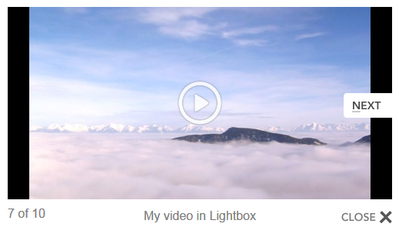
FV Player might not be loading properly at all. Please check if it works for your on the link I sent before and check if it appears with a white play button inside of a white circle like you can see on a screenshot here: https://cdn.foliovision.com/images/2014/05/400/Next-button.png (minus the “Next” button, that screenshot show the lightbox functionality)
Thanks,
Martin9 years ago in reply to: Blocking Featured Image Selections On Posts
Hello Steve,
sorry about the delay, could you please let us know if you see any errors on your browser debug console? Here’s how you access it: https://codex.wordpress.org/Using_Your_Browser_to_Diagnose_JavaScript_Errors#Step_3:_Diagnosis
It’s also happening with some default WordPress theme?
What other troubleshooting steps did you make?
We call the wp_enqueue_media() function in controller/backend.php where it runs in a fv_flowplayer_admin_scripts() function which hooks on admin_enqueue_scripts, so that should be fine.
Second time we call it in here: https://github.com/foliovision/fv-wordpress-flowplayer/blob/master/models/widget.php#L90
If you know a bit of PHP could you please comment out that line and see if it help? It shouldn’t matter as it only shows up in Appearance -> Widgets, but perhaps you use some plugin which loads widgets on post editing screen?
We will be also happy to get the issue fixed right on your website if you order our Pro support: http://foliovision.com/pro-support
Thanks,
Martin9 years ago in reply to: Remove Google Chrome video download button
Hello Stacey,
I see in the other thread you said:
I’m having exactly this same problem in Chrome Version 57.0.2987.133 (64-bit) on Windows 10. Is there any solution, yet?
Please test on the link I sent above, I really think something is failing on your website.
Thanks,
Martin9 years ago in reply to: Remove Google Chrome video download button
Hello Stacey,
this issue was appearing on a mobile when using fullscreen.
Please let us know what mobile and what version you are using – I guess it’s Android 4.something.
Also, do you see the same issue here? https://foliovision.com/player/demos/cloudfront-download-protection
I think that FV Player might not be loading properly for you so then it falls back to using standard browser playback.
Thanks,
Martin9 years ago in reply to: Format video is send
Hello Sergio,
IE11 doesn’t support MPEG-DASH unfortunatelly. We want to add an option to FV Player Pro to switch the Vimeo playback to streams only (HLS or MPEG-DASH) as that will make it much harder to download. It will lower the compatibility, but it should be worth it and it will be up to you to enable that option.
Thanks,
Martin9 years ago in reply to: Resumable Video
Hello John,
thank you for the feedback!
We worked on a Video Link feature which works with exact time in the video: https://foliovision.com/2017/04/fvplayer-video-links-and-other-improvements
It contains some parts which will be needed for remembering the video playback position as well.
However currently we are asked most often for a feature to put any video popup at any time in any video, so we have to work on that next.
Thanks,
Martin9 years ago in reply to: Format video is send
Hello Sergion,
FV Player Pro 0.8.11 which fixes this has been released. After upgrading you might need to wait an hour before the old cached video information is invalidated and it starts working for you.
Thanks,
Martin9 years ago in reply to: How to use RTMP streams with Flash
Hello Alfons,
I see you purchased Pro support for our help with the configuration of this. I’ll check the issue and follow up in the private ticket we have with you.
Thanks,
Martin9 years ago in reply to: php 7.1 compatibility
Hello Ahmen,
please upgrade to 6.0.5.22, it solves the issue.
There were issues with upgrade to that version related to WordPress.org: https://foliovision.com/support/fv-wordpress-flowplayer/troubleshooting/i-cant-update-to-6-0-5-22-through-wordpress-dashboard
Thanks,
Martin
Hello Renato,
several users had the same issue: https://wordpress.org/support/topic/update-issue-20/
In the end it was a WordPress.org problem which they fixed: https://meta.trac.wordpress.org/ticket/2648
Thank you for posting your another question to a new thread!
Thanks,
Martin9 years ago in reply to: Popunders break the player on mobile
Hello Hentaipulse,
We do provide paid support where we check your site directly: http://foliovision.com/pro-support
However in this case you should be getting in touch with your ad company and ask them if their script is doing something with Flowplayer – like trying to start the video playback after the popup is really opened to make sure users with ad blockers don’t get the video playing. In that case they should be excluding the mobile users from this kind of ad detection or making sure they have it setup the same for JW Player and Flowplayer.
Thanks,
Martin9 years ago in reply to: Format video is send
Hello Sergio,
it’s true that the MPEG-DASH streams are much harded to download than MP4s. Recently we had to stop the DASH playback for some of the Vimeo videos as they changed the encoding to use separate streams for audio. However we fixed that and now we are doing the final testing, I’ll let you know once the new FV Player Pro version with the fix is out.
We are also preparing a special option for Vimeo videos which will stop their playback using MP4 entirely – making it harder to download these videos at a price of reduced device compatibility (browsers without HTML5 MSE support for h264 or HLS won’t be able to play it).
Thanks,
Martin9 years ago in reply to: Popunders break the player on mobile
Hello Hentaipulse,
so the ad unit (browser popup window) which I saw was the popunder ad, or is that something else that I haven’t described in my post?
Thanks,
Martin