This guide will show you everything you need to know about posting and viewing videos on mobile devices using FV Player.
List of contents:
Mobile Settings
Behaviours
Limitation
Legacy Device Limitations
Offering 99% coverage, FV Player works great on mobile devices too. However, this brings along a few mobile-specific settings, limitations, and behaviors. Keep in mind that some of these are not our choices, but core device restrictions which we have no power over.
Mobile Settings
There are some behaviors you can control in settings. You can find these in Settings -> FV Player Pro -> Setup tab -> Mobile Settings:
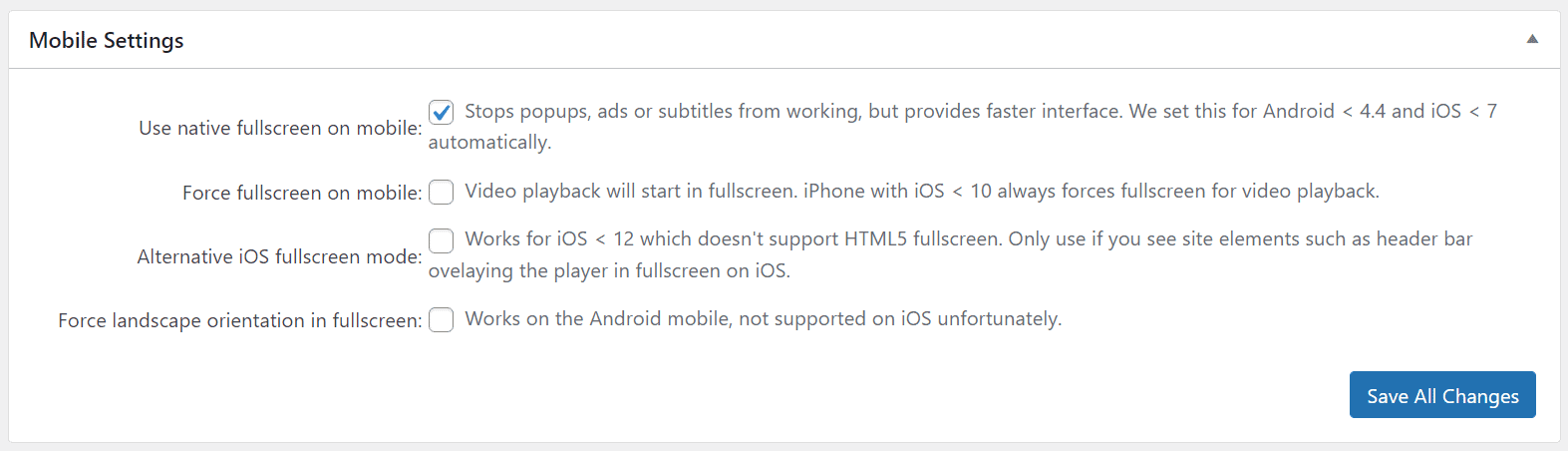
- Use native fullscreen on mobile helps you achieve a much simpler and faster interface, but comes with several drawbacks such as loosing popus, ads or subtitles. Because of performance reasons, this is set automatically for some very old devices (Android 4.4. and lower, iOS below 7).
- Force fullscreen on mobile makes sure that fullscreen mode is activated upon initiating playback. iPhones with iOS 10 and older force fullscreen automatically.
- Alternative iOS fullscreen mode can be used if you are having issues with overlapping elements on iOS devices that do not support HTML5 fullscreen.
- Force landscape orientation in fullscreen works only for Android devices. Unfortunately, it is not supported on iOS.
Behaviours
-
You can double-tap the corners of a video to seek 10s forward or backward. If you do not like this behavior, you can simply disable it by a CSS fix.
-
When using lightbox for images too, you can zoom in by double-tapping anywhere on the image.
-
Quality Switching makes sure that the appropriate quality for viewer’s bandwidth gets picked. Quality switching means a huge difference for saving mobile data. The viewer can still choose a higher quality and have that preference remembered. There’s an exception for viewing HLS on iOS – there are no options of switching quality to a different quality.
-
Playlist captions on desktop are shown only on hover. Since it is impossible to hover on mobile, playlist captions are always shown:

If you do not like this, you can simply change the Playlist Design.
-
If you’re using multiple audio tracks with language codes, Safari on iOS will use your phone’s localization settings to set language automatically. Other browsers and Android phones require manual audio switching.
-
When viewing a 16:9 video on a 19:9 device in fullscreen, you will get black bars on the sides:
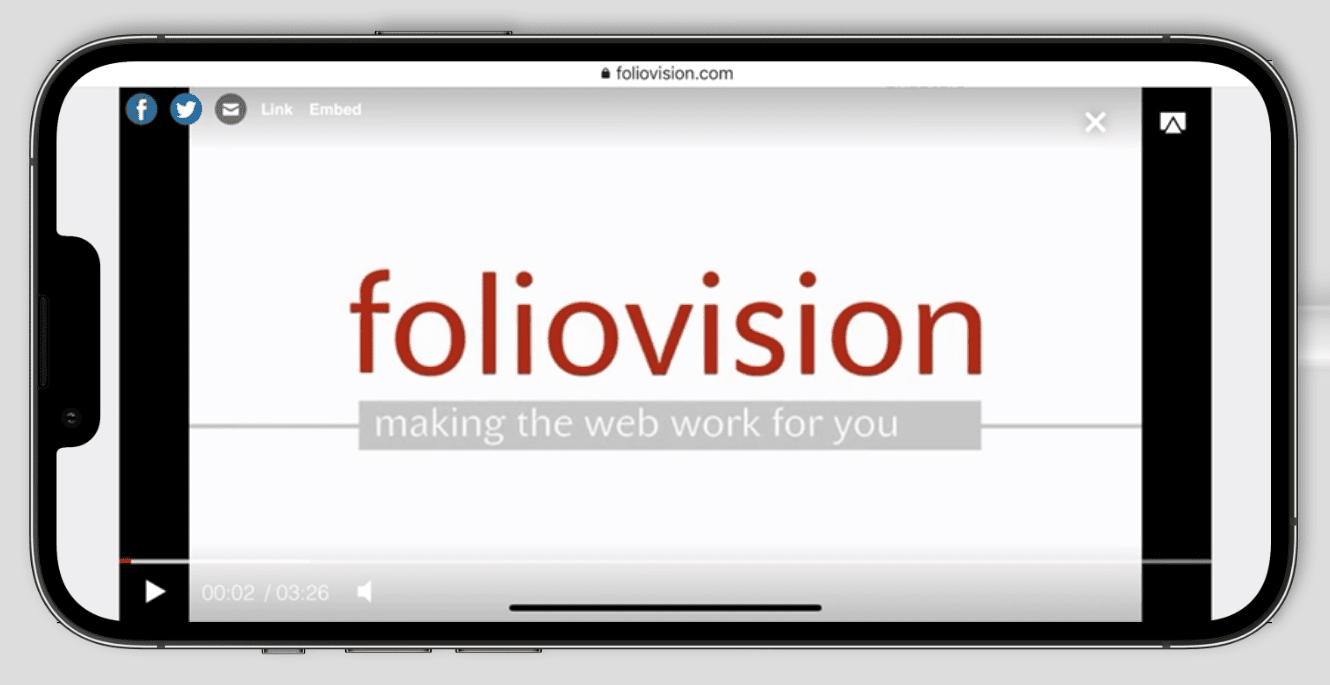
We recommend using <meta name="viewport" content="width=device-width, initial-scale=1, viewport-fit=cover"> to make sure your website covers the entire viewport, see our guide for viewport meta tag.
You can ensure the video always covers the entire display on wide mobile devices with this CSS fix.
Limitations
- Chromecast on iOS only works using the Google Home app and linking with a select group of apps. It does not support casting from Chrome browser yet.
- Mobile devices only allow for muted autoplay. Find out more here.
- Scroll autoplay works great in most cases. The only exceptions are YouTube videos played on iOS devices, due to YouTube API limitations.
- On iOS, FV Player completely relies on the core video playback engine. We have heard reports of mp4 videos not playing in FV Player on some iPhone devices in the past.
Legacy Device Limitations
Some features which are fully supported on newer devices, were not supported or fully functional on older devices. Mainly due to past device and OS restrictions. These include:
- The mid-roll ads are not supported for iOS 13 and lower. They work great on all other devices.
- Skippable VAST pre-roll ads are playable on all devices, except for iPhone with iOS 10 and lower.
- VAST autoplay on mobile is only available since iOS 14 and Chrome 83 and above. Learn more on how to enable it here.
- Custom video ads hosted on YouTube only supported on iOS 10 / Android 6 or above.
Note: Many features will not work, or not function properly on very old devices with Android 4.4. / iOS 7 and lower (2014 and older).
