Sunday, January 17th, 2010
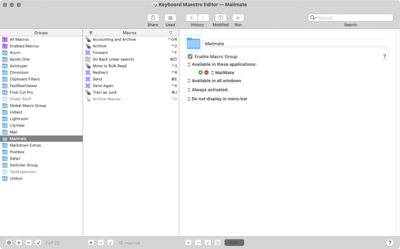
Everyone who works on the web should have a keylogger. Browsers crash often enough when you are writing into a form or browsers have hot keys (especially forward or back) which will reload the page on you at an unexpected time, just when you are in the middle of a very long post.

If you value your time, the question is not whether to use a keylogger
but which keylogger for Mac OS X to choose. Photo jgarber.
I've heard all the privacy arguments against keyloggers but I'm not sold. If you are typing into a computer, particularly one which is near constantly connected to the Internet, you need to accept that there is very limited privacy. For very private writing, it should be done on paper or on an old computer which is no longer capable of being hooked up to the Internet easily or at all (i.e. missing a network card and wifi and/or automatic DHCP).
Read the rest of this entry »
By Alec
IT |
Sunday, December 20th, 2009
Yes, everything awful you've heard about these adapters is true. They don't really work right, under Mac OS X. The strange thing is that those who've turned their Mac Minis into either Windows XP or Linux rigs do not have trouble with the adapter. So it's not really hardware related. A bit embarassing that the Apple engineers can't get their own gear working. Another senior engineer transferred to the iPhone video driver department?

Apple Mini DisplayPort Dual Link DVI Adapter MB571Z
Here's what recent reviews on Apple's own store say (just two of two hundred):
Flicker two or three times a day – GM, Dec. 9
I am a totally MAC fan. I love their stuff. It is always quality. This thing is awful. I depend on my monitor as I do a lot of photo work. I had an older macbook pro which had the DVI output. Ok, so I have buy a 100 adapter now, I am sort of ok with that. Then I find it takes up one of my USB ports as well. A little less happy, but give me a product that works. Now this… Two or three times a day I need to cycle this thing. Very poor. I really hope they fix this.
bad, bad, bad – VC, Dec. 9
This thing is junk. Sadly I have to re boot or put my computer to sleep at least three or four times a day because it goes out and comes back with the dreaded TV Snow we all hated as kids when the cable went out. Apple should have gotten this right by now. As a consumer and big spender on apple product I'm disappointed again. Windows 7 anyone? (Joke) Is Apple listening?
Read the rest of this entry »
By Alec
IT |
Tuesday, December 15th, 2009
Until recently, Apple had no good inexpensive computer in its lineup. There was the Mac Mini but the graphics were crappy built-in on-board Intel adapters. As an ex Macbook owner, I knew how weak that chip is.
On the other hand, the Mac Mini with the 9400GF is a real computer. A Core2Duo processor at 2 GHz can handle anything except gaming and high end video editing.
I hope to hell my staff are not gaming and I know we aren't doing high end video editing these days. If we decide to start, I'll get a more powerful computer.
I know that when we do go to video editing, there are no audio and video sync issues on Macs (sync issues are the historic bugaboo of video editing on Windows computers).
We've just bought a total of six Mac Minis and Macbooks to switch Foliovision over to being primarily an Apple company. Here's why.
How Apple Won Our Mini Enterprise Contract
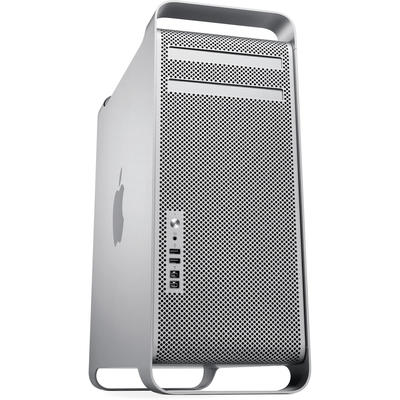
- What is great about the Mini is that it is small and silent and powerful. We spend a huge amount of time finding and configuring custom power supplies and fans to make our Windows computers silent. Minis are silent out of the box (the power supply is on the floor). Silence is goal number one for our computers. That Macs used to be loud (even the G5 towers, I had one) was one good reason they didn’t have our business earlier.
- We can move the OS around from computer to computer without going through a complicated and painful . I.e. we will build a standard setup for our Minis with all the software and extras onboard that we want and just clone it from one machine to another.
- All hardware is compatible (limited choice but what exists works)
- I know all the software so whatever software anyone needs I can tell them off the top of my head which one to install
- We are all licensed software. Which means we are paying for our work tools anyway. As we are paying for our tools, we’d like nice ones. We’ve tried Linux but it is too widely configurable (i.e. too much choices so you end up spending time fiddling) and suffers from the same issues as Windows (driver and hardware compatibility issues).
- Maintenance is minimal and I don’t have to dedicate a staff member to working just on the computers (adding 5 more Windows boxes means that the IT guy would be almost unavailable for anything except computer maintenance).
- I want my programmers to write simpler, more attractive software which means they shouldn’t be on Windows or Linux as Windows is ugly and complicated and Linux is just too complicated. We aren’t writing for other programmers but for real estate agents and best selling authors. Simple and attractive are Steve Job’s watchwords and ours too.
How Apple Almost Lost Our Business
- Minis are very difficult to get into. We almost didn’t buy them at all as it is so difficult to change RAM and hard drives. I figured we are buying enough of them that we will get good at opening up the little devils.
- The warranty period is inadequate. All computer makers in Europe are offering two years. Apple is trying to offer one, along with a paid upgrade to three years. Yes for a laptop, no for a desktop. By the time you buy the extended Apple-Care on a desktop, it’s no longer a cost effective solution.
- There is no reasonable step up. iMacs are lovely computers but it’s next to impossible to change the hard drive. Guess what? We just won’t buy a computer in which we can’t change the hard drive ourselves. Crashed hard drives are the number one hardware issue and we expect to be able to deal with it without lugging a heavy iMac around town. Moreover the top of the line new quad iMac was issued without an external SATA port. For no good reason Apple has limited us to FireWire 800. Even FW 800 raid with 80 MB/sec throughput is not fast enough for HD video and just adequate for heavy duty photo processing.
- Custom video ports. We have to buy five mini-DVI adapters and five miniDisplay adapters for our dual head setups. Fortunately there are third party solutions now which come in at €8 to €15 per adapter instead of Apples €25 to €29. Tell me again why Apple are not using DVI and displayport instead?
Conclusion
The computers are arriving this week. We'll be setting them up over the holidays. I'll be back with some tips on how to set up Macs for enterprise use straight out of the box.
Microsoft had our business until they lost it with complicated licensing.

By Alec
IT |
Sunday, January 18th, 2009
I just found a great little utility to test backup systems.
It's called Backup Bouncer and like the bouncer in a bar Backup Bouncer is there to keep the patrons honest. It will let you know ahead of time if your backup system is letting you down in complex ways, like not copying metadata or is blowing out resource forks or resetting creation dates.
These are the sorts of things you won't notice until you've lost your original and for some reason your Aperture or iPhoto library won't run properly anymore.
Of course, even a defective backup is better than none.
I was happy to see that my main backup tool SuperDuper! passes the test with flying colours. (For full bootable backup, Mike Bombich's CCC (Carbon Copy Cloner) is back in the game as well, after a couple of difficult years, passing all tests as well - as a past donater, I guess I own CCC as well.)
That's great news as it means I don't have to test SuperDuper! myself . Indirectly I do test SuperDuper! by booting from my bootable backup after most backups and doing a bit of work just to be sure that the bootable backup really boots and really works.
But as good as SuperDuper! is for a whole drive bootable backup, is it (and CCC) awkward for backing up a directory or two. You need a second program to be moving image or music files back and forth between two computers. And this second sync program is a bigger problem.
My secondary tool is for syncing directories and moving anything from 500 MB to 50 GB of data around. I use a little application called MimMac which is very easy to use and inexpensive ($10/per computer).
But MimMac is a bit of a black box. We don't really know what goes on inside. Everything seems fine, but what exactly is MimMac copying and how well?
As the backups are not bootable, MimMac is more difficult to stress test.*
Here's the Backup Bouncer report to save you the trouble of setting it all up and running it yourself:
Verifying: basic-permissions ... ok (Critical)
Verifying: timestamps ... ok (Critical)
Verifying: symlinks ... ok (Critical)
Verifying: symlink-ownership ... ok
Verifying: hardlinks ... FAIL (Important)
Verifying: resource-forks ...
Sub-test: on files ... ok (Critical)
Sub-test: on hardlinked files ... FAIL (Important)
Verifying: finder-flags ... ok (Critical)
Verifying: finder-locks ... ok
Verifying: creation-date ... ok
Verifying: bsd-flags ... ok
Verifying: extended-attrs ...
Sub-test: on files ... ok (Important)
Sub-test: on directories ... ok (Important)
Sub-test: on symlinks ... ok
Verifying: access-control-lists ...
Sub-test: on files ... ok (Important)
Sub-test: on dirs ... ok (Important)
Verifying: fifo ... FAIL
Verifying: devices ... ok
Verifying: combo-tests ...
Sub-test: xattrs + rsrc forks ... ok
Sub-test: lots of metadata ... ok
Not bad. The failures in hardlinks and resource-files in hardlinked is similar to Apple's cp-copy command. Failure in fifo only happens in ditto. FIFO stands for first-in-first-out. As far as I can tell, FIFO is not mission-critical for personal/local backups.
What MimMac gets right that most of the other methods do not get right is metadata. So Benjamin is paying attention. Still not clear what copying engine he's using though.
What is good about MimMac is that it is very fast. What is not so good about MimMac is that you can't do a test run. Either you run your sync or you don't so you can't find out about conflicts or mistakes before you press go. The speed probably makes up for the risk.
I would like to recommend MimMac but can't due to licensing methods. MimMac relies on the esellerate engine for license verification and each license is tied to your specific hardware. If Benjamin goes out of business or just gets tired of MimMac and you upgrade your computer or your hard drive, you have no further access to the software. Full stop. Period. For core programs, I much prefer either open-source (commercial open-source is fine, it doesn't have to be GNU) or if not open-source, at least just a personal license code which will continue to work even if the developer decides to stop work. I've lost enough software over the years to developers leaving the business, that there is no way I want my core functions dependent on whether another person's whim or even health.
Moreover when you switch computers, all software which is tied to hardware either has to be unlicensed and relicensed (forget it!) or it requires emails and phone calls to the developer (one obnoxious developer once told me for his $25 utility as a courtesy he would allow me to license it on my new computer once, but next time I had to unlicense his utility or he wouldn't issue a replacement key - what do these developers think: their two-bit utility is one of five applications we own: this licensing system just doesn't scale and reminds me of the Lubyanka in Moscow).
The worst developer in Mac backup actually runs background spyware applications on your network full-time if you decide that you want to use his software. The problem is that the spyware not only spies but steals significant background cycles and is constantly pinging the inside of your network, creating no end of dead-end traffic. While the solution is speedy, slowing down my computer is not on. At this point, licensing this guy's software is extremely dicey: you need to give him special codes for your hardware (not even the standard ones) and if you're lucky it might just work. Talk about shooting yourself in the foot. He's made using his software so painful that from being the best solution, he's become the worst solution - as well as the most expensive. I guess he's been taking lessons from the RIAA paranoid and self-destructive school of copyright.
So I am looking for an rsync GUI, paid or not. One rsync GUI can always be replaced with another in the worst case. Unfortunately rsync doesn't pass the Backup Bouncer test unless you do a special install which means you have to tinker on all your computers (slowing you down) and that a certain number of these GUI won't work as they will be defaulting to the built-in Apple rsync.
Here's a couple of candidates to save you the time of searching for rsync GUIs (there's a lot of abandonware out there):
- aRsync 0.41. I don't like that a simple rsync GUI is 4.7 MB - what are they hiding in there? I don't like the Pirate logo on backup software. This is the kind of software which could compromise your whole hard drive or send out your financial data. No to pirates or unknown entities. I don't like betas for backup or sync software either. This is an area where you need 100% reliablility. Moreover aRsync fails many tests including semantic links, hard links, creation date, fifo and metadata. Ouch.
- Simple Sync 1.1. I don't know how well SimpleSync works. Perhaps very well if you do follow the instructions for updating rsync. If not certainly it will work as well as Apple's rsync with. It's worth noting that Simple Sync is just 210 KB - that's about right for a wrapper - and that Kevin includes both his mobile number and a link to his main company's home page on the Simple Sync page. I'm feeling much better about using this script already.
Maybe we will build a self-contained advanced rsync GUI ourselves and release it so that we can get the right version of rsync and a GUI - and then we can share it with the world. For the moment, SuperDuper! and MimMac are keeping us safely backed up and synced.
Whatever you do, don't forget to backup!
At least once a week.
For those interested in specific backup strategies for Mac OS X for photographers and other media intensive users, I've written another article called The Backup Manifesto.
* MimMac is capable of bootable backups but I have more trust in SuperDuper! both for technical reasons and for licensing reasons as outline later in the article. On the other hand, if you are willing to accept MimMac's licensing you can probably take a pass on SuperDuper! and use MimMac for everything, saving yourself $28 to spend on a replacement whenever Benjamin decides to abandon MimMac or change his licensing and MimMac won't run on your computer anymore.

By Alec
WordPress |