Forum Replies Created
-
-


Thanks Martin,
This is what i had tried to do but i didn’t realise i needed to re install PPV
It all works fine now, Thanks again for you help
Hi Martin,
yes we know that if you have it set to start muted it shows trhe icon, but if you click on the icon to unmute the icon dissappears and you cannot re mute the video fine for short 1 min videos but on longer ones people want to be able to mute the video easily. also if the video is not set to start muted no icon is available for people to mute the video if they wish, We beleive it would be best to have the speaker icon always visable so users can mute and unmute as they see fit, especially on longer videos.
Regards
Stuart
Understood, is adding the mute Audio icon to the player for everything something you might consider on a future release, as it seems to be becoming a standard feature on other players
Hi
Sorry its the iphone 11 ios 13 that continually shows the speaker icon
This is what is required on other Browser/OS as to be able to mute and unmute the video from the player control bar, its much better for the customer
Hi Juraj
I have but a video on this test page
http://www.movingmemoriesproductions.co.uk/stuartI Have tried it Using Chrome & Edge Browsers
Using Windows 10 r 1909
Regards
Stuart
6 years ago in reply to: Unable to Play 50i Videos on Iphone 11
Hi Martin
After a lot of testing it certainly seems that Ios 13+ cannot play any sort of interlaced video, also it doesnt like autoplay and its better with sound at max 160kbps.
I have tried lots of different formats and i believe that the best settings for video to play on IOS13+ are currently:,
MP4 container 1280 x720 at 25p, bitrate seems fine at 6m or 7m even on a large file audio aac at 160kbps.
I have played using 50p but for backwards compatability 25p is better.
I am sure other settings will work but for know this seems good.Best regards
Stuart
6 years ago in reply to: Unable to Play 50i Videos on Iphone 11
Hi Martin, thank you for your informative response,
I will run some more tests as you sugest and let you know the outcome, i have also been testing and it appears so far that the iphone manages to play the video if its converted to 25p our original files are 50i so perhaps its this that the iphone struggles with i still need to complete some more tests to confirm this.
It good news that you are creating a coconut plugin, we tested coconut earlier last year and it was really good for adaptive streams, but at that time we couldn’t find a way of using it. I would be very interested in knowing more on how this will work with you.Will update ticket with my test results later
many thanks
RegardsStuart
6 years ago in reply to: Unable to Play 50i Videos on Iphone 11
Hi Martin
Thanks for prompt response, videos are H264 encoded Mp4 hosted on bunny CDN played via folio player on our website. we use hotlink protection so that videos can only be played via website.
The video plays on all other devices that we can find.
I have sent you the log file showing Video Okay7 years ago in reply to: PPV Generated Email Text
Hi Martin
Thanks for the update, I have just tried unloading the old PPV and downloading and installing from the licence site, but it has given me the same version as before 7.3.8.727 so no extra setting for the email
7 years ago in reply to: Problems playing videos in Edge
Thanks for your sugestion, i have played the same file using html <video> tag it responds better but finally i got it to go wrong with an error “unable to decode video.”
I ran the test in player settings attached is the output i am not sure if this is what you wanted when you said “Check the video file on fv player settings”8 years ago in reply to: PPV Generated Email Text
I have attached 2 example files
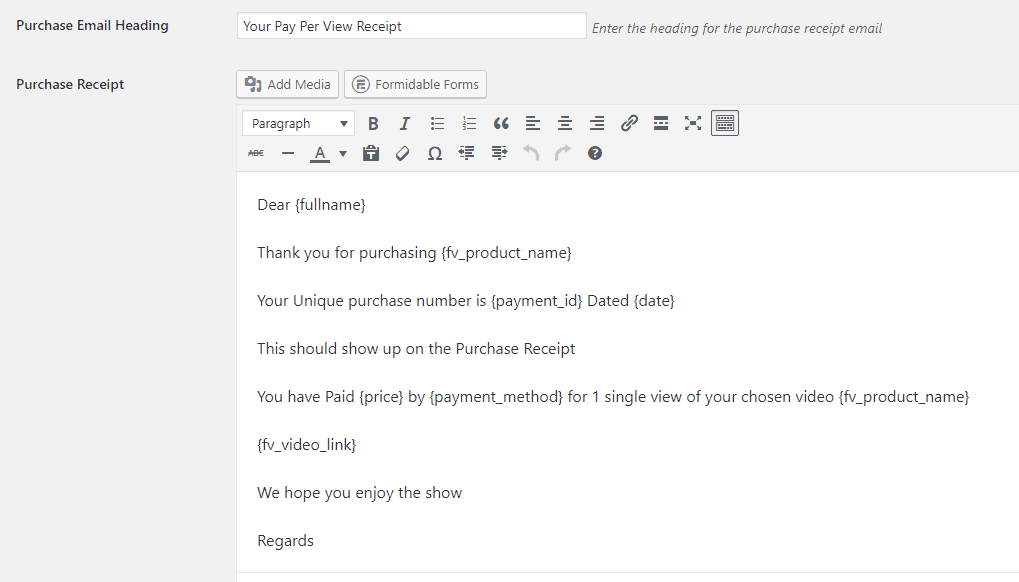
the first example 1 is the backend email template
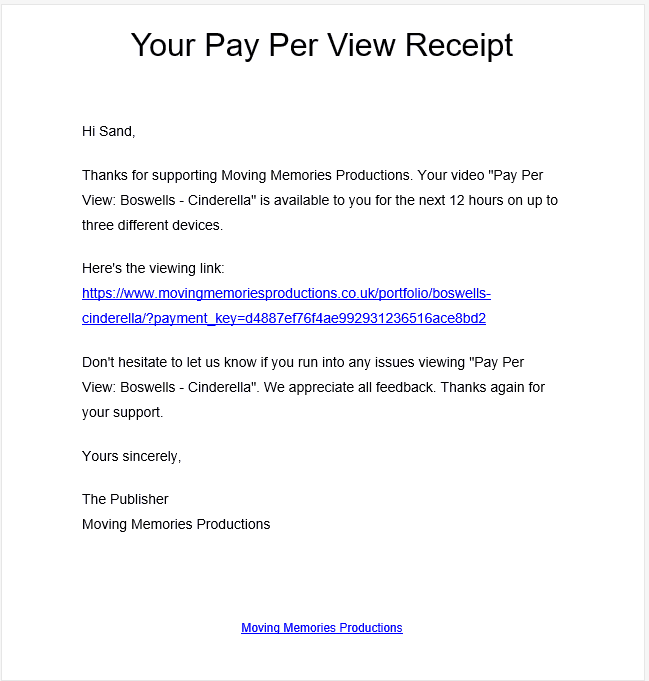
example 2 is the actual received email8 years ago in reply to: PPV Generated Email Text
Yes we have made changes here but when a purchase is made the email that is sent does not reflect the changes
8 years ago in reply to: FV Pay Per View Number of Devices
Hi
yes i understand that you mean browsers that can view, but this also means number of potential people that can view, initially we would like to be able to set this to 1, 2 or 3. on a per video basis.
Yes later it would be great to actually track plays. but i understand this will be a lot harder.
so if we can limit the amount of browsers that can play a single video to either 1, 2 or 3 on a per video basis this would certainly be a great improvement8 years ago in reply to: FV Pay Per View Number of Devices
Generally i want to decrease the amount of plays, the reason for this is because of the type of work we do, our audience is limited and we dont want to allow to many extra plays, but their also may be times when we want to increase the amount of plays on certain videos
8 years ago in reply to: FV Player pay per view problems
Hi Martin
Yes appreciate it will only log new emails i will try the tests again.
in the downloads at the moment we have sales showing for
sosborne@activemicro.co.uk and sandbox@movingmemoriesproductions.co.uk
Both emails we have access to and receive other emails toRegards
Stuart
8 years ago in reply to: FV Player pay per view problems
Hi Martin
I have checked the download payments and the correct email address is shown, initially we used the Test Payment option, currently just trying it with paypal in sandbox mode but still do not get any emails.
will install the suggested plugin to check email log8 years ago in reply to: FV Player pay per view problems
Hi Martin
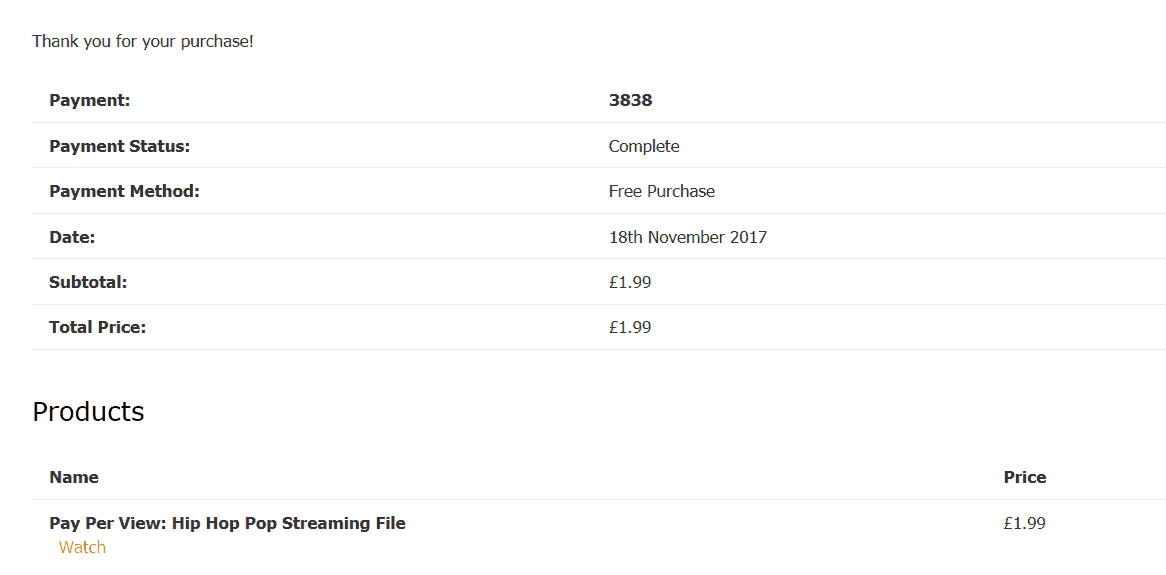
I have attached payment history details, at the moment we don’t appear to be getting emails from the PPV at all not to the customer or to us.Regards
Stuart