• Skip to main content
  • Skip to primary sidebar
  • Skip to footer

Foliovision

  • Weblog
    • FV Player
    • WordPress
    • Video of the Week
    • Case Studies
    • Business
  • About
    • Testimonials
    • Meet the Team
    • We Support
    • Careers
    • Contact
    • Pricing
  • Products
  • Support
    • FV Player Docs
    • Pro Support
  • Login
  • Basket is empty

Stream loader

[Solved]

Foliovision › Forums › FV Player › Troubleshooting › Stream loader

  • Michael 6 months, 1 week ago

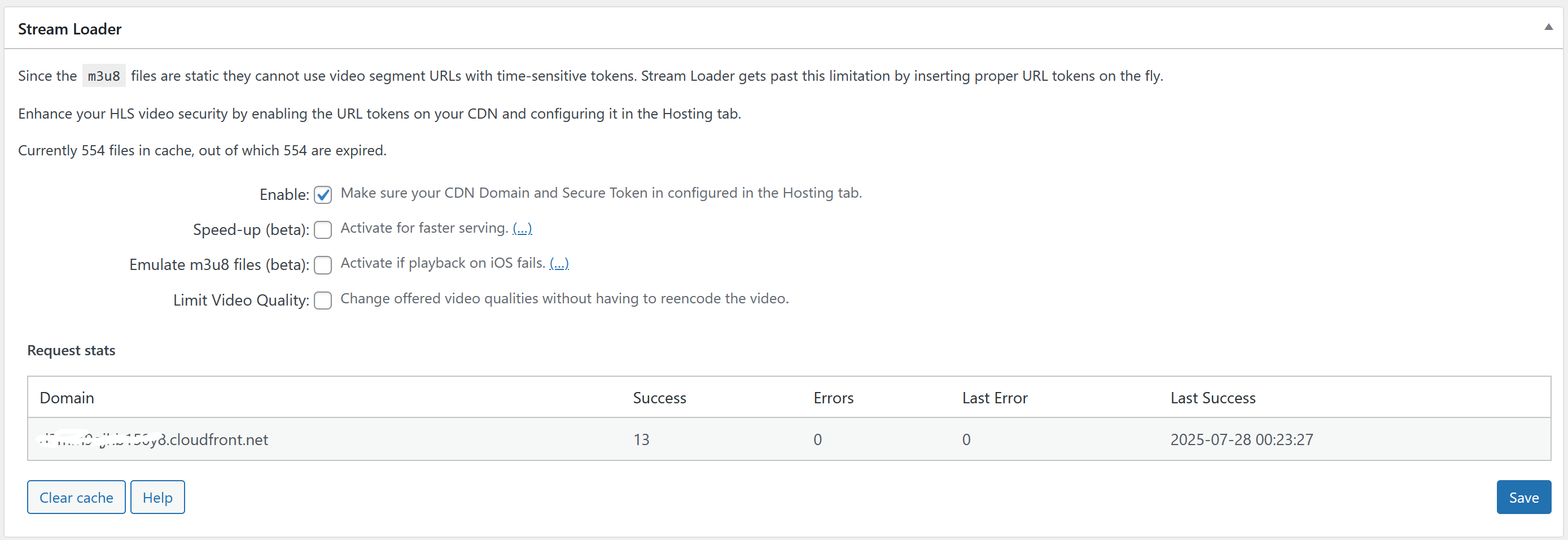
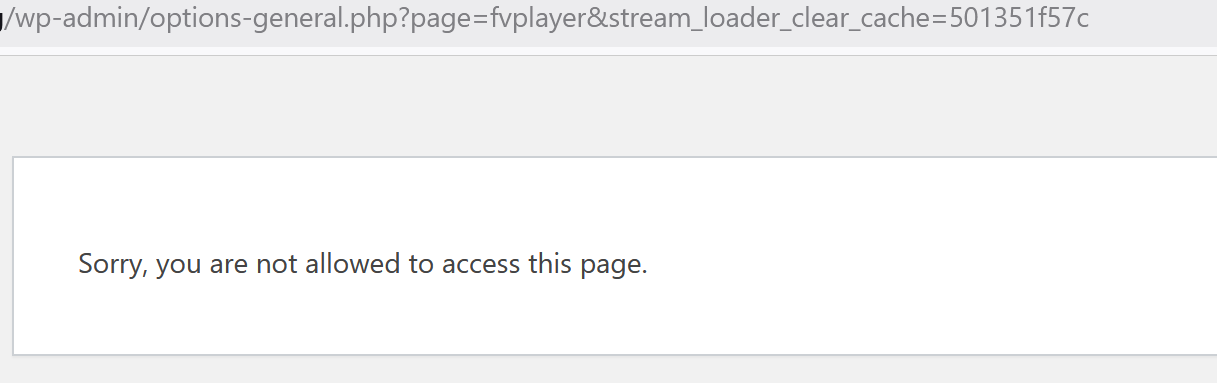
    When I try to clear Cache via Stream Loader – Clear Cache, I get error message:
    Sorry, you are not allowed to view this page.

    Otherwise the Stream loader interface shows properly.
    We are using Cloudfront for singed tokens.

    Could this be related to other caching done by Cloudflare APO?
    Thanks as always, Mike

    screenshot-2025-07-27-184402
    Screenshot-2025-07-27-184402
    screenshot-2025-07-27-184250
    Screenshot-2025-07-27-184250
Viewing 3 replies - 1 through 3 (of 3 total)
  • Michael 6 months ago

    Note: The site with the error is a sub-site in a WP Multisite with domain mapping. FV Player PRO is only activated (and licensed) on a sub-site, not the main network site/domain.

    Michael 6 months ago

    Found these in Debug log:

    we are on FV PLayer PRO Version 8.0.18.beta

    php: 8.4.2

    PHP Warning: Undefined array key 1 in /wp-content/plugins/fv-player-pro/beta/cloudflare-ip.class.php on line 104

    PHP Deprecated: trim(): Passing null to parameter #1 ($string) of type string is deprecated in /wp-content/plugins/fv-player-pro/beta/cloudflare-ip.class.php on line 120

    Martin 6 months ago

    Hello Michael,

    Thank you for the bug report. I see it got broken with release of FV Player 8 where we moved the settings screen to wp-admin -> FV Player.

    I also fixed these warnings. I’m not sure what weird IPv6 could cause it though and why did it pass the initial checks done by PHP.

    The fix will be part of the next FV Player Pro release. You can also deactivate and delete the FV Player Pro plugin you are using, then hit “Install Pro extension” at the top of the wp-admin -> FV Player -> Settings screen. That will give you the fixed version right away.

    Thanks,
    Martin

Viewing 3 replies - 1 through 3 (of 3 total)

Reply To: Stream loader


Please Sign in or Register to upload files.

Related Posts

  1. Stream loader – Speed-up (beta) breaks HLS

    Stream loader – Speed-up (beta) breaks HLS

  2. After a server migration the stream loader faster options does not work

    After a server migration the stream loader faster options does not work

  3. Stream loader – Speed-up (beta) breaks HLS – Only for not logged in WP users

    Stream loader – Speed-up (beta) breaks HLS – Only for not logged in WP users

Primary Sidebar

Troubleshooting

    Categories

    • Business
    • Camera Reviews
    • Case Studies
    • Design
    • FV Player
    • Internet Marketing
    • IT
    • Life
    • SEO
    • Slovak
    • Video of the Week
    • WordPress

    Footer

    Our Plugins

    • FV WordPress Flowplayer
    • FV Thoughtful Comments
    • FV Simpler SEO
    • FV Antispam
    • FV Gravatar Cache
    • FV Testimonials

    Free Tools

    • Pandoc Online
    • Article spinner
    • WordPress Password Finder
    • Delete LinkedIn Account
    • Responsive Design Calculator
    Foliovision logo
    All materials © 2026 Foliovision s.r.o. | Panská 12 - 81101 Bratislava - Slovakia | info@foliovision.com
    • This Site Uses Cookies
    • Privacy Policy
    • Terms of Service
    • Site Map
    • Contact
    • Tel. ‭+421 2/5292 0086‬