• Skip to main content
  • Skip to primary sidebar
  • Skip to footer

Foliovision

  • Weblog
    • FV Player
    • WordPress
    • Video of the Week
    • Case Studies
    • Business
  • About
    • Testimonials
    • Meet the Team
    • We Support
    • Careers
    • Contact
    • Pricing
  • Products
  • Support
    • FV Player Docs
    • Pro Support
  • Login
  • Basket is empty
Affordable VAST/VPAID for Wordpress has arrived. Serve ads with your videos starting today!

Quick Checkout for WooCommerce Video Rentals

24 January 2025 / Martin / Leave a Comment

We never liked like the WooCommerce checkout experience. It’s too much clicking and typing for a video rental.

First there’s the button showing on top of FV Player to rent the video. Clicking it takes you to a page where you enter your email address and payment details. But it also asks for billing address.

Once the order is placed you are redirected to a confirmation screen where you click the “Watch full video” button to go to another page where you can finally enjoy the video.

We have improved this with our FV Player Pay Per View for WooCommerce.

Once you hit the button to rent (or buy) the video, you simply get the popup to enter email address and your credit card:
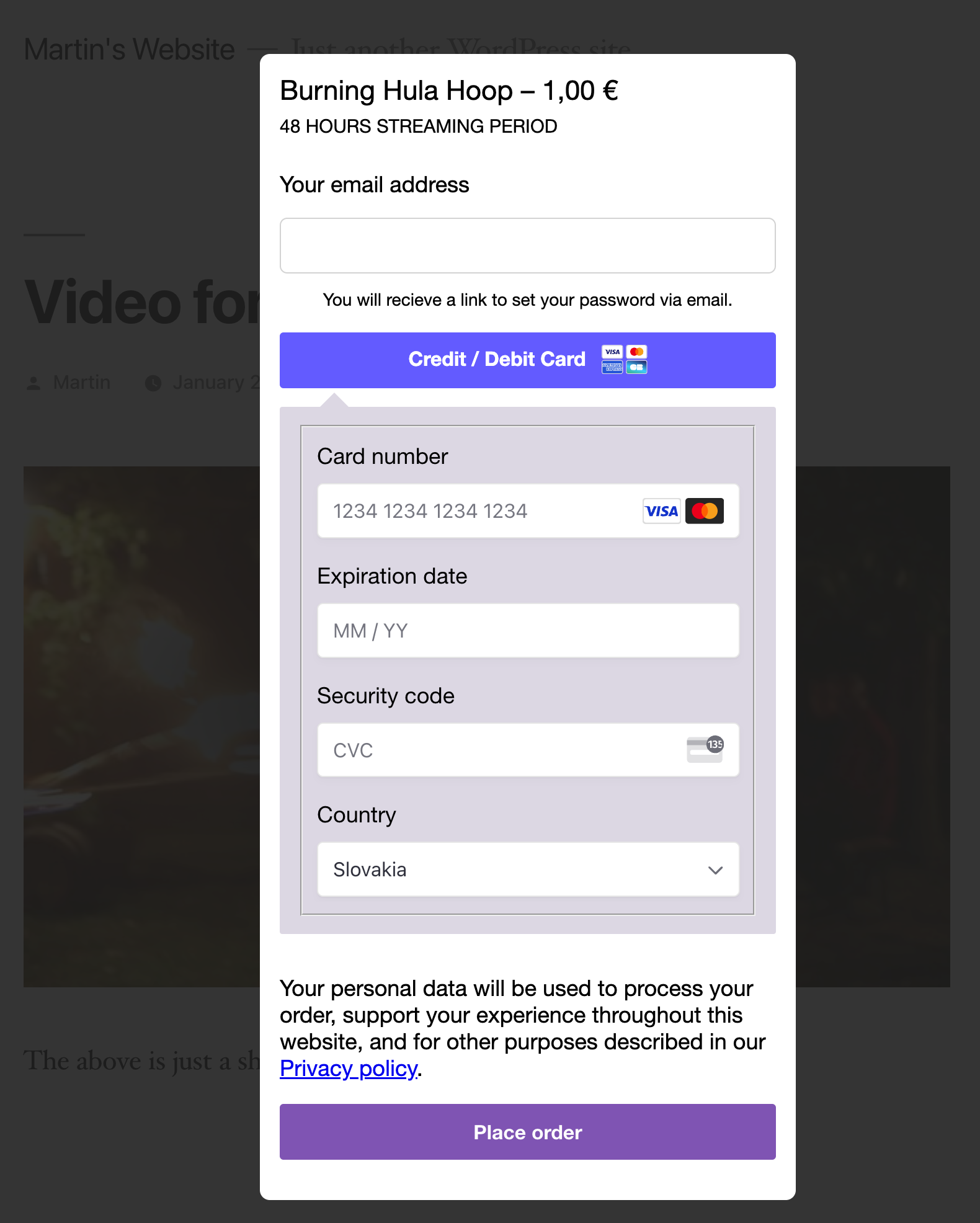
The user registration and payment is a single step

Once it’s paid the popup closes and you can watch the full video:
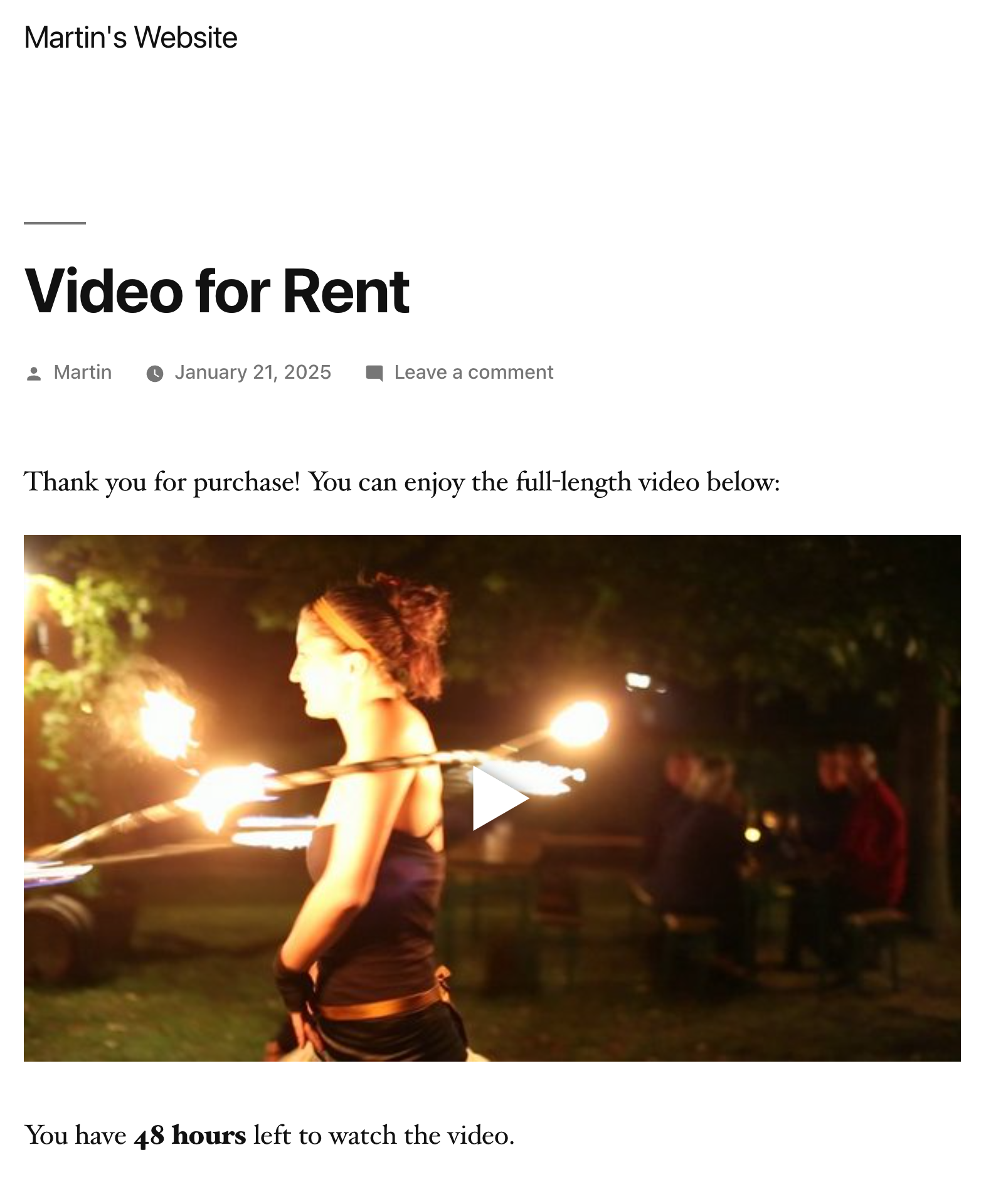
FV Player with video for rent

Notes:

  • If your payment gateway is PayPal, you get a button which opens the PayPal dialog for you to log in and then confirm the payment back in our popup.
  • Checkout of other products is not affected, this only works for video rentals.
  • The user password is automatically generated and sent in the WooCommerce email for account creation.

Full checkout experience can be checked here: How the Pay Per View Looks


This new checkout experience is available for users of FV Player 8 along with FV Player Pay Per View for WooCommerce 8.

Once you upgrade you will see the settings in wp-admin -> FV Player -> PPV Settings -> Quick Checkout.

For new installs we enable Quick Checkout automatically.

Martin Vicenik

Martin Viceník

Martin graduated as an engineer in Computer Science from Slovak Technical University in Bratislava. He grew up in Liptovský Mikuláš in northern Slovakia next to the beautiful Tatra mountains. He is the developer behind our FV Player.

Categories: FV Player

Related Posts

  1. How to use FV Player Pay Per View for WooCommerce

  2. FV Player Pay Per View for WooCommerce

  3. Problem setting with PayPal integration

    Problem setting with PayPal integration

Reader Interactions

Leave a Reply Cancel reply

Your email address will not be published. Required fields are marked *

Click here to Subscribe without commenting

Primary Sidebar

Categories

  • Business
  • Camera Reviews
  • Case Studies
  • Design
  • FV Player
  • Internet Marketing
  • IT
  • Life
  • SEO
  • Slovak
  • Video of the Week
  • WordPress

Footer

Our Plugins

  • FV WordPress Flowplayer
  • FV Thoughtful Comments
  • FV Simpler SEO
  • FV Antispam
  • FV Gravatar Cache
  • FV Testimonials

Free Tools

  • Pandoc Online
  • Article spinner
  • WordPress Password Finder
  • Delete LinkedIn Account
  • Responsive Design Calculator
Foliovision logo
All materials © 2026 Foliovision s.r.o. | Panská 12 - 81101 Bratislava - Slovakia | info@foliovision.com
  • This Site Uses Cookies
  • Privacy Policy
  • Terms of Service
  • Site Map
  • Contact
  • Tel. ‭+421 2/5292 0086‬