 FV Player can be configured to remember viewer’s position in each video. The setting is in wp-admin -> FV Player -> Settings -> Sitewide FV Player Defaults -> Remember video position. You can read full details of the feature here: How To Use Video Position Saving. This feature is even more powerful if you have a membership website as then your users can continue watching where they left off.
Besides the player remembering the position, you can also provide viewers with the list of watched or unfinished videos. Several use cases come to mind right away:
- the viewer might start watching on mobile and then need to finish the video on their desktop computer,
- the viewer is unsure which lesson or episode they watched last,
- the viewer simply wants to go back to a video he/she enjoyed.
You can simply use this shortcode to get a simple list (read the full shortcode description here):
No watched videos.
But what if you want a great looking list that integrates with your theme?
Elementor is the most well-known and widely-used page builder out there. With its many modules, you can easily find a way of feeding a list of the post IDs to one of its post display widgets.
Here’s an usage example of how FV Player gives the watched video posts data to the Dynamic Posts widget:
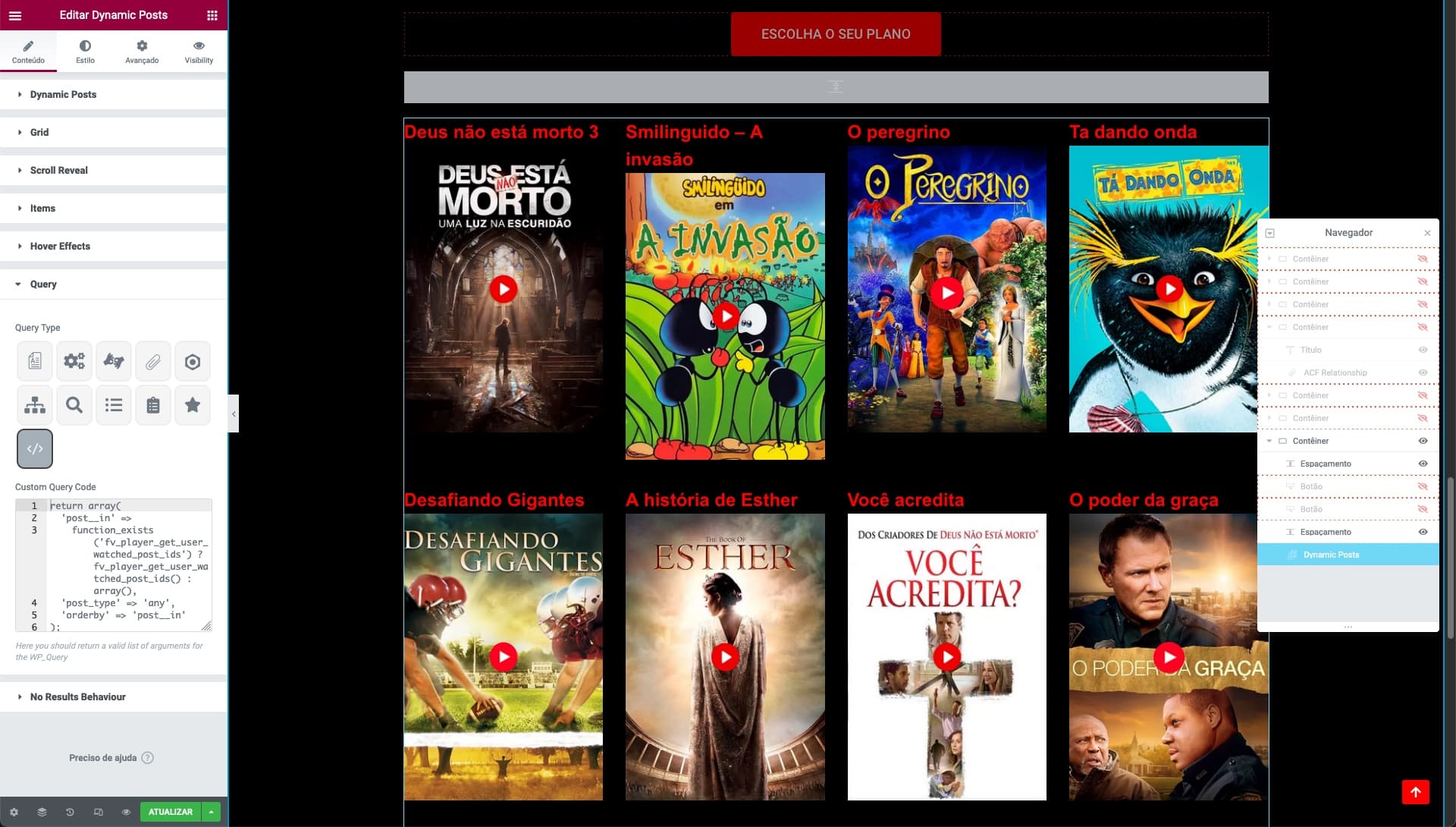
To make this happen, set the Query type of the Dynamic Posts widget to “Custom Query Code”:
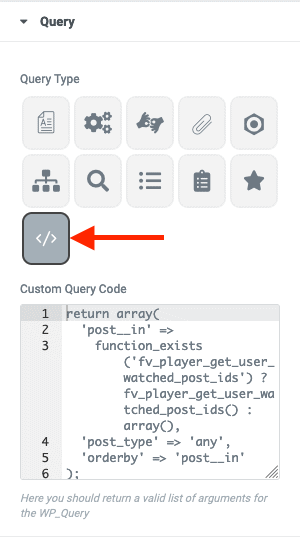
Then put the following code in:
return array(
  'post__in' =>
    function_exists('fv_player_get_user_watched_post_ids') ? fv_player_get_user_watched_post_ids() : array(),
  'post_type' => 'any',
  'orderby' => 'post__in'
);
If needed, it can be adjusted to only show the videos which the user did not finish watching:
return array(
  'post__in' =>
    function_exists('fv_player_get_user_watched_post_ids') ? fv_player_get_user_watched_post_ids( array( 'include' => 'unfinished' ) ) : array(),
  'post_type' => 'any',
  'orderby' => 'post__in'
);
The code is a bit longer than we would like but the
function_exists(...)part is necessary to ensure your theme does not break if you deactivate FV Player.
Full description of the PHP function can be found in our developer’s guide for Video Position Storing.

Martin Viceník
Martin graduated as an engineer in Computer Science from Slovak Technical University in Bratislava. He grew up in Liptovský Mikuláš in northern Slovakia next to the beautiful Tatra mountains. He is the developer behind our FV Player.

Leave a Reply