Ever had your Featured Image Admin Option go missing in WordPress? This very useful cute little box:

The Featured Images check box is not in Screen Options either:
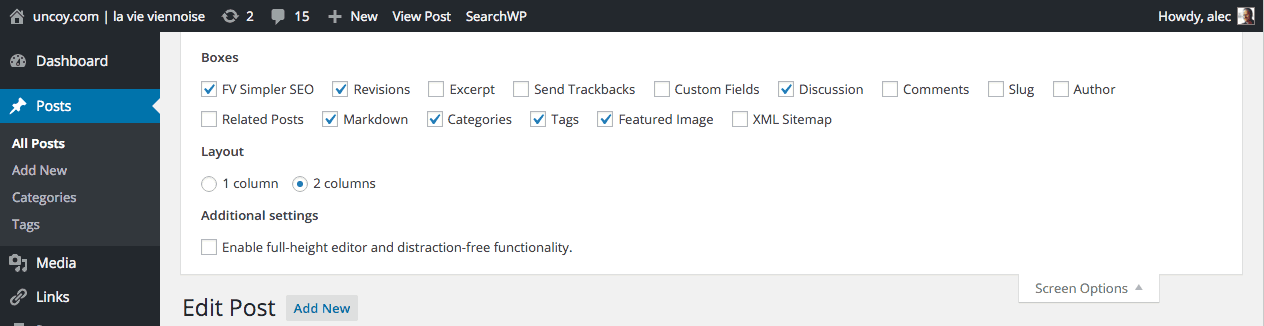
The issue is not:
- in Settings, Media
- in Appearance
- in the Customizer
- in
wp-config
Here’s how you restore the missing Featured Image box. Open up your theme functions.php file.
Just drop this bit of code in there:
// Add theme support for Featured Images
add_theme_support('post-thumbnails', array(
'post',
'page',
'custom-post-type-name',
));
All is well again. Reload your admin screen and featured images are back. It’s very easy to doublecheck for this issue. You can enable any of the recent default themes like Twenty Fifteen to make sure the Featured Image box shows up when editing posts. If not, then the issue might be elsewhere.

Alec Kinnear
Alec has been helping businesses succeed online since 2000. Alec is an SEM expert with a background in advertising, as a former Head of Television for Grey Moscow and Senior Television Producer for Bates, Saatchi and Saatchi Russia.

Opened the functions.php file on FileZilla using Notepad and pasted the code but couldn’t get the Featured Image to work
Make sure ‘Featured Image’ is not selected as an option for a custom post type under BOTH Advanced Custom Fields options AND Custom Post Type UI options! That was my problem!
I stumbled upon this nice little WP extension (WP BFI (“Better Featured Image”)) that allows you to manage your featured images directly from any posts/pages list screen, making this repetitive task easier and quickier : wordpress.org/plugins/wp-bfi-better-featured-image/
Not working
try it:
<? php function simple_theme_setup(){ //featured Image Support add_theme_support( 'post-thumbnails' ); } add_action('after_setup_theme', 'simple_theme_setup');Hi! I have problem with featured image. Disappeared! I had plug in Smush and after that I have a problem. I deactivated that program but still have a problem. Before, everything was ok. In screen option doesn’t have featured box. I tried with php code but it doesn’t work. Please, if you can give me advice. Thank you. Vanja
Have you tried the extension above Morgan? I’m not using BFI but consider it every now and then. I think I’d install BFI to fix my images and then disable it. I have a site now on which that would be handy.
Worked like a charm. I was setting “headless” wordpress site and as soon I switch theme to “Intentionally Blank” field – Featured Image just disappear from the screen. After applying suggested solution everything come back as suppose to be. Thank you!
Great tip; works for me like a charm. This post saved me a lot of time. Thanks!
It works but I don’t know why it missing.
Worked for me! Client had a super basic lite theme. No featured images for pages or posts. This worked. Thanks!
Worked, thanks!!!
TLDR: Also make sure ‘Featured Image’ is not selected as an option for a custom post type under BOTH Advanced Custom Fields options AND Custom Post Type UI options!
^ That was my problem in the TLDR. :)
I had the ‘Featured Image’ option checked in both ACV as well as in CPT UI for the same custom post. I wouldn’t have expected one to invalidate the other, but that’s what happened. The previous dev had the option checked in CPT UI. Since I didn’t see it checked when I was adding a new Custom Field with ACV, I checked the option there, too.
Totally panicked for a half an hour until I scrutinized my current dev site with the backup dev site.
Hope this helps someone!