• Skip to main content
  • Skip to primary sidebar
  • Skip to footer

Foliovision

  • Weblog
    • FV Player
    • WordPress
    • Video of the Week
    • Case Studies
    • Business
  • About
    • Testimonials
    • Meet the Team
    • We Support
    • Careers
    • Contact
    • Pricing
  • Products
  • Support
    • FV Player Docs
    • Pro Support
  • Login
  • Basket is empty

Wordpress says that the plugin isn't installed

[Solved]

Foliovision › Forums › FV Player › Troubleshooting › Wordpress says that the plugin isn't installed

  • Renato 9 years ago
    Avatar photo

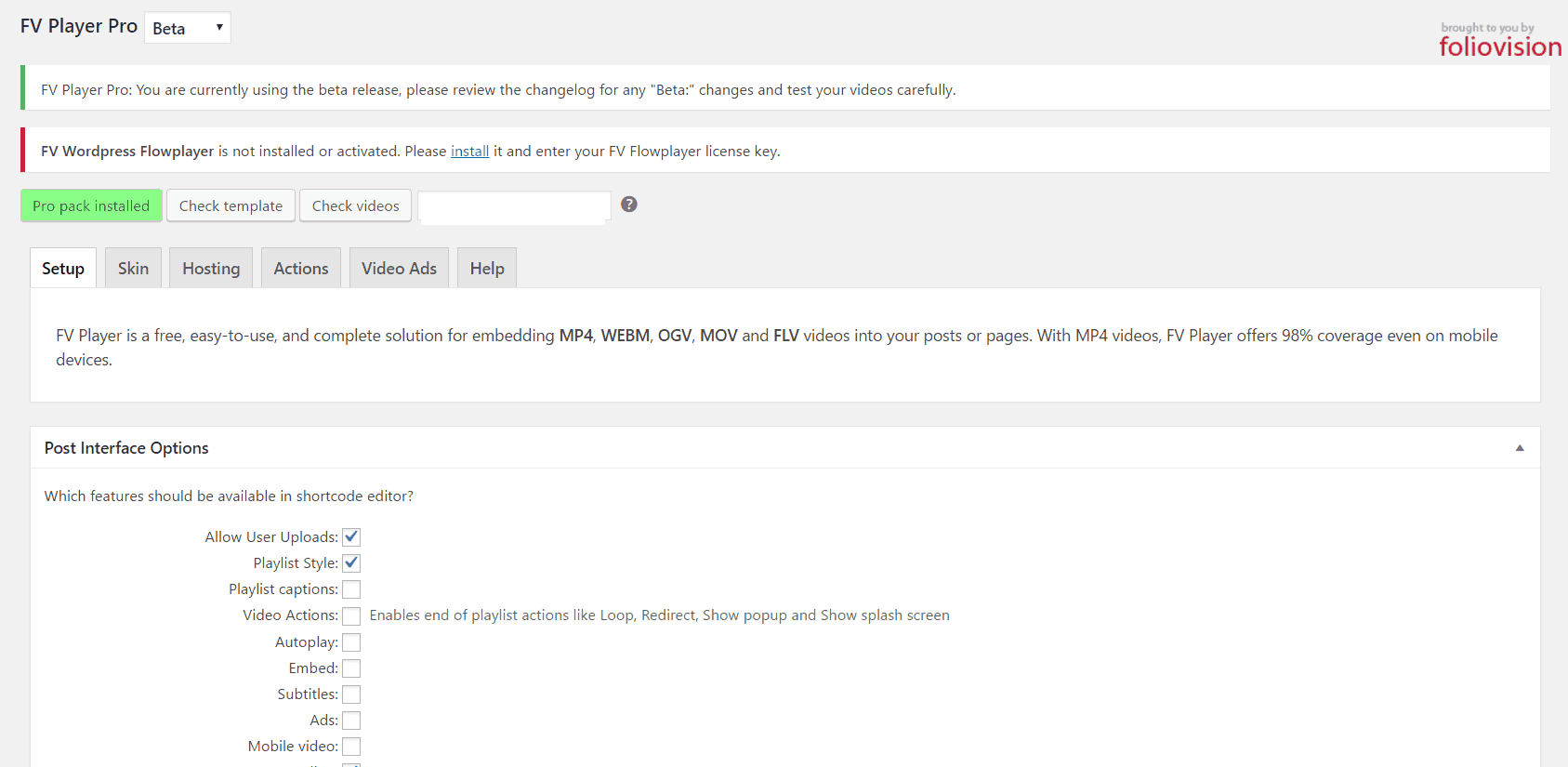
    A weird thing has happend. I have FV WordPress Flowplayer and Pro addon installed. But when I go to settings the Plugin doesn’t show up.

    Any idea?

    fv-player
    FV-Player
Viewing 7 replies - 1 through 7 (of 7 total)
  • Eduard 9 years ago
    Avatar photo

    Hi Renato,

    Thanks for reporting this bug. I’m not sure how to replicate it, however. Have you tried to manually reinstall both plugins? You can download the free version here and the Pro version in your licenses screen. All your settings will remain intact.

    Thanks,
    Eduard

    Renato 9 years ago
    Avatar photo

    Hi Eduard,
    What I have to do? Uninstall both versions and then upload them? Will I not lose my settings?

    Renato 9 years ago
    Avatar photo

    The strangest thing is that the videos are working fine. I’ve realized this problem because I don’t want that the name of the video shows up below the video window. Then when I went to fix this I realized the problem. Because, if I’m not wrong, this setting is at the FV Player settings.

    Eduard 9 years ago
    Avatar photo

    Hi Renato,

    Yes, uninstall and upload again. Your settings will remain intact.

    Thanks,
    Eduard

    Renato 9 years ago
    Avatar photo

    Hi Eduard, thanks.
    It’s worked. But another thing is happening now. The name of the video file is showing up below every video window. I couldn’t find where I can disable this feature. Could you help please?

    Best,
    Renato.

    Martin 9 years ago

    Hello Renato,

    I see that the problem is that you can’t actually remove these captions as they keep coming back.

    We will include a fix for this for new plugin release tomorrow, you will be able to disable these captions with a single global option.

    Thanks,
    Martin

    Martin 9 years ago

    Hello Renato,

    FV Player Pro 0.8 includes a new option in Settings -> FV Player Pro -> Hosting -> Youtube (or Vimeo) -> “Disable video titles” which removes these titles.

    Unfortunately the new release is late, but you can get it even right now – just deactivate your current running copy of “FV Player Pro” and then delete it. Once that is done head over back to Settings -> FV Player and hit the yellow “Install Pro extension” which will give you the latest version.

    Thanks,
    Martin

Viewing 7 replies - 1 through 7 (of 7 total)
Reply To: Wordpress says that the plugin isn't installed


Please Sign in or Register to upload files.

Related Posts

  1. Can the FV Flowplayer Wordpress plugin work with Optimizepress 2?

    Can the FV Flowplayer Wordpress plugin work with Optimizepress 2?

  2. FV WordPress Flowplayer is compatible with WordPress 3.0

    FV WordPress Flowplayer is compatible with WordPress 3.0

  3. Modified plugin file:

    Modified plugin file:

Primary Sidebar

Troubleshooting

    Categories

    • Business
    • Camera Reviews
    • Case Studies
    • Design
    • FV Player
    • Internet Marketing
    • IT
    • Life
    • SEO
    • Slovak
    • Video of the Week
    • WordPress

    Footer

    Our Plugins

    • FV WordPress Flowplayer
    • FV Thoughtful Comments
    • FV Simpler SEO
    • FV Antispam
    • FV Gravatar Cache
    • FV Testimonials

    Free Tools

    • Pandoc Online
    • Article spinner
    • WordPress Password Finder
    • Delete LinkedIn Account
    • Responsive Design Calculator
    Foliovision logo
    All materials © 2026 Foliovision s.r.o. | Panská 12 - 81101 Bratislava - Slovakia | info@foliovision.com
    • This Site Uses Cookies
    • Privacy Policy
    • Terms of Service
    • Site Map
    • Contact
    • Tel. ‭+421 2/5292 0086‬