• Skip to main content
  • Skip to primary sidebar
  • Skip to footer

Foliovision

  • Weblog
    • FV Player
    • WordPress
    • Video of the Week
    • Case Studies
    • Business
  • About
    • Testimonials
    • Meet the Team
    • We Support
    • Careers
    • Contact
    • Pricing
  • Products
  • Support
    • FV Player Docs
    • Pro Support
  • Login
  • Basket is empty

Shortcode Editor Looks Strange

Foliovision › Forums › FV Player › Troubleshooting › Shortcode Editor Looks Strange

  • jdleigh 8 years, 10 months ago

    Hi,

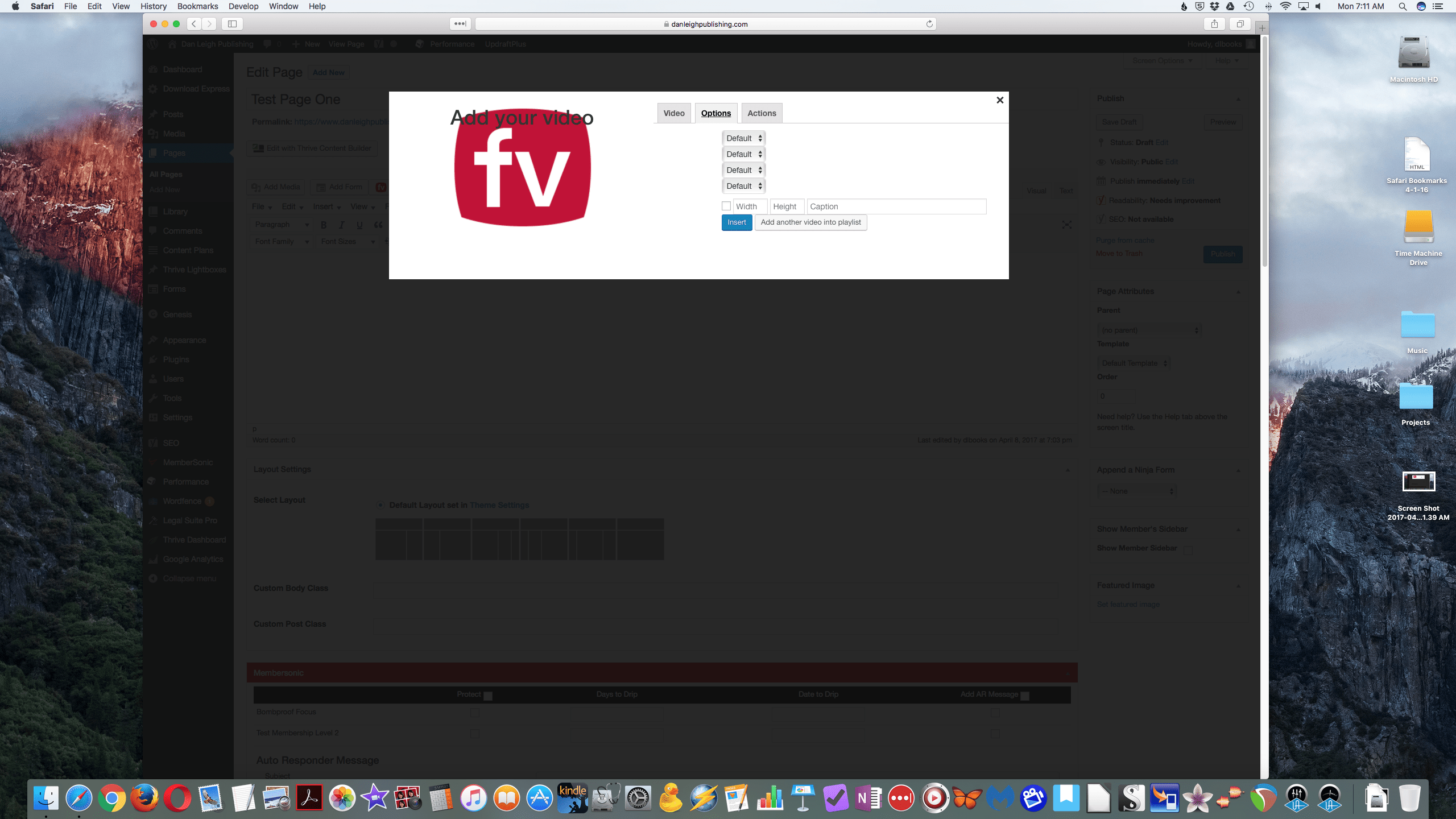
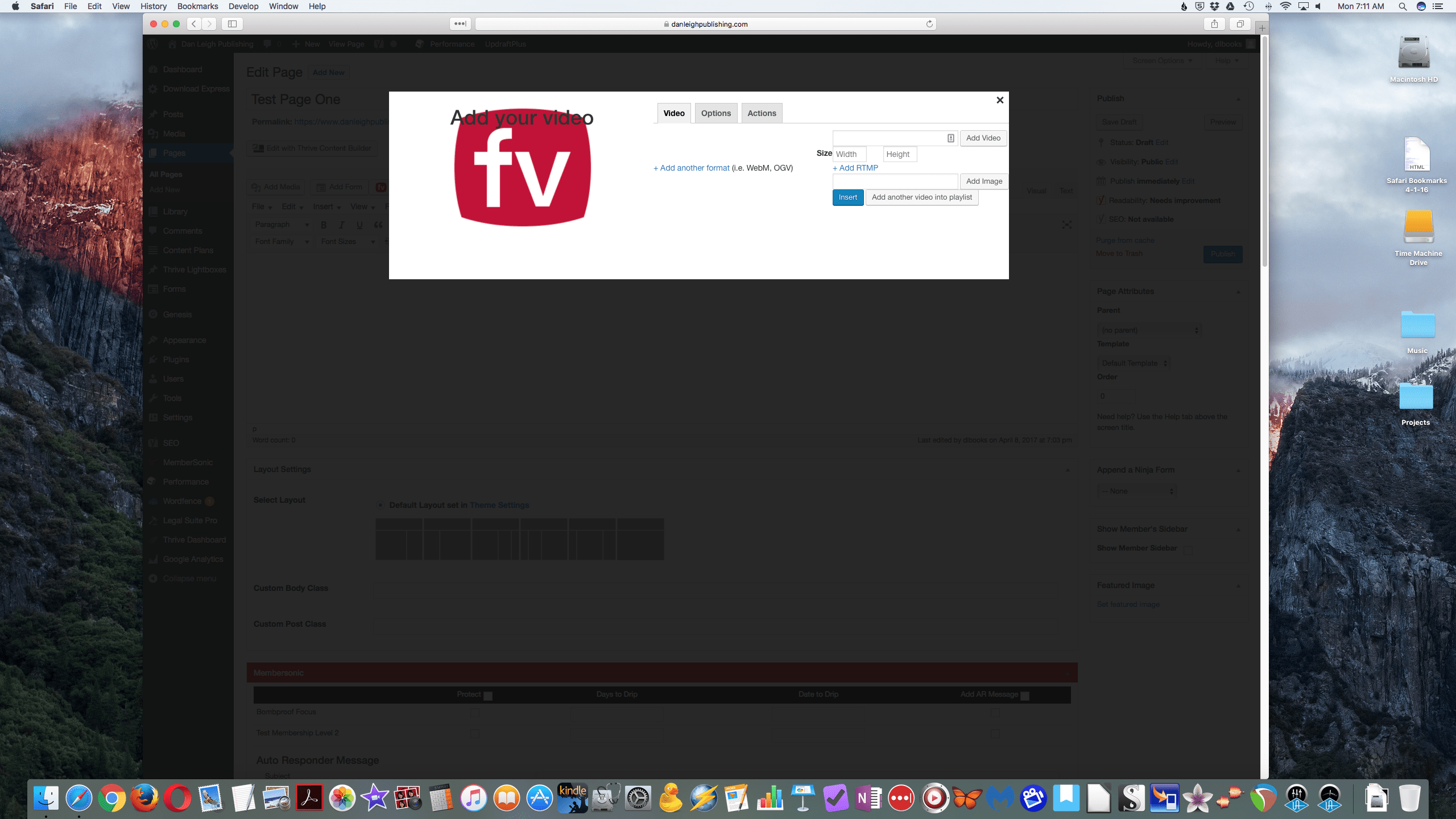
    I am new FV Player user. I’m setting up a membership site, and using FV Player for the videos. The videos seem to work just fine. However, my Shortcode Editor looks strange, as you can see in the pictures.

    The boxes/drop down menus are all there for entering the information, but the label for each box isn’t visible. For example, the drop down menu for Autoplay is under the Options tab, but there is no “Autoplay” label.

    I have done some troubleshooting, and I found that when I deactivate my membership plugin (Membersonic Pro) my shortcode editor looks normal. Then, when I re-activate Membersonic Pro, the shortcode editor returns to looking strange.

    Just to clarify, I am able to get the shortcodes and post the videos. It is just that it is more difficult to navigate the shortcode editor.

    I was wondering if you have any suggestions, and also thought you might like to know about this possible plugin conflict in case other people have it too. Thank you!

    P.S.- The shortcode editor for my FV Player widget looks normal. It is only the shortcode editor in my WordPress editor that looks strange.

    fv-player-two
    FV-Player-Two
    fv-player-one
    FV-Player-One
Viewing 3 replies - 1 through 3 (of 3 total)
  • jdleigh 9 years ago

    I forgot to add a couple of other bits of information. My OS is macOS Sierra. Also, this problem happens in all 3 browsers I tried (Safari, Chrome, and Firefox.)
    Thanks!

    Eduard 9 years ago
    Avatar photo

    Hi jdleigh,

    I tested this issue with Membersonic Lite (we don’t have Pro), but I was unable to get the same issue as you described. If you would like us to fix this on your site, you can purchase a Pro Support Incident ticket.

    Besides that, you can also switch to the old shortcode editor layout. You can do so in Settings > FV Player > Setup tab > Post Interface Options and check the box Enable old interface.

    Thanks,
    Eduard

    jdleigh 9 years ago

    Hi Eduard,

    Thanks for your effort. I’m surprised you didn’t get the same issue using Membersonic Lite. I guess it’s either something with the Pro functionality of Membersonic, or something in my particular WordPress installation.

    When I revert to the old editor, I have the same issue. I put in a ticket with Membersonic support, so I’ll see what they say. Anyhow, thanks for looking into it.

    James Leigh

Viewing 3 replies - 1 through 3 (of 3 total)

Reply To: Shortcode Editor Looks Strange


Please Sign in or Register to upload files.

Related Posts

  1. Introducing FV Player’s New Shortcode Editor

  2. Autoplay

  3. Alignment Settings

Primary Sidebar

Troubleshooting

    Categories

    • Business
    • Camera Reviews
    • Case Studies
    • Design
    • FV Player
    • Internet Marketing
    • IT
    • Life
    • SEO
    • Slovak
    • Video of the Week
    • WordPress

    Footer

    Our Plugins

    • FV WordPress Flowplayer
    • FV Thoughtful Comments
    • FV Simpler SEO
    • FV Antispam
    • FV Gravatar Cache
    • FV Testimonials

    Free Tools

    • Pandoc Online
    • Article spinner
    • WordPress Password Finder
    • Delete LinkedIn Account
    • Responsive Design Calculator
    Foliovision logo
    All materials © 2026 Foliovision s.r.o. | Panská 12 - 81101 Bratislava - Slovakia | info@foliovision.com
    • This Site Uses Cookies
    • Privacy Policy
    • Terms of Service
    • Site Map
    • Contact
    • Tel. ‭+421 2/5292 0086‬