• Skip to main content
  • Skip to primary sidebar
  • Skip to footer

Foliovision

  • Weblog
    • FV Player
    • WordPress
    • Video of the Week
    • Case Studies
    • Business
  • About
    • Testimonials
    • Meet the Team
    • We Support
    • Careers
    • Contact
    • Pricing
  • Products
  • Support
    • FV Player Docs
    • Pro Support
  • Login
  • Basket is empty

html5: Unsupported video format. Try installing Adobe Flash.

Foliovision › Forums › FV Player › Troubleshooting › html5: Unsupported video format. Try installing Adobe Flash.

  • Jonathan D. 8 years, 1 month ago

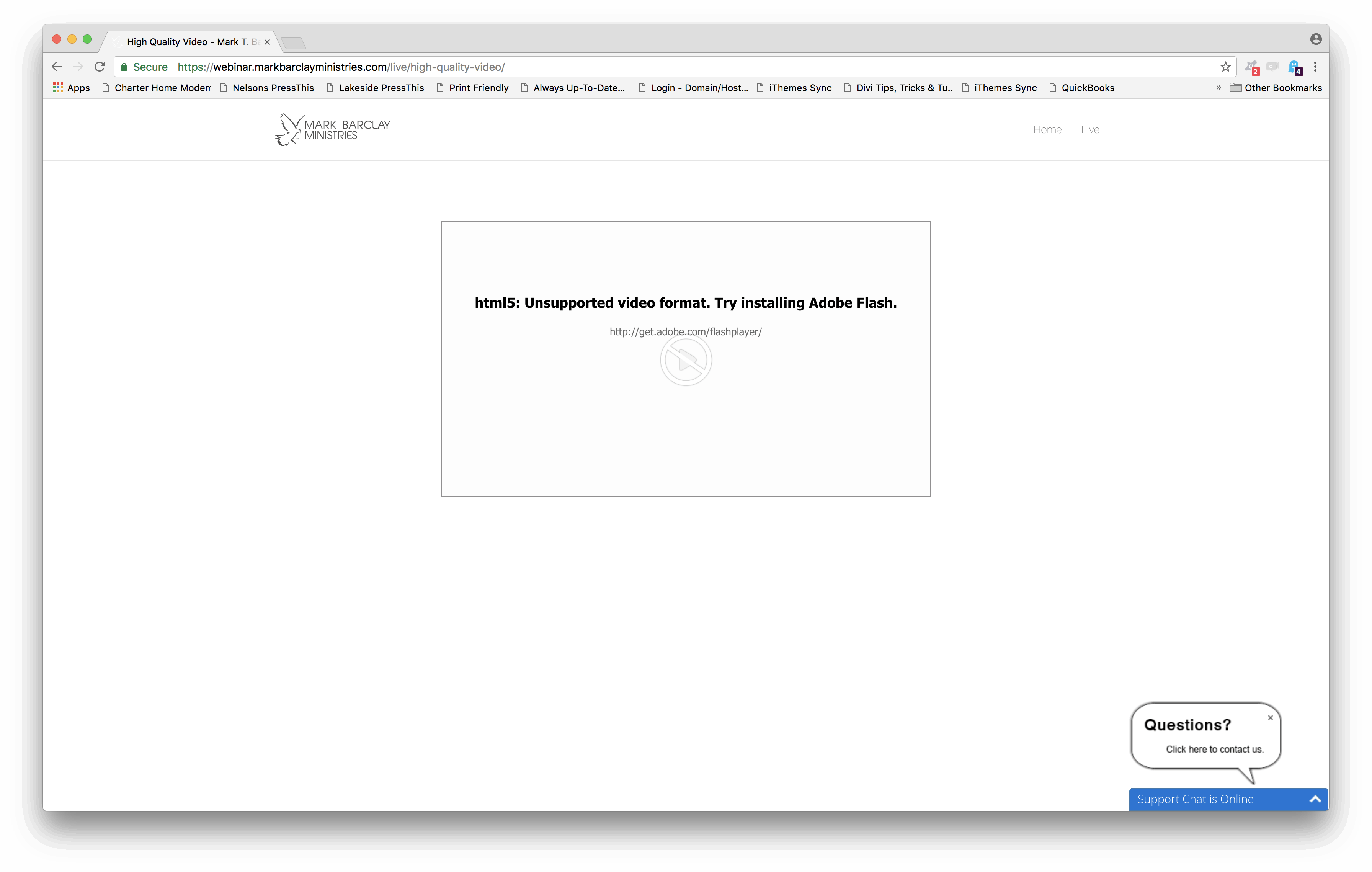
    I’m streaming live on this WordPress website. Works great on Safari and iOS. However, viewers using some versions of Chrome, IE, and occasionally Firefox will see the error, “html5: Unsupported video format. Try installing Adobe Flash.” The biggest problem with this message is that Flash is already installed on these devices, and there are no options presented to the user to even allow Flash for this website or anything like that.

    I’ve tried turning multiple different settings on and off including:
    – Enable HLS.js (beta)
    – Load FV Flowplayer JS everywhere
    – Prefer Flash player by default
    – Use old code

    Any ideas?

    screen-shot-2018-01-06-at-8-28-12-pm
    Screen-Shot-2018-01-06-at-8.28.12-PM
Viewing 2 replies - 1 through 2 (of 2 total)
  • Jonathan D. 8 years ago

    In the latest versions of Firefox, I get this message: “Adobe Flash is disabled for this page, click player area to enable.”

    However, when you click to enable and follow through with the message from Firefox to allow Flash, you then see a message that says “flash: Video file not found.”

    screen-shot-2018-01-06-at-9-00-48-pm
    Screen-Shot-2018-01-06-at-9.00.48-PM
    Eduard 8 years ago
    Avatar photo

    Hello Jonathan,

    I apologize for the delay, but Martin actually wrote you this reply 2 days ago:

    Hello Jonathan,

    could you please post your WordPress login? We would like to put up the latest HLS.js library into your copy of FV Player and see if that helps.

    We will enable “Enable HLS.js (beta)” back on. The setting “Load FV Flowplayer JS everywhere” has a specific use and “Prefer Flash player by default” and “Use old code” is better to be left off. We will gradually be removing these as they are obsolete.

    Also, what if your amount of live viewers? Is the streaming server handling that without much delay? When will your stream be live the next time?

    Please also check our guide for Google Analytics tracking in FV Player, it allows you to check these video errors and now many users they affect: https://foliovision.com/player/advanced/google-analytics-fv-player#video-errors

    Thanks,
    Martin

    You can share the WP login securely via https://revealit.me/, it will create an encrypted message that will delete itself after opening, thus making it inaccessible for others.

    Thanks,
    Eduard

    • This reply was modified 8 years, 1 month ago by Eduard.
Viewing 2 replies - 1 through 2 (of 2 total)
Reply To: html5: Unsupported video format. Try installing Adobe Flash.


Please Sign in or Register to upload files.

Related Posts

  1. How to use RTMP streams with Flash – Deprecated

  2. How to create video playlists

  3. Cómo usar RTPM stream con Flash

Primary Sidebar

Troubleshooting

    Categories

    • Business
    • Camera Reviews
    • Case Studies
    • Design
    • FV Player
    • Internet Marketing
    • IT
    • Life
    • SEO
    • Slovak
    • Video of the Week
    • WordPress

    Footer

    Our Plugins

    • FV WordPress Flowplayer
    • FV Thoughtful Comments
    • FV Simpler SEO
    • FV Antispam
    • FV Gravatar Cache
    • FV Testimonials

    Free Tools

    • Pandoc Online
    • Article spinner
    • WordPress Password Finder
    • Delete LinkedIn Account
    • Responsive Design Calculator
    Foliovision logo
    All materials © 2026 Foliovision s.r.o. | Panská 12 - 81101 Bratislava - Slovakia | info@foliovision.com
    • This Site Uses Cookies
    • Privacy Policy
    • Terms of Service
    • Site Map
    • Contact
    • Tel. ‭+421 2/5292 0086‬