• Skip to main content
  • Skip to primary sidebar
  • Skip to footer

Foliovision

  • Weblog
    • FV Player
    • WordPress
    • Video of the Week
    • Case Studies
    • Business
  • About
    • Testimonials
    • Meet the Team
    • We Support
    • Careers
    • Contact
    • Pricing
  • Products
  • Support
    • FV Player Docs
    • Pro Support
  • Login
  • Basket is empty

DRM text not showing correctly on mobile in portrait + full screen mode

[Solved]

Foliovision › Forums › FV Player › Requests and Feedback › DRM text not showing correctly on mobile in portrait + full screen mode

  • Bradley S. 7 years, 11 months ago

    Hey guys, me again (sorry!)

    I nearly have everything operating the way it should be… except one minor thing I’d like to check with you.

    At the moment, if someone views a video on mobile and are viewing in portrait + full screen mode, the DRM text is blinking in the black corners outside of the video screen. In order to be a sufficient deterrent for screen recording, it would need to blink over the top of the video itself like it does in mobile landscape or desktop view.

    I know it’s a minor thing, but wanted to check if there was perhaps an easy fix for it.

    ~Brad

Viewing 9 replies - 1 through 9 (of 9 total)
  • Eduard 8 years ago
    Avatar photo

    Hi Brad,

    I checked the issue and was able to see it on mobile. We’ll look into this and let you know what can be done about it.

    Thanks,
    Eduard

    Bradley S. 8 years ago

    Thank you, Eduard.

    Eduard 8 years ago
    Avatar photo

    Hi Brad,

    There is no quick fix, but we have decided to resolve it on our end and make the DRM text show on the left side of the sides of the video rather than the corners. The corners are picked randomly, so it will just slightly switch the position.

    Thanks,
    Eduard

    Bradley S. 8 years ago

    That would be a great solution!

    The only follow up request I have, though, would be keep it in the corners when viewed in landscape and then centre it on the left when viewed in portrait. Though I’m sure that’s a headache to implement… I just prefer it in the corners when possible as it’s less intrusive

    Hammerway 3 years ago

    Hi,

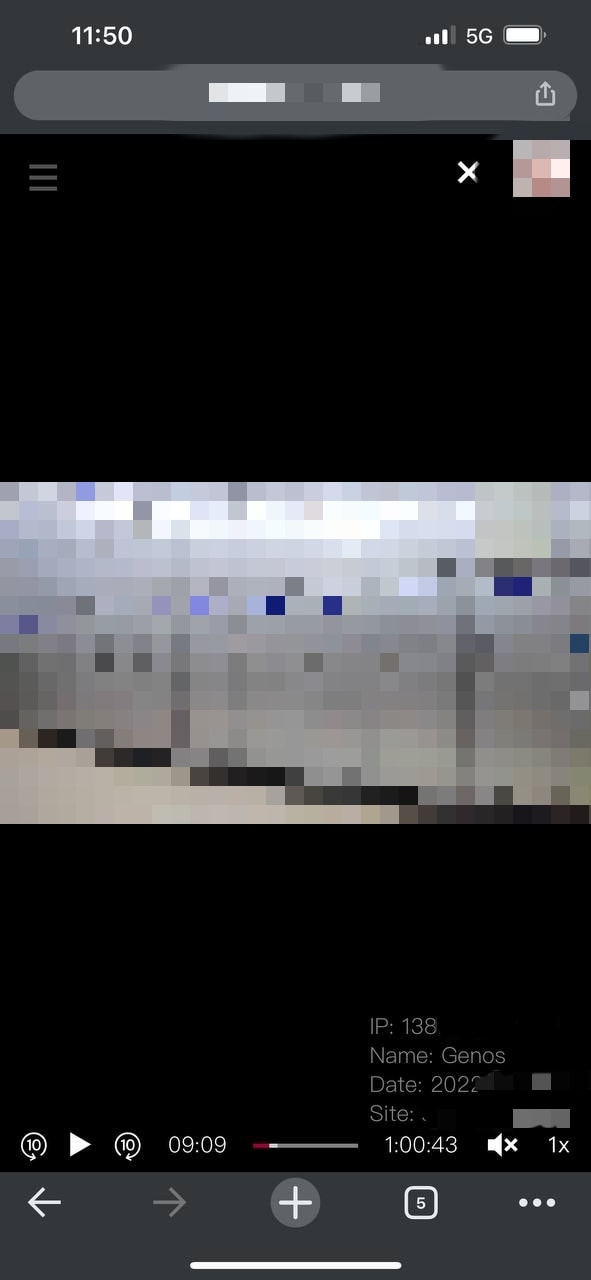
    I have a loyal customer reporting the same issue with iOS video playback on vertical fullscreen. I am scared that other customers who uses iOS can screen capture and crop out drm text easily.

    Then I asked him to help me out to test different settings and with different browsers. According to his report, he was using iOS 15.6.1, and any iOS browsers, like Safari, Chrome, Firefox are having the same problem.

    Just now, I went to read every docs and searched on FV player forum for advice. I found none other than this unsolved feedback.

    May I ask is there a fix now after 5 years of development? Please help me out as I feel I am losing my original content every minute.

    Please see attached image.

    Many Thanks,
    Hammerway

    img_20220902_155610
    IMG_20220902_155610
    Mária Stašová 3 years ago
    Avatar photo

    Hello Hammerway,

    We apologize for the inconvenience. I tested it and was still able to reproduce this issue.

    I will forward this to our development team immediately.

    Making the web work for you,
    Maria

    Martin 3 years ago

    Hello Hammerway,

    the issue has been fixed quickly, but then we found much later that iPhone does not report video dimensions for some of the video types properly. We fixed that in April, but now I see it stayed in Beta.

    Please switch FV Player Pro to Beta, here’s how: https://foliovision.com/player/troubleshooting/switching-fv-player-pro-to-beta

    That should fix the issue for you.

    Thanks,
    Martin

    Hammerway 3 years ago

    Hi Martin & Maria,

    Thank you very much for quick fixes! It is working great now!

    Apart from that, I have another issue to report. My viewers reported that the player was missing resolution options on iOS playback. Tested on firefox, chrome, safari, etc.

    Please kindly fix it as well.

    I am a happy and satisfied customer.

    Thanks,
    Hammerway

    Martin 3 years ago

    Hello Hammerway,

    I guess you are using HLS (m3u8 file extension) for your videos and you create is using FV Player Coconut.

    HLS is the native video format for iPhone and it handles the video quality switching in an automated way (ABR – adaptive bitrate).

    The only way of providing a list of video qualities for the viewers would be to split the HLS video into multiple streams – one for each quality and build custom loading routine. It would be a fairly big project.

    Thanks,
    Martin

Viewing 9 replies - 1 through 9 (of 9 total)
Reply To: DRM text not showing correctly on mobile in portrait + full screen mode


Please Sign in or Register to upload files.

Related Posts

  1. How to resize a text logo correctly in Photoshop

    How to resize a text logo correctly in Photoshop

  2. Protecting Videos With DRM Text

  3. Basecamp Mobile Platform Subscribes Everyone. Note to 37 Signals: Mobile has to work to be useful

    Basecamp Mobile Platform Subscribes Everyone. Note to 37 Signals: Mobile has to work to be useful

Primary Sidebar

Requests and Feedback

    Categories

    • Business
    • Camera Reviews
    • Case Studies
    • Design
    • FV Player
    • Internet Marketing
    • IT
    • Life
    • SEO
    • Slovak
    • Video of the Week
    • WordPress

    Footer

    Our Plugins

    • FV WordPress Flowplayer
    • FV Thoughtful Comments
    • FV Simpler SEO
    • FV Antispam
    • FV Gravatar Cache
    • FV Testimonials

    Free Tools

    • Pandoc Online
    • Article spinner
    • WordPress Password Finder
    • Delete LinkedIn Account
    • Responsive Design Calculator
    Foliovision logo
    All materials © 2026 Foliovision s.r.o. | Panská 12 - 81101 Bratislava - Slovakia | info@foliovision.com
    • This Site Uses Cookies
    • Privacy Policy
    • Terms of Service
    • Site Map
    • Contact
    • Tel. ‭+421 2/5292 0086‬