• Skip to main content
  • Skip to primary sidebar
  • Skip to footer

Foliovision

  • Weblog
    • FV Player
    • WordPress
    • Video of the Week
    • Case Studies
    • Business
  • About
    • Testimonials
    • Meet the Team
    • We Support
    • Careers
    • Contact
    • Pricing
  • Products
  • Support
    • FV Player Docs
    • Pro Support
  • Login
  • Basket is empty

FV Player Implementation

Foliovision › Forums › FV Player › How to … › FV Player Implementation

  • Aaron 8 years, 6 months ago

    I have some issues with player implementation:

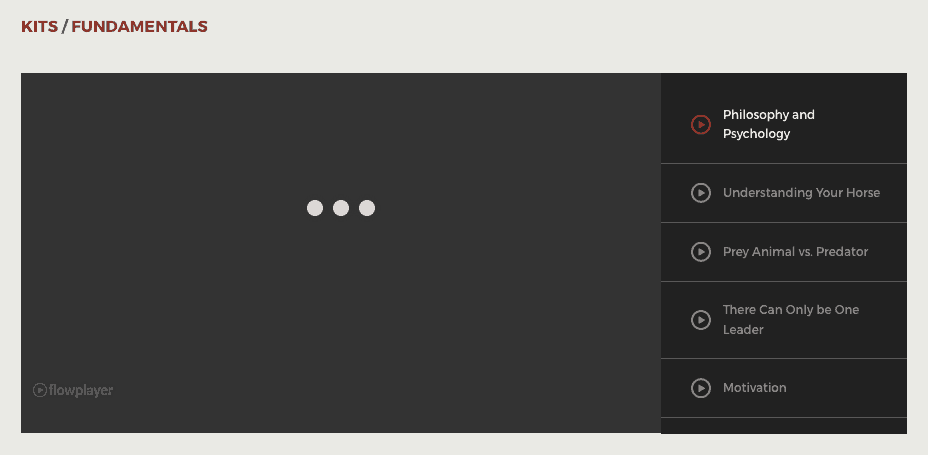
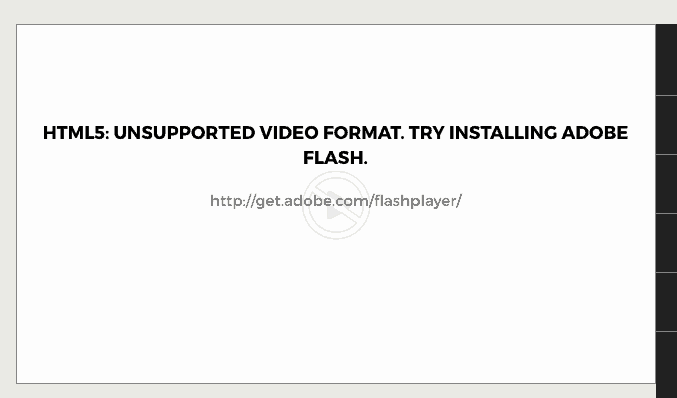
    1. Why does the FV player require adobe flash? (see screen 1)
    2. After we install Adobe Flash, video didn’t work correctly (see screen 2). Also, we have an hls error (see screen 3).

    Could you please provide me with advice how to solve the issues?

    screen-3
    Screen-3
    screen-2
    Screen-2
    screen-1
    Screen-1
Viewing 4 replies - 1 through 4 (of 4 total)
  • Eduard 9 years ago
    Avatar photo

    Hi Aaron,

    It seems from your screenshots that you have tried to use an HLS stream. This streaming protocol truly requires Flash on desktop, but won’t work without setting the cross-domain policy file on your server.

    You can also avoid using Flash by using the HLS.js, so the desktop browsers can play it in HTML5. Both of these cases are explained in our guide – Using HLS With FV Player.

    Thanks,
    Eduard

    Alec Kinnear 9 years ago
    Avatar photo

    Hi Aaron,

    Please let us know how it goes with getting flash out of your workflow and if there’s anything else we should add to those guides to make them easier to follow.

    Thanks!

    • This reply was modified 8 years, 6 months ago by Alec Kinnear.
    Happywriter 8 years ago

    I had a MP4 video on my site that wouldn’t play because I didn’t have a proper plugin. I uploaded yours, activated, and don’t see the red logo on the page where the video is loaded. Nor do I see any simple instructions how to connect your player to the page where the video is loaded. I did a check video and nothing happened. I clicked check template and got this: “Template checker has changed. Just open any of your videos on your site and see if you get a red warning message about JavaScript not working. jQuery library found: https://www.whatiscodependency.com/wp-includes/js/jquery/jquery.js!
    The page doesn’t have that warning on it. Thank you.

    Eduard 8 years ago
    Avatar photo

    Hello Happywriter,

    Could you send us the link you your page where the video is so we can check what is wrong?

    Thanks,
    Eduard

Viewing 4 replies - 1 through 4 (of 4 total)
Reply To: FV Player Implementation


Please Sign in or Register to upload files.

Related Posts

  1. Using ExoClick Ads With FV Player

  2. FV Player’s New Features: YouTube Subtitles and Fixed Error Reporting in Chrome

  3. Why the FV Player upgrade to Flowplayer 6 core is still only in beta

Primary Sidebar

How to …

    Categories

    • Business
    • Camera Reviews
    • Case Studies
    • Design
    • FV Player
    • Internet Marketing
    • IT
    • Life
    • SEO
    • Slovak
    • Video of the Week
    • WordPress

    Footer

    Our Plugins

    • FV WordPress Flowplayer
    • FV Thoughtful Comments
    • FV Simpler SEO
    • FV Antispam
    • FV Gravatar Cache
    • FV Testimonials

    Free Tools

    • Pandoc Online
    • Article spinner
    • WordPress Password Finder
    • Delete LinkedIn Account
    • Responsive Design Calculator
    Foliovision logo
    All materials © 2026 Foliovision s.r.o. | Panská 12 - 81101 Bratislava - Slovakia | info@foliovision.com
    • This Site Uses Cookies
    • Privacy Policy
    • Terms of Service
    • Site Map
    • Contact
    • Tel. ‭+421 2/5292 0086‬