• Skip to main content
  • Skip to primary sidebar
  • Skip to footer

Foliovision

  • Weblog
    • FV Player
    • WordPress
    • Video of the Week
    • Case Studies
    • Business
  • About
    • Testimonials
    • Meet the Team
    • We Support
    • Careers
    • Contact
    • Pricing
  • Products
  • Support
    • FV Player Docs
    • Pro Support
  • Login
  • Basket is empty

How Do I Get Rid of This Blank Space That FV Player Adds Below The Player?

[Solved]

Foliovision › Forums › FV Player › Bug Reports › How Do I Get Rid of This Blank Space That FV Player Adds Below The Player?

  • Deewin 5 years, 10 months ago

    Hello guys,

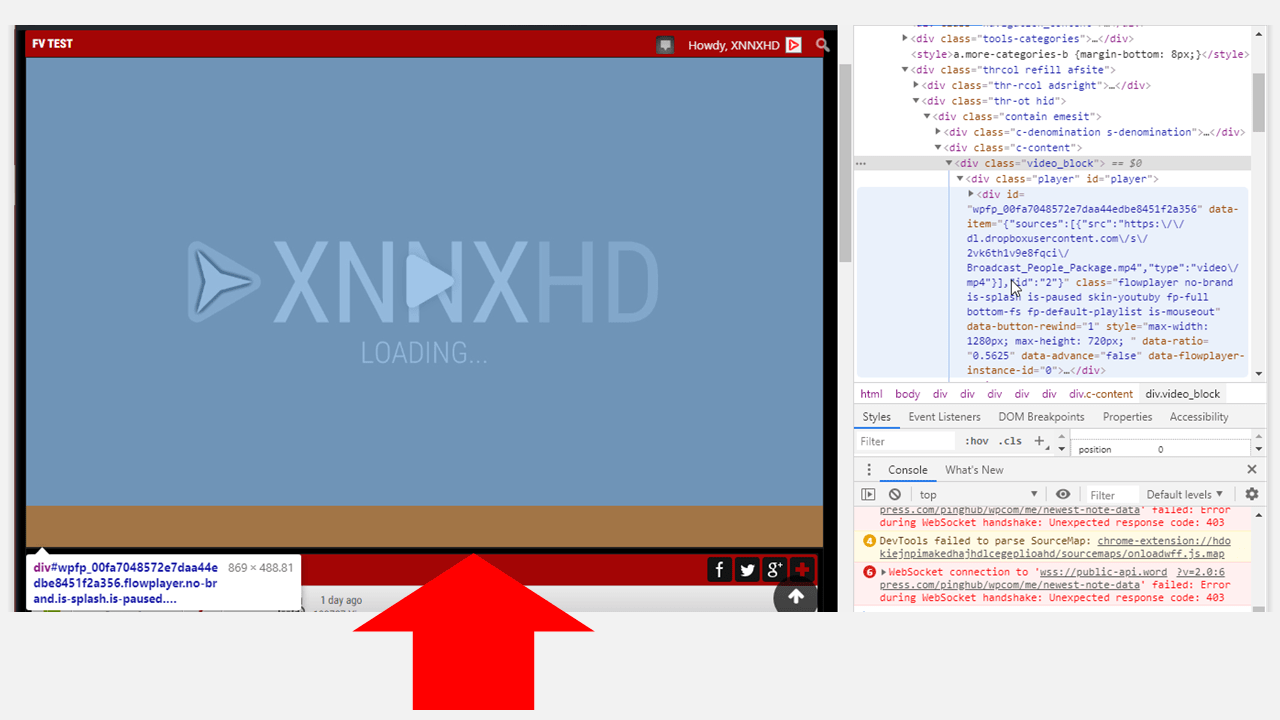
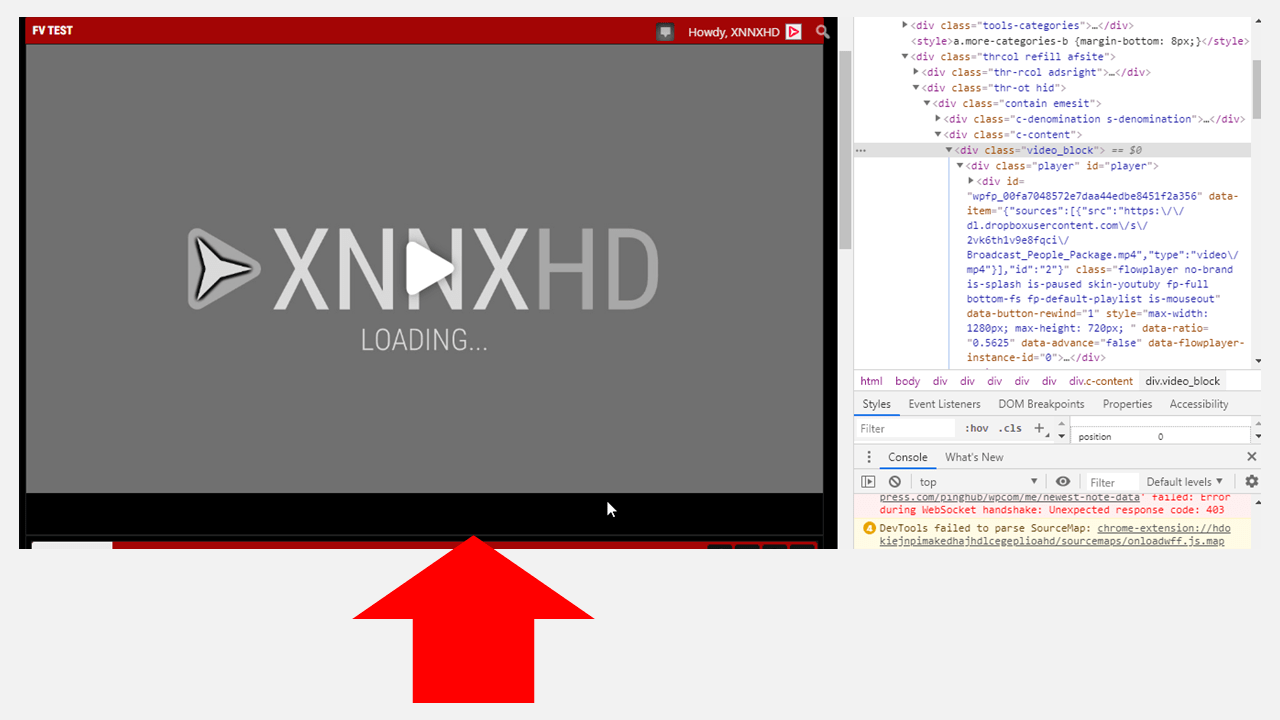
    How do I get rid of the blank space (indicated by the brown space on the second image) that FV Player creates below the video player?

    For illustration, the third image is of a different player that fits perfectly on the same spot.

    slide3
    Slide3
    slide2
    Slide2
    slide1
    Slide1
Viewing 5 replies - 1 through 5 (of 5 total)
  • Deewin 6 years ago

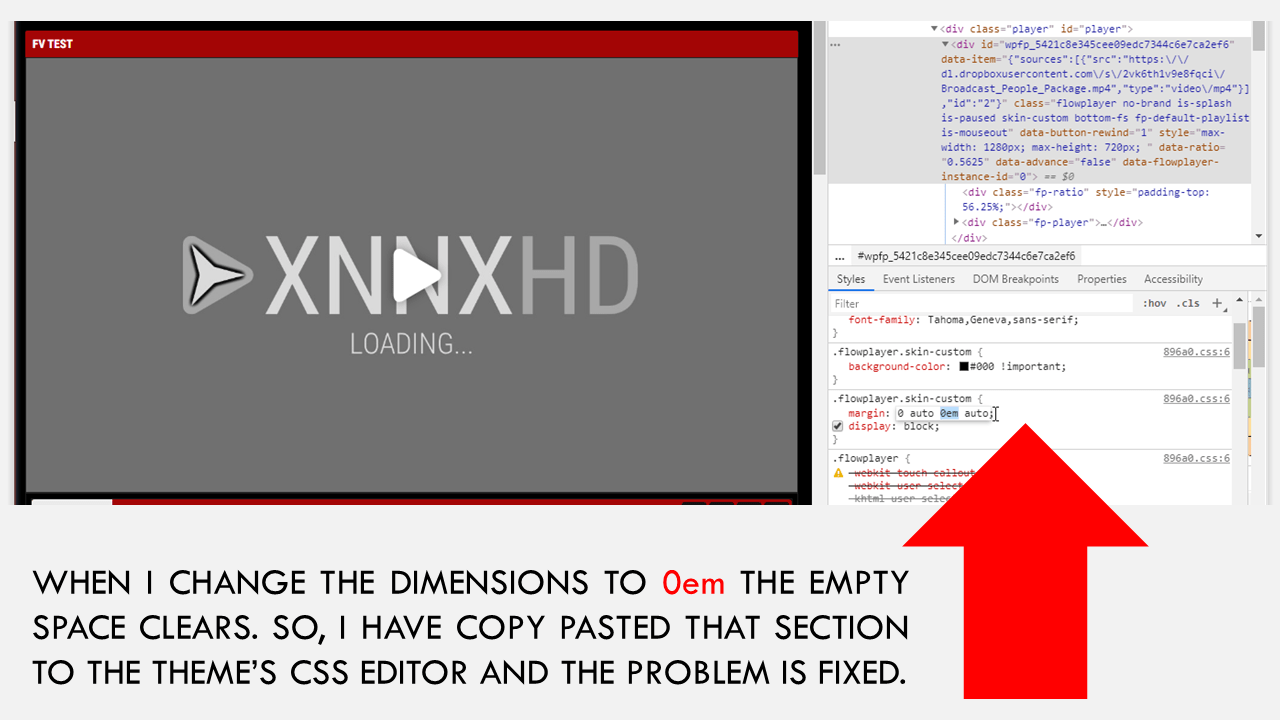
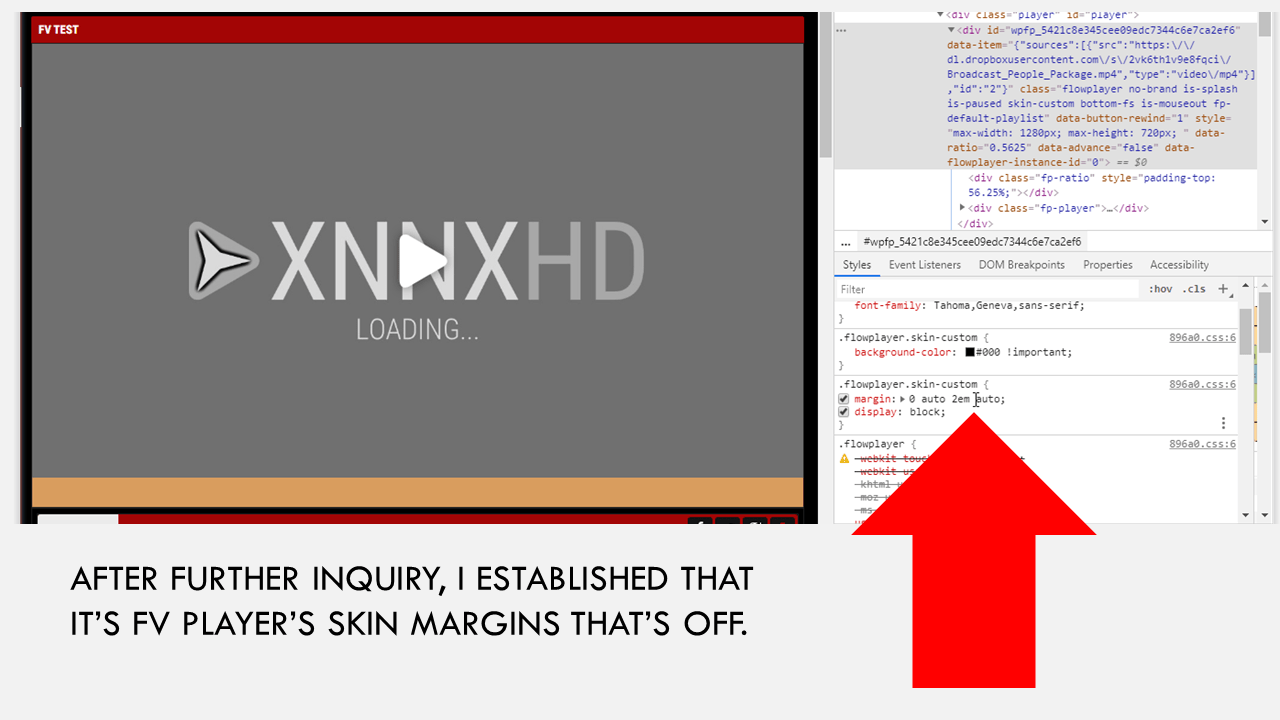
    Upon further inquiry, I realized that the margins of FV Player’s Skin Dimensions was a bit off. I played around with the values and realized that changing the value from 2em to 0em fixes the error.

    I copy pasted the margins as they appear after editing them to my theme’s CSS editor and now the problem is fixed. This might help someone out there.

    slide5
    Slide5
    slide4
    Slide4
    Juraj Kacaba 6 years ago
    Avatar photo

    Hello Deewin,

    Thanks for sharing this to us.

    I’ll discuss it with our development team and we’ll eventually include it to our CSS tips and fixes.

    Thanks!

    Making the web work for you,
    Juraj

    Martin 6 years ago

    Hello Deewin,

    please use Settings -> FV Player -> Skin -> Bottom Margin. You will first haev to switch the skin to “Custom”, which you already did it seems.

    Thanks,
    Martin

    Deewin 6 years ago

    Hello Martin,

    Thanks for your response. I have reduced it to the lowest value but still it does not take effect. However, editing the CSS works.

    Martin 6 years ago

    Hello Deewin,

    I see, when you enter 0 for Bottom Margin it thinks it’s empty end puts in the default value.

    We have prepared a fix for this for the next FV Player release.

    To get the fix right now you can reinstall FV Player from this ZIP file: https://github.com/foliovision/fv-wordpress-flowplayer/archive/master.zip To do that you will have to first deactivate and delete the FV Player plugin you are currently using. No data nor settings will be lost. You can replace it with FTP too.

    Thanks,
    Martin

Viewing 5 replies - 1 through 5 (of 5 total)
Reply To: How Do I Get Rid of This Blank Space That FV Player Adds Below The Player?


Please Sign in or Register to upload files.

Related Posts

  1. FV Player adds S3 Browser and lightbox autoplay

  2. Space to Roam: a tribute to our public lands

  3. FV Flowplayer adds default volume setting

Primary Sidebar

Bug Reports

    Categories

    • Business
    • Camera Reviews
    • Case Studies
    • Design
    • FV Player
    • Internet Marketing
    • IT
    • Life
    • SEO
    • Slovak
    • Video of the Week
    • WordPress

    Footer

    Our Plugins

    • FV WordPress Flowplayer
    • FV Thoughtful Comments
    • FV Simpler SEO
    • FV Antispam
    • FV Gravatar Cache
    • FV Testimonials

    Free Tools

    • Pandoc Online
    • Article spinner
    • WordPress Password Finder
    • Delete LinkedIn Account
    • Responsive Design Calculator
    Foliovision logo
    All materials © 2026 Foliovision s.r.o. | Panská 12 - 81101 Bratislava - Slovakia | info@foliovision.com
    • This Site Uses Cookies
    • Privacy Policy
    • Terms of Service
    • Site Map
    • Contact
    • Tel. ‭+421 2/5292 0086‬