• Skip to main content
  • Skip to primary sidebar
  • Skip to footer

Foliovision

  • Weblog
    • FV Player
    • WordPress
    • Video of the Week
    • Case Studies
    • Business
  • About
    • Testimonials
    • Meet the Team
    • We Support
    • Careers
    • Contact
    • Pricing
  • Products
  • Support
    • FV Player Docs
    • Pro Support
  • Login
  • Basket is empty

video link is not appearing after purchasing the video/movie.

[Solved]

Foliovision › Forums › FV Player Pay Per View › Bug Reports › video link is not appearing after purchasing the video/movie.

  • khem 5 years, 1 month ago

    video link is not appearing after purchasing the video/movie

Viewing 8 replies - 1 through 8 (of 8 total)
  • Chiara Rendekova 5 years ago
    Avatar photo

    Hi Khem,

    Thanks for reaching out to us!

    Is your issue related to using the Pay Per View Plugin? Could you please post a link to your website where we can see the issue?

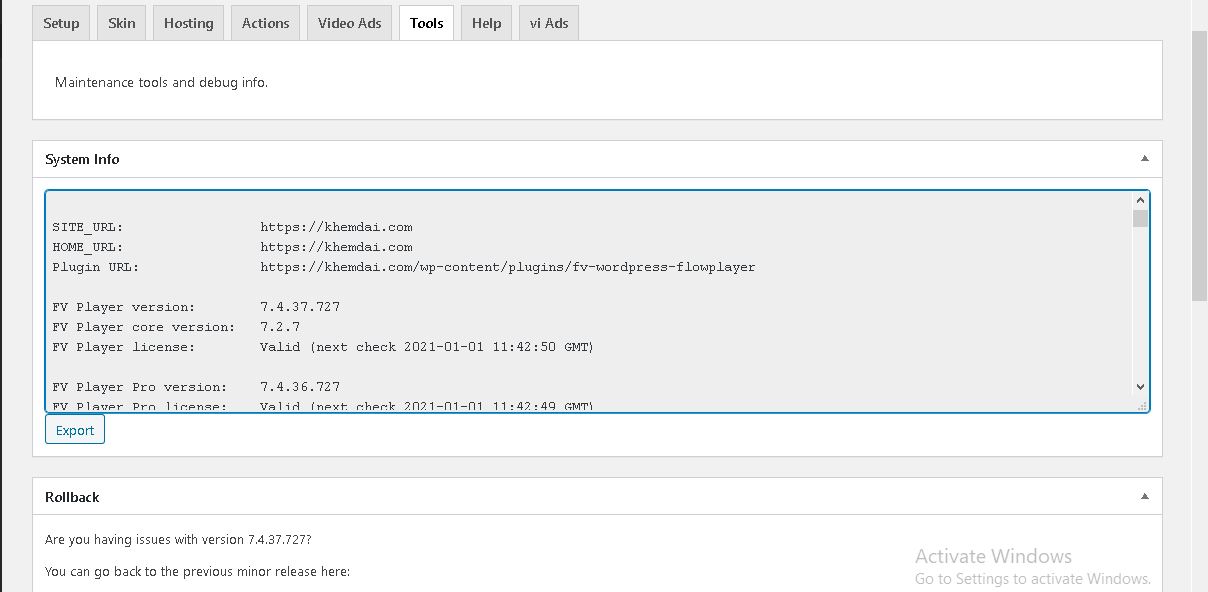
    Please, send us the output of wp-admin -> Settings -> FV Player Pro -> Tools -> System Info as well.

    Thanks,
    Chiara

    khem 5 years ago

    yes, our issue is related to using the Pay Per View Plugin.

    after buying the video, the video link is not showing to the user in payment confirmation output

    send
    send
    Chiara Rendekova 5 years ago
    Avatar photo

    Hi Khem,

    Thank you for providing us the link. I was able to reproduce the issue, so I’ll forward this to our development team to take a closer look.

    Could you copy and paste here the full output of System Info, please?

    Thanks,
    Chiara

    khem 5 years ago
    ( System Info removed )
    khem 5 years ago

    payment receipt is also not showing

    khem 5 years ago

    payment receipt is also not showing.

    this is urgent

    Martin 5 years ago

    Hello Khem,

    could you please post a link to some video which we can buy? Please make the price $1 as we might need to actually buy it to see the issue.

    Did you tweak anything in the wp-admin -> Downloads -> Add Downloads -> the PPV item edit page?

    Thanks,
    Martin

    Martin 5 years ago

    Hello Khem,

    could you please use the Export function to send over the player data to us? First look up the player on wp-admin -> FV Player screen and click the “Export” for it. It should bring up a lightbox popup with data like this:

    {"ab":"","ad":"","ad_height":"",...

    I wonder if it will have the post_id value in it.

    Could you please send a screenshot of the post editing screen where the player in inserted?

    I think the issue occurs as the player is not associated to any post – we do check that when saving the player or the post. But perhaps you use some page builder where it fails to connect the player to post properly.

    Thanks,
    Martin

Viewing 8 replies - 1 through 8 (of 8 total)
Reply To: video link is not appearing after purchasing the video/movie.


Please Sign in or Register to upload files.

Related Posts

  1. FV WP Link Robot

    FV WP Link Robot

  2. FV WP Link Robot Changelog

    FV WP Link Robot Changelog

  3. FV WP Link Robot Installation

    FV WP Link Robot Installation

Primary Sidebar

Bug Reports

    Categories

    • Business
    • Camera Reviews
    • Case Studies
    • Design
    • FV Player
    • Internet Marketing
    • IT
    • Life
    • SEO
    • Slovak
    • Video of the Week
    • WordPress

    Footer

    Our Plugins

    • FV WordPress Flowplayer
    • FV Thoughtful Comments
    • FV Simpler SEO
    • FV Antispam
    • FV Gravatar Cache
    • FV Testimonials

    Free Tools

    • Pandoc Online
    • Article spinner
    • WordPress Password Finder
    • Delete LinkedIn Account
    • Responsive Design Calculator
    Foliovision logo
    All materials © 2026 Foliovision s.r.o. | Panská 12 - 81101 Bratislava - Slovakia | info@foliovision.com
    • This Site Uses Cookies
    • Privacy Policy
    • Terms of Service
    • Site Map
    • Contact
    • Tel. ‭+421 2/5292 0086‬
