• Skip to main content
  • Skip to primary sidebar
  • Skip to footer

Foliovision

  • Weblog
    • FV Player
    • WordPress
    • Video of the Week
    • Case Studies
    • Business
  • About
    • Testimonials
    • Meet the Team
    • We Support
    • Careers
    • Contact
    • Pricing
  • Products
  • Support
    • FV Player Docs
    • Pro Support
  • Login
  • Basket is empty

BLACK BAR on all my videos!!!

[Solved]

Foliovision › Forums › FV Player › Troubleshooting › BLACK BAR on all my videos!!!

  • Miles .. 6 years, 8 months ago

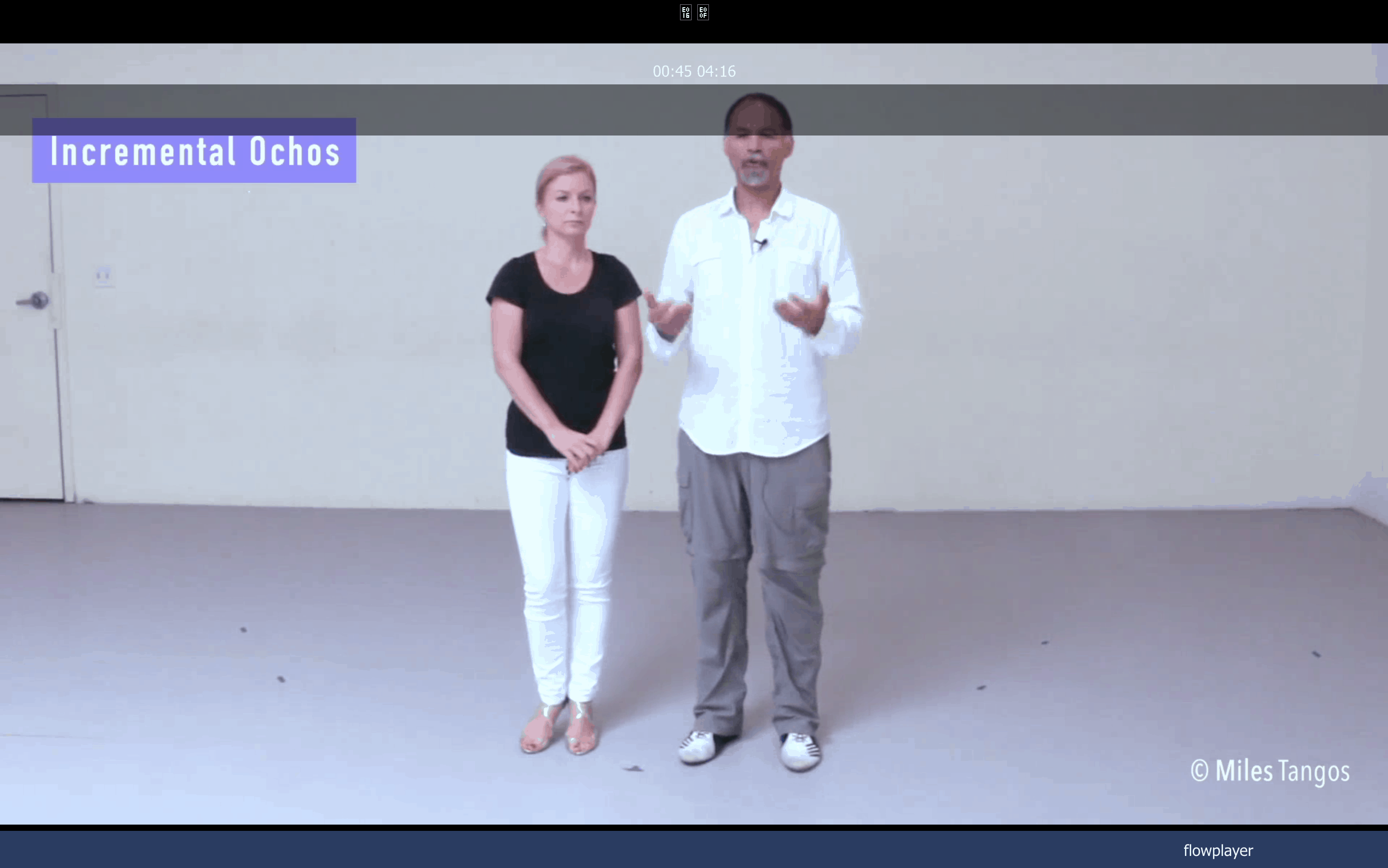
    Ok, I finally updated to the latest version. After the update, NOW all my videos look like the attached image. Fortunately, I can downgrade and take my site back to something that’s workable.

    In the meanwhile, so that I’m not hosed completely, how do I fix this ?

    screen-shot-2019-06-06-at-8-17-31-am
    Screen-Shot-2019-06-06-at-8.17.31-AM
Viewing 2 replies - 1 through 2 (of 2 total)
  • Miles .. 7 years ago

    This is a bit round about but I’ll see if I can explain something that just occurred which may explain or help to explain the issue.

    In order to meet your probable request to see the site, I had to set up my staging server and make it accessible to you. I am running All-In-One-Migration, which is the best thing since sliced bread which allowed me to pull from my live server, then down to my development server (to turn off a few things so that they don’t interfere with anything else), and then back up to the staging server.

    When I ran a page with a video on it, the video loaded, WITHOUT the black bars!!!! That would seem to indicate that there’s a plugin conflict somewhere.

    And I think I know the culprit -> W3 Total Cache!

    Even though I have cleared the cache on the live server, even though i have set it to allow for your app. Something is clearly not responding.

    I’m not seeing any JS errors, but clearly there are some. I’ll have to wait until later on tonight to run a test on the live server to see if it’s throwing errors.

    Alec Kinnear 7 years ago
    Avatar photo

    Hi Miles,

    Glad you found the culprit.

    We more or less don’t support W3 Total Cache as we are ex-users. Due to W3 Total Cache issues where they did not update W3 Total Cache in a timely way for two years, we lost our main hosting provider and suffered quite a few late nights. For many years we cobbled together a custom version of Hyper Cache v2 (v3 had its issues so we didn’t want to upgrade). These days we use WP Rocket. It’s not perfect and we loathe their piggyback marketing in the admin interface for Imagify but the support is pretty good. They’ve implemented at least five major improvements based on our requests over the years (we’ve waited three/four months for some of them though).

    • This reply was modified 6 years, 8 months ago by Alec Kinnear.
Viewing 2 replies - 1 through 2 (of 2 total)

Reply To: BLACK BAR on all my videos!!!


Please Sign in or Register to upload files.

Related Posts

  1. FV Player’s New Feature: Profile Videos

  2. Version 0.4

    Version 0.4

  3. FV Player Profile Videos

Primary Sidebar

Troubleshooting

    Categories

    • Business
    • Camera Reviews
    • Case Studies
    • Design
    • FV Player
    • Internet Marketing
    • IT
    • Life
    • SEO
    • Slovak
    • Video of the Week
    • WordPress

    Footer

    Our Plugins

    • FV WordPress Flowplayer
    • FV Thoughtful Comments
    • FV Simpler SEO
    • FV Antispam
    • FV Gravatar Cache
    • FV Testimonials

    Free Tools

    • Pandoc Online
    • Article spinner
    • WordPress Password Finder
    • Delete LinkedIn Account
    • Responsive Design Calculator
    Foliovision logo
    All materials © 2026 Foliovision s.r.o. | Panská 12 - 81101 Bratislava - Slovakia | info@foliovision.com
    • This Site Uses Cookies
    • Privacy Policy
    • Terms of Service
    • Site Map
    • Contact
    • Tel. ‭+421 2/5292 0086‬