• Skip to main content
  • Skip to primary sidebar
  • Skip to footer

Foliovision

  • Weblog
    • FV Player
    • WordPress
    • Video of the Week
    • Case Studies
    • Business
  • About
    • Testimonials
    • Meet the Team
    • We Support
    • Careers
    • Contact
    • Pricing
  • Products
  • Support
    • FV Player Docs
    • Pro Support
  • Login
  • Basket is empty

Youtube – Picture in Picture

Foliovision › Forums › FV Player › Requests and Feedback › Youtube – Picture in Picture

  • Patrick D. 5 years, 10 months ago

    Hi guys,

    Would it be possible to make use of the Youtube – Picture in Picture option?
    For example check; https://www.w3schools.com/html/tryit.asp?filename=tryhtml_youtubeiframe

    Play the video, hover it then a blue picture in picture is available,
    It would be awesome to have in Folovision.

    Look forward to hearing from you.

    Best regards,
    Patrick Dankers

Viewing 6 replies - 1 through 6 (of 6 total)
  • Juraj Kacaba 6 years ago
    Avatar photo

    Hello Patrick,

    What exactly do you mean by Picture in picture feature?

    I wasn’t able to turn on any feature that would match your description with the embedded video on the w3schools demo website.

    Thanks,
    Juraj

    Patrick D. 6 years ago

    Hi Juraj,

    Hmm that must have been Firefox specific then I guess.

    If I do two right clicks on the videos in both Chrome / Firefox / Safari you can actually trigger Picture in Picture mode for all of them

    Not sure if that is something that can be trigger in somway with Foliovision.

    Thanks again for looking into this!

    Best regards,
    Patrick Dankers

    Juraj Kacaba 6 years ago
    Avatar photo

    Hello Patrick,

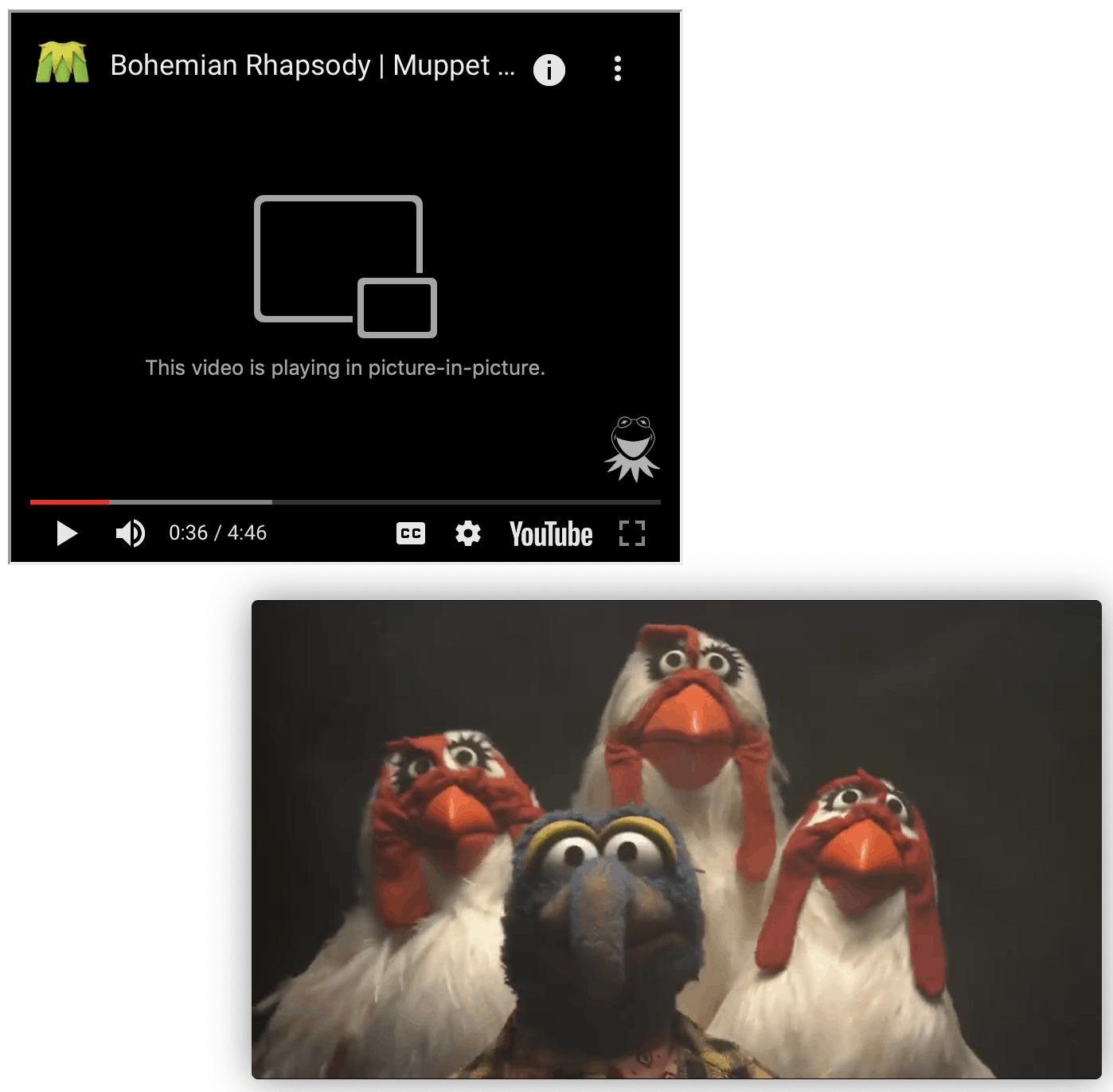
    By PiP do you mean this feature?(check screenshot in attachments)

    If yes, FV Player does support sticky video feature. Although, it does work in a little different way. With sticky video you can watch the video only if you are on the page where the video is originally embedded.

    Thanks,
    Juraj

    screenshot-2020-04-01-at-20-49-46-2
    Screenshot-2020-04-01-at-20.49.46-1
    Patrick D. 6 years ago

    Hi again,

    Yes and no.
    Yes I mean the function you described.
    But No not the sticky feature (we are already using that).

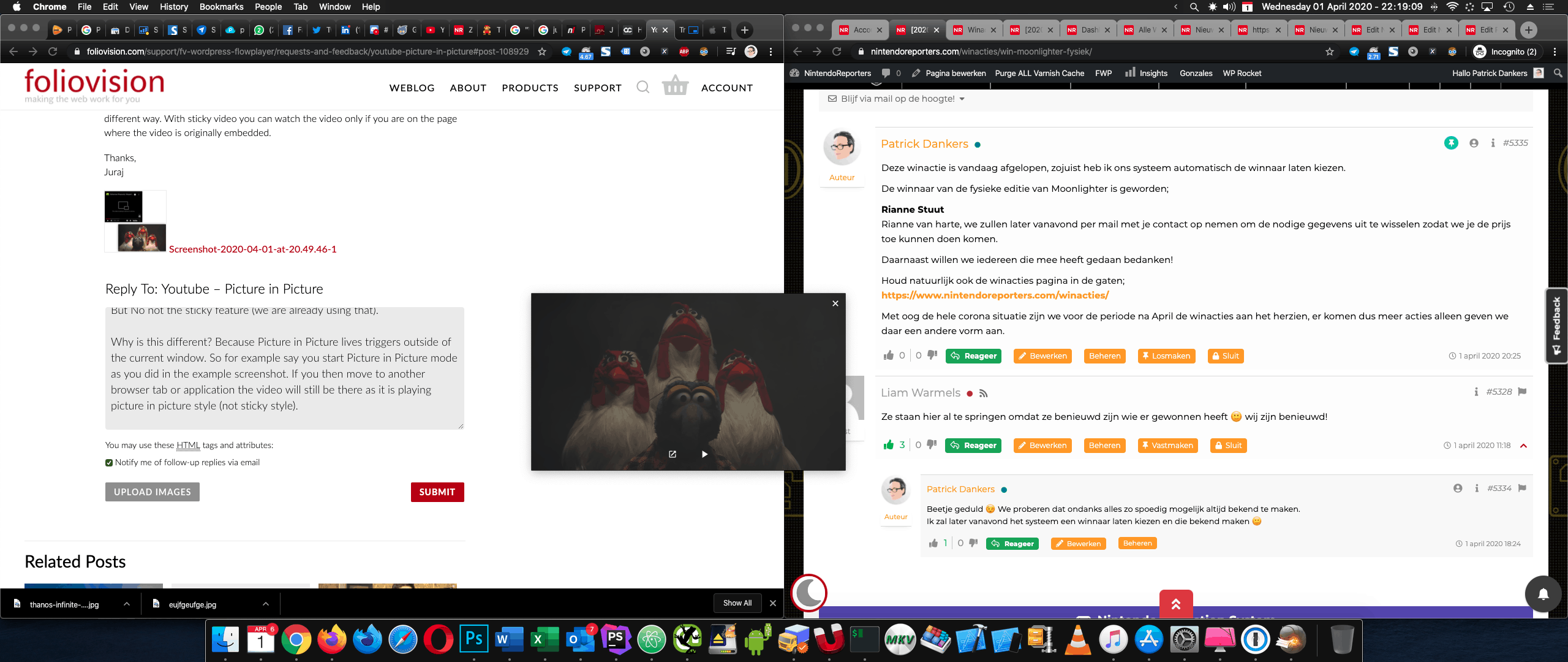
    Why is this Picture in Picture different? Because Picture in Picture lives outside of the scope of the current window.

    So for example say you start Picture in Picture mode as you did in the example screenshot. If you then move to another browser tab or application the video will still be there as it is playing picture in picture style (not sticky style). See the attachment for an example of what I mean.

    I think it would be cool addition to be able to go beyond sticky and use picture in picture in Foliovision, especially as Youtube does offer that support in various browsers.

    Hope that helps to clarify why it is different ;)

    Best regards,
    Patrick Dankers

    screenshot-2020-04-01-at-22-19-10
    Screenshot-2020-04-01-at-22.19.10
    Juraj Kacaba 6 years ago
    Avatar photo

    Hello Patrick,

    Yes, that’s exactly the difference that I’ve tried to explain.

    So you would like to extend the functionality of the Sticky video feature to work also outside the original page where the video is embedded, right?

    I guess the whole PiP feature is handled by browser so there probably might be a way for us to implement it. I’ll do some more testing today and I’ll discuss it with our development team. I’ll get in touch with you in the close future with more information in the close future.

    Also, would you be interested in paid custom development? That could help us to give this feature bigger priority and significantly speed up the implementation process. Let me know what do you think.

    Thanks for bringing interesting ideas to us,
    Juraj

    Patrick D. 6 years ago

    Hi Juraj,

    Thanks for getting back to me.
    Yeah most browsers seem to have native support for it by now.
    So it is ‘only’ a question of making it triggerable from the Foliovision player.

    As for custom development. I think this would make for a great option for everyone who uses Foliovision. And it is a nice to have … not a must have for us specific. For that reason im going to go with slow and for everyone instead of paid and exclusive.

    That is not to deny you guys anything as for every website at my day to day job I will always push you guys if something video related is required.

    Hope it is still something you can look into in the near future.

    Best regards,
    Patrick Dankers

Viewing 6 replies - 1 through 6 (of 6 total)
Reply To: Youtube – Picture in Picture


Please Sign in or Register to upload files.

Related Posts

  1. How to create video subtitles using Youtube

  2. Why WordPress won’t validate

    Why WordPress won’t validate

  3. YouTube auto-generated subtitles are far from perfect

    The Ups and Downs of Using YouTube’s Auto-captions

Primary Sidebar

Requests and Feedback

    Categories

    • Business
    • Camera Reviews
    • Case Studies
    • Design
    • FV Player
    • Internet Marketing
    • IT
    • Life
    • SEO
    • Slovak
    • Video of the Week
    • WordPress

    Footer

    Our Plugins

    • FV WordPress Flowplayer
    • FV Thoughtful Comments
    • FV Simpler SEO
    • FV Antispam
    • FV Gravatar Cache
    • FV Testimonials

    Free Tools

    • Pandoc Online
    • Article spinner
    • WordPress Password Finder
    • Delete LinkedIn Account
    • Responsive Design Calculator
    Foliovision logo
    All materials © 2026 Foliovision s.r.o. | Panská 12 - 81101 Bratislava - Slovakia | info@foliovision.com
    • This Site Uses Cookies
    • Privacy Policy
    • Terms of Service
    • Site Map
    • Contact
    • Tel. ‭+421 2/5292 0086‬