• Skip to main content
  • Skip to primary sidebar
  • Skip to footer

Foliovision

  • Weblog
    • FV Player
    • WordPress
    • Video of the Week
    • Case Studies
    • Business
  • About
    • Testimonials
    • Meet the Team
    • We Support
    • Careers
    • Contact
    • Pricing
  • Products
  • Support
    • FV Player Docs
    • Pro Support
  • Login
  • Basket is empty

Cannot save encryption and decryption keys in the latest version

[Solved]

Foliovision › Forums › FV Player › Bug Reports › Cannot save encryption and decryption keys in the latest version
  • Maxim S. 7 years, 3 months ago

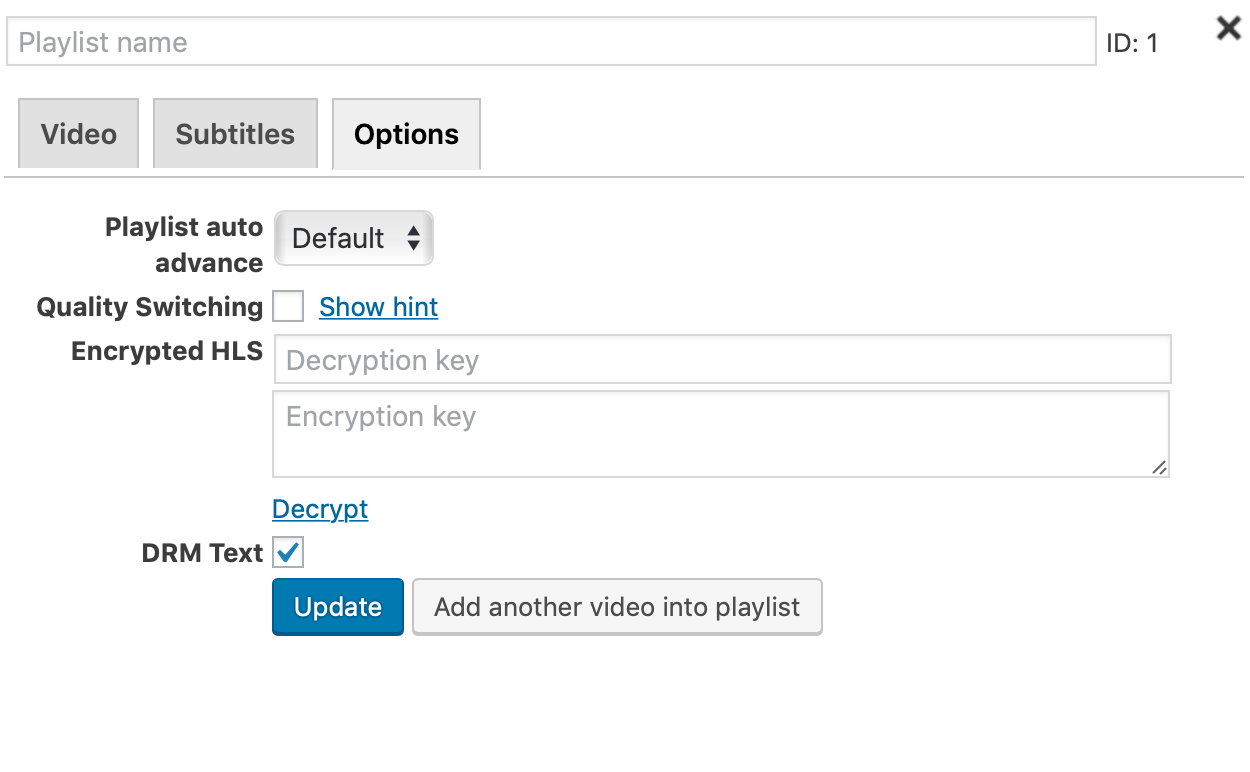
    Cannot save encryption and decryption keys in the latest version

    hls-2
    hls
Viewing 5 replies - 1 through 5 (of 5 total)
  • Martin 7 years ago

    Hello Maxim,

    please make sure you upgrade your FV Player Pro to the latest version.

    If that won’t help please provide details from Settings -> FV Player -> Tools -> System Info.

    Thanks,
    Martin

    Martin 7 years ago

    Hello Maxim,

    actually I see what caused the issue, FV Player Pro 7.3.0.727 will be out shortly and will fix the issue.

    Thanks,
    Martin

    Martin 7 years ago

    Hello Maxim,

    FV Player Pro 7.3.0.727 is out, now these HLS keys will show up in the video tab properly and they will work fine.

    Thanks,
    Martin

    Maxim S. 7 years ago

    I updated plugin to 7.3.0.727, but it still not saving Encrypted HLS data. I add encryption hls key, then click to Decrypt, then click Update. When I edit again it show me empty fields of Encrypted HLS data. And video cannot be played.

    Martin 7 years ago

    Hello Maxim,

    sorry about that, FV Player Pro 7.3.1.727 is out. I see we really need to create tests for these editor screens. I did test my changes but it was on a non-standard website.

    Thanks,
    Martin

Viewing 5 replies - 1 through 5 (of 5 total)
Reply To: Cannot save encryption and decryption keys in the latest version



Please Sign in or Register to upload files.

Related Posts

  1. Photoshop CS3 Droplet: Save as GIF

    Photoshop CS3 Droplet: Save as GIF

  2. New Foliopress WYSIWYG version

    New Foliopress WYSIWYG version

  3. FV Clone Screen Options Version History

    FV Clone Screen Options Version History

Primary Sidebar

Bug Reports

    Categories

    • Business
    • Camera Reviews
    • Case Studies
    • Design
    • FV Player
    • Internet Marketing
    • IT
    • Life
    • SEO
    • Slovak
    • Video of the Week
    • WordPress

    Footer

    Our Plugins

    • FV WordPress Flowplayer
    • FV Thoughtful Comments
    • FV Simpler SEO
    • FV Antispam
    • FV Gravatar Cache
    • FV Testimonials

    Free Tools

    • Pandoc Online
    • Article spinner
    • WordPress Password Finder
    • Delete LinkedIn Account
    • Responsive Design Calculator
    Foliovision logo
    All materials © 2026 Foliovision s.r.o. | Panská 12 - 81101 Bratislava - Slovakia | info@foliovision.com
    • This Site Uses Cookies
    • Privacy Policy
    • Terms of Service
    • Site Map
    • Contact
    • Tel. ‭+421 2/5292 0086‬