iframe embed is a core function in FV Player. It lets users share a video through <iframe> HTML code, which contains all the necessary information, without Javascript.
Using the Embed Button
Sharing a video with FV Player is easy. The Embed button along with the social media buttons appear in the top bar when a user hovers his mouse over a playing video. User can then click on the button and the iframe code will be automatically copied to his clipboard and can be pasted anywhere he chooses afterwards.
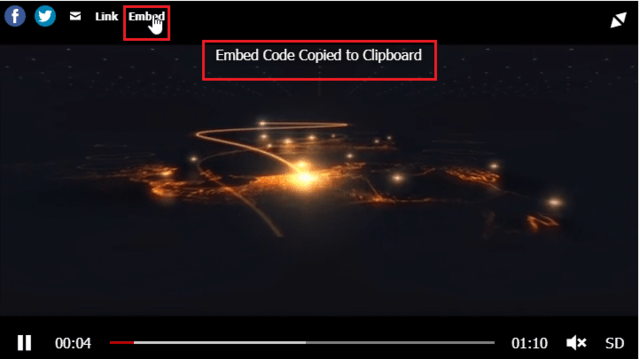
Iframe embed code copied to clipboard
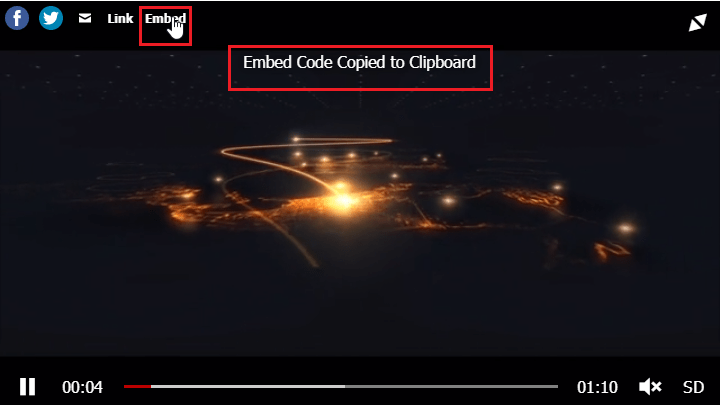
The improved iframe embedding supports ads and playlists and is capable of embedding a video that is originally hosted on YouTube or Vimeo. The embedded video will contain it’s original responsive properties along with sharing options on social media. If you want to test the result, you can use any blank HTML page and paste the embed code to the body, or use a code tester, such as this one.
Old Script and Iframe Code Difference
Before the iframe embedding, the code generated an anchor tag with caption and a long script like this:
<a href="http://lucia.foliopress.net/quality-switching/">Watch video! <script>var w=window,d=document,e;w._fpes||(w._fpes=[],w.addEventListener("load",function(){var s=d.createElement("script");s.src="//foliovision.com/flowplayer/6.0.5/embed.min.js",d.body.appendChild(s)})),e=[].slice.call(d.getElementsByTagName("script"),-1)[0].parentNode,w._fpes.push({e:e,l:"//lucia.foliopress.net/site/wp-content/plugins/fv-wordpress-flowplayer/flowplayer/fv-flowplayer.min.js",c:{"ratio":0.5625,"rtmp":0,"live":false,"origin":"http://lucia.foliopress.net/quality-switching/","key":"$813252141133510","swf":"//lucia.foliopress.net/site/wp-content/plugins/fv-wordpress-flowplayer/flowplayer/flowplayer.swf?ver=6.2.6","swfHls":"//lucia.foliopress.net/site/wp-content/plugins/fv-wordpress-flowplayer/flowplayer/flowplayerhls.swf?ver=6.2.6","embed":{"library":"//lucia.foliopress.net/site/wp-content/plugins/fv-wordpress-flowplayer/flowplayer/fv-flowplayer.min.js","script":"//lucia.foliopress.net/site/wp-content/plugins/fv-wordpress-flowplayer/flowplayer/embed.min.js","skin":"//lucia.foliopress.net/site/wp-content/plugins/fv-wordpress-flowplayer/css/flowplayer.css","swf":"//lucia.foliopress.net/site/wp-content/plugins/fv-wordpress-flowplayer/flowplayer/flowplayer.swf?ver=6.2.6","swfHls":"//lucia.foliopress.net/site/wp-content/plugins/fv-wordpress-flowplayer/flowplayer/flowplayerhls.swf?ver=6.2.6"},"adaptiveRatio":false,"clip":{"sources":[{"src":"https://s3-eu-west-1.amazonaws.com/fv-player-unprotected/20-Gothic-Avenue-sd.mp4","type":"video/mp4"},{"src":"https://s3-eu-west-1.amazonaws.com/fv-player-unprotected/20-Gothic-Avenue-mobile.mp4","type":"video/mp4"},{"src":"https://s3-eu-west-1.amazonaws.com/fv-player-unprotected/20-Gothic-Avenue-hd.mp4","type":"video/mp4"}]}}});
</script></a>
With iframe embedding enabled, the code is reduced into one short tag that contains all the information and every HTML5 browser will be able to read it:
<iframe src="http://lucia.foliopress.net/quality-switching/fvp/" allowfullscreen width="848" height="479.67088607594934" frameborder="0" style="max-width:100%"></iframe>
Deactivating Embedding Button
Although this a built-in function and is on by default, it can be manually deactivated – the Embed button will disappear from FV Player’s top bar. To do this, just go to Settings > FV Player > Setup tab > Sitewide FV Player Defaults and check the option Disable Embed Button.
Please note that the <iframe> embed codes will stop working too.
Example
Iframe tag of the example videos:
<iframe src="https://foliovision.com/player/features/playback/ab-loop-function/fvp" allowfullscreen="" style="width:640px;height:360px;border:none;max-width:100%">
