• Skip to main content
  • Skip to primary sidebar
  • Skip to footer

Foliovision

  • Weblog
    • FV Player
    • WordPress
    • Video of the Week
    • Case Studies
    • Business
  • About
    • Testimonials
    • Meet the Team
    • We Support
    • Careers
    • Contact
    • Pricing
  • Products
  • Support
    • FV Player Docs
    • Pro Support
  • Login
  • Basket is empty

Change or add video title for Matomo

[Solved]

Foliovision › Forums › FV Player › How to … › Change or add video title for Matomo

  • Matthew 4 years, 5 months ago

    Support,

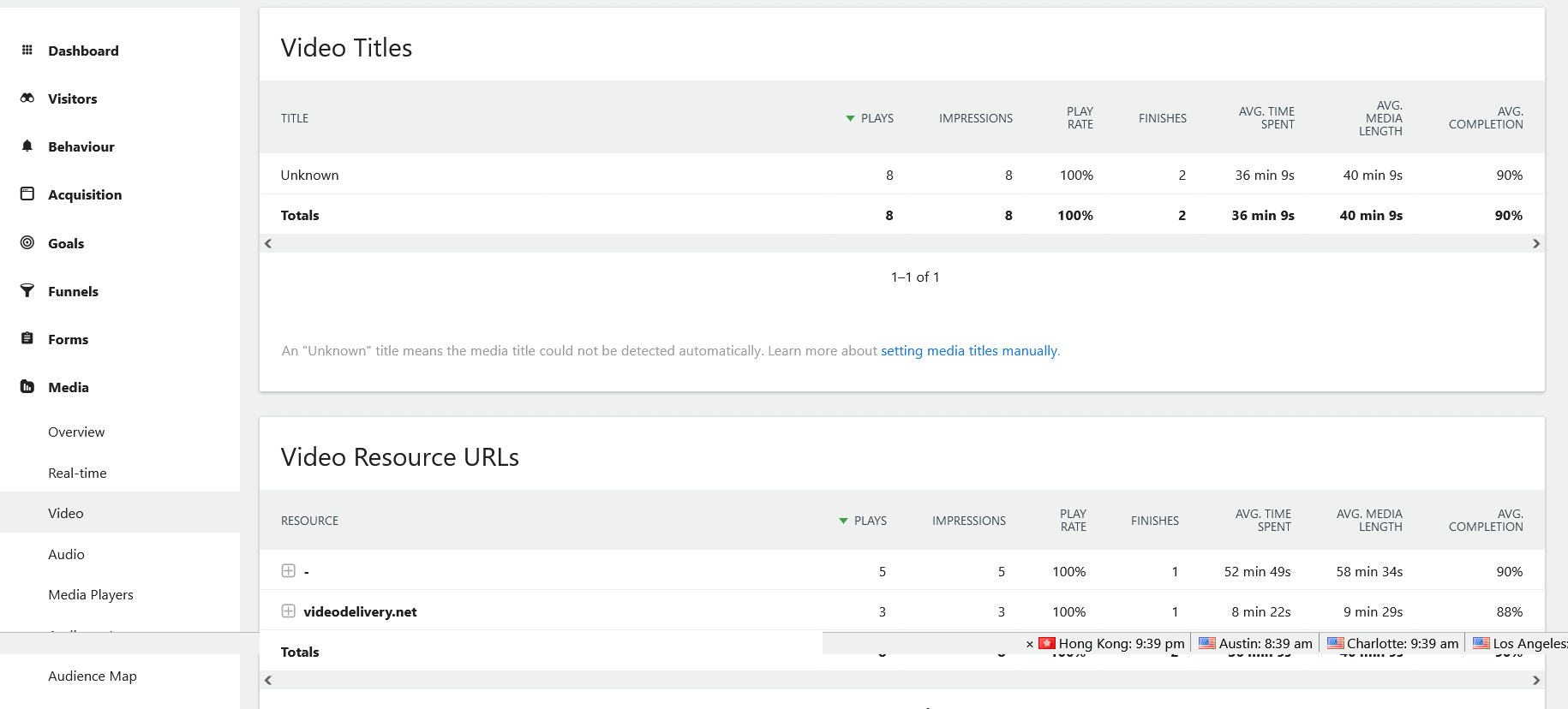
    I noticed the FV Player uses the custom fv_title HTML attribute to set the video title. I need to be able to add one of the below HTML attributes within the player so that my analytics platform sets the correct title for each video since it does not recognize fv_title. This is important so that I can easily track the title of each video played. Any help would be appreciated. Currently all video titles are displayed as unknown in the analytic software. Here is a link to their documentation. https://developer.matomo.org/guides/media-analytics/options

    Options:
    1. Set the HTML attribute for video title.
    2. Set the alt HTML attribute for video title.
    3. Add a custom attribute for data-matomo-title

    Is there a way to set one of the 1st two HTML attributes in FV Player? If not is there a way to add one of the HTML title attributes listed above to each of the videos in FV Player?

    screenshot-2021-09-20-092253
    Screenshot-2021-09-20-092253
Viewing 10 replies - 1 through 10 (of 10 total)
  • Martin 4 years ago

    Hello Matthew,

    are you not using the FV Player Matomo integration? https://foliovision.com/player/advanced/matomo-analytics-fv-player

    Please let us know.

    Thanks,
    Martin

    Matthew 4 years ago

    Martin,

    I do have the integration enabled in the FV Player Pro settings and we are receiving events in matomo for the videos’. This is helpful but does not resolve my issues of Video Titles not showing up in the Matomo Media tracking.

    Regards,
    Matt

    Martin 4 years ago

    Hello Matthew,

    please just enter the video title in FV Player Editor and it will be used for tracking automatically. Our scripts take care of that if that title is not present it should use the filename (or folder name in case of a HLS stream).

    If you are getting “Unknown” then please provide a demo page where we can check the tracking.

    Thanks,
    Martin

    Matthew 4 years ago

    Martin,

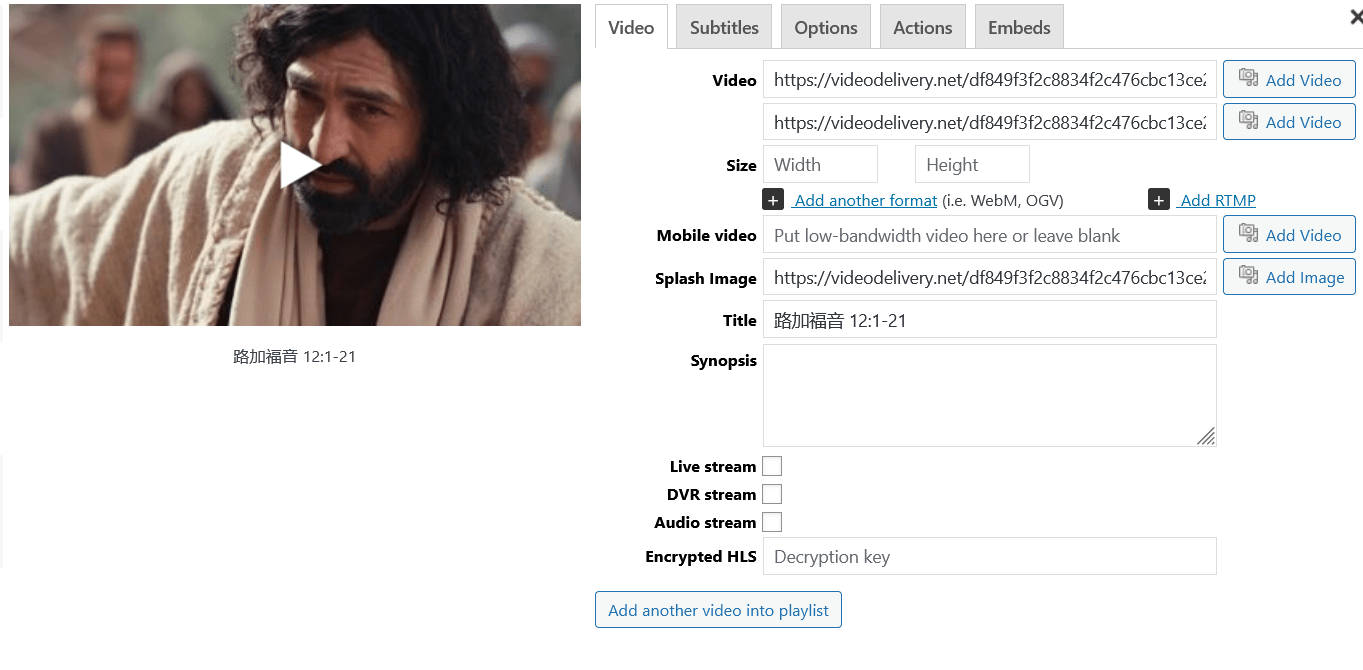
    A title is set for all of our videos in the FV player editor, see attached screenshots. This does add the title in the Matomo events but does not add the title under the Media tracking in Matomo.

    A sample video can be viewed on https://www.pinganlushang.com/covet01post/

    I also paid for support incident online and I would like to use this issue for that incident. Can we move the conversation to email?

    Regards,
    Matt

    screenshot-2021-09-22-at-17-45-55-fv-player-%e5%b9%b3%e5%ae%89%e8%b7%af%e4%b8%8a-wordpress
    Screenshot-2021-09-22-at-17-45-55-FV-Player-‹-平安路上-—-WordPress
    Martin 4 years ago

    Hello Matthew,

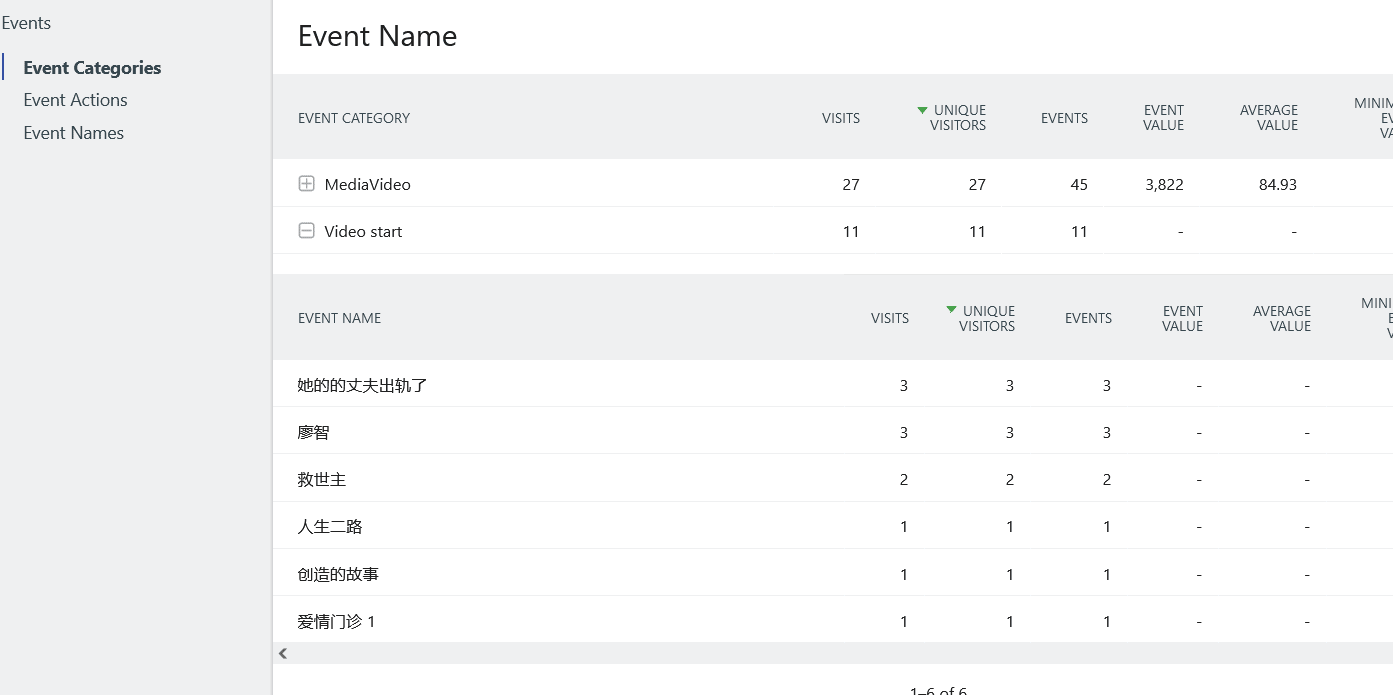
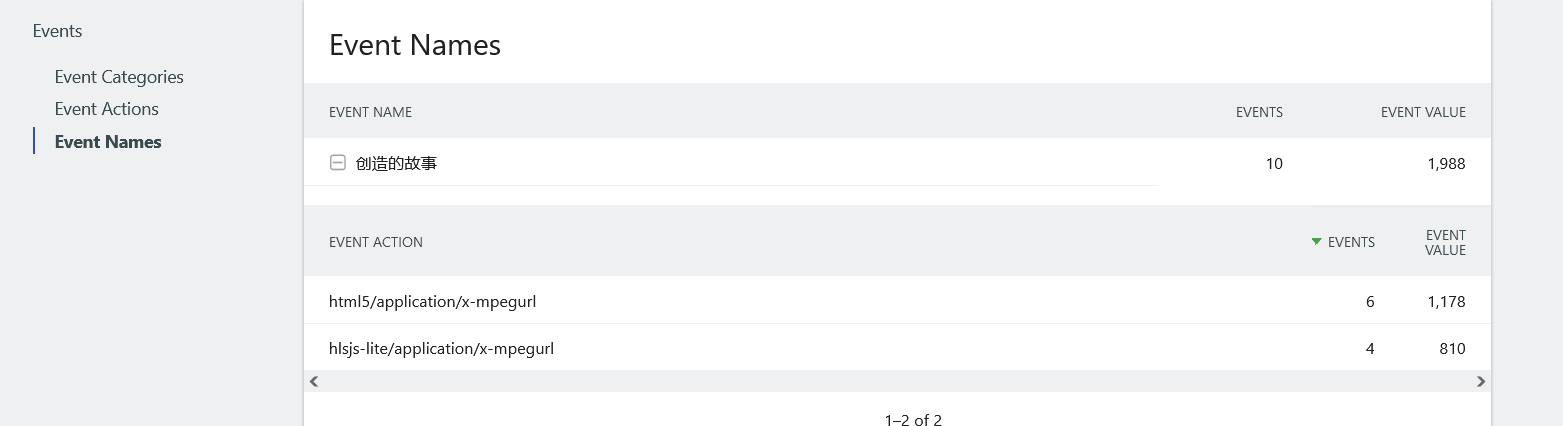
    please check Behavior -> Events in your Matomo and click “Switch to Event Name”.

    Then go to Event Categories -> “Video start” . Do you see all the proper video names there?

    Thanks,
    Martin

    Matthew 4 years ago

    Martin,

    In the Behavior-Events I can see the title names. Thank you for showing me this option. I would still like to try and resolve the Unknown title names in the Media-Analytics plugin reports. I have attached screenshots of of both the Behavior-events view and the Media-analytics Reports we are trying to fix. I would like the Media-Analytics report to also have the correct title name not just the Behavior-Events view. Thanks again for all your help. If this is not possible then let me know.

    Matt

    screenshot-2021-09-22-at-21-47-28-pinganlushang-ev-mandarin-2021-09-18-web-analytics-reports-matomo
    Screenshot-2021-09-22-at-21-47-28-Pinganlushang-EV-Mandarin-2021-09-18-Web-Analytics-Reports-Matomo
    screenshot-2021-09-22-at-21-38-54-pinganlushang-ev-mandarin-2021-09-21-web-analytics-reports-matomo
    Screenshot-2021-09-22-at-21-38-54-Pinganlushang-EV-Mandarin-2021-09-21-Web-Analytics-Reports-Matomo
    screenshot-2021-09-22-at-21-39-41-pinganlushang-ev-mandarin-2021-09-21-web-analytics-reports-matomo
    Screenshot-2021-09-22-at-21-39-41-Pinganlushang-EV-Mandarin-2021-09-21-Web-Analytics-Reports-Matomo
    Martin 4 years ago

    Hello Matthew,

    I tried to add matomoTitle object property for Flowplayer configuration objects as outlined in Flowplayer section of https://developer.matomo.org/guides/media-analytics/options

    Could you please reinstall FV Player from this link: https://github.com/foliovision/fv-wordpress-flowplayer/archive/refs/heads/15392-matomo-media-analytics.zip

    To do that you will have to first deactivate and delete the current FV Player plugin you are using. WordPress will warn you that you might loose settings and data, but it’s not the case with our plugin, no settings now videos will be lost. Or you can just replace the plugin files via FTP.

    Then it should start working for you.

    Thanks,
    Martin

    Matthew 4 years ago

    Martin,

    I have reinstalled FV Player using the version you provided above. I will test it and let you know if it works. It will take an hour for the Media reports to run to get the results.

    Matt

    Matthew 4 years ago

    Martin,

    I checked today and the video titles are beginning to show in the Media Reports. We had some cached pages that were keeping the code from being deployed on a few videos but those have all been updated now. From what I can tell your updates have fixed our issue. Will these updates be rolled into the next release?

    Regards,
    Matt

    Martin 4 years ago

    Hello Matt,

    I’m glad that we could help. Yes, it will be part of next release.

    Thanks,
    Martin

Viewing 10 replies - 1 through 10 (of 10 total)
Reply To: Change or add video title for Matomo


Please Sign in or Register to upload files.

Related Posts

  1. FV Player Videos Can Now Be Tracked with Matomo Analytics

  2. Using Matomo Analytics with FV Player

  3. Remove video title from bottom of player

    Remove video title from bottom of player

Primary Sidebar

How to …

    Categories

    • Business
    • Camera Reviews
    • Case Studies
    • Design
    • FV Player
    • Internet Marketing
    • IT
    • Life
    • SEO
    • Slovak
    • Video of the Week
    • WordPress

    Footer

    Our Plugins

    • FV WordPress Flowplayer
    • FV Thoughtful Comments
    • FV Simpler SEO
    • FV Antispam
    • FV Gravatar Cache
    • FV Testimonials

    Free Tools

    • Pandoc Online
    • Article spinner
    • WordPress Password Finder
    • Delete LinkedIn Account
    • Responsive Design Calculator
    Foliovision logo
    All materials © 2026 Foliovision s.r.o. | Panská 12 - 81101 Bratislava - Slovakia | info@foliovision.com
    • This Site Uses Cookies
    • Privacy Policy
    • Terms of Service
    • Site Map
    • Contact
    • Tel. ‭+421 2/5292 0086‬