The control panel for FV Testimonials can be found in WP administration->Sidebar. The entire panel consists of 8 pages in the PRO version, or 5 pages for the basic version. The pages are accessible from a submenu which opens under testimonials tab.
Adding a new testimonial
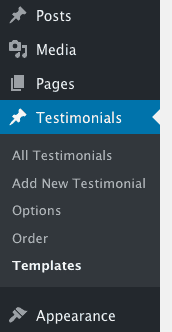
FV Testimonials admin menu
Go to “Add new” submenu and fill in the name and text, excerpt. Adding an image is optional and picking a category is reserved for the PRO version. You can fill out the basics or even add a couple of links (websites, social media profiles etc.) Short testimonial is an excerpt you can show in your template. If you want to show only selected testimonials on your site or in your sidebar, you can mark testimonials as featured. This can be done also while looking at the list of all testimonials, simply by clicking on the star icon.
Editing an existing testimonial
If you wish to edit details of your testimonials, click on the name of a testimonial in the list that you wish to modify and edit the testimonials just as you edit posts or pages.
Reordering Testimonials

FV Testimonials ordering
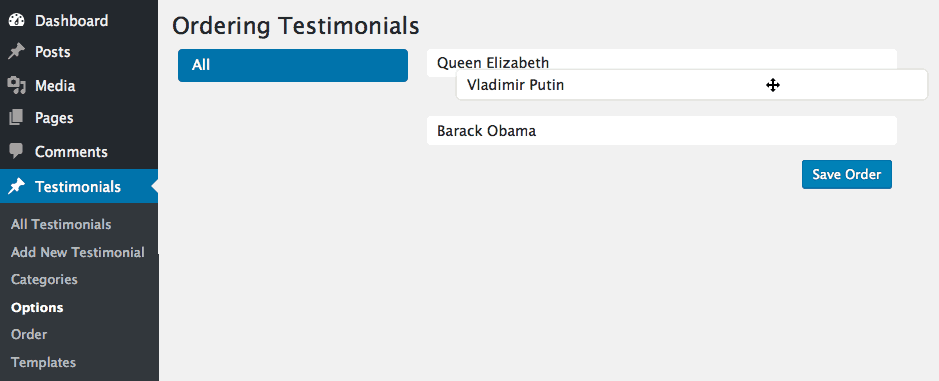
If you wish to set a custom order to your testimonials, open the Order view. Simply drag and drop the testimonials to achieve the desired order, then click Save.
Adding and Editing Templates

FV Testimonial templates
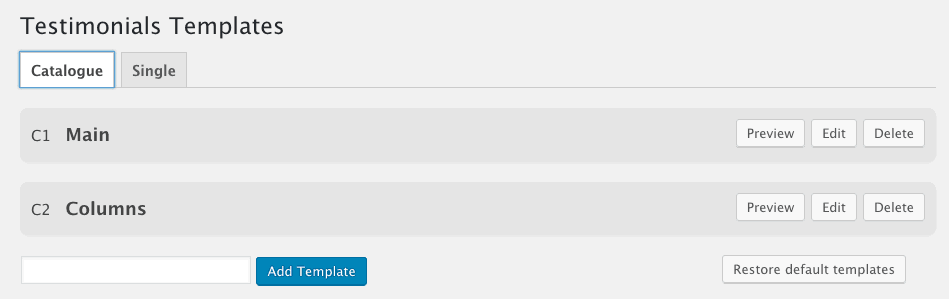
Please refer to the detailed guide to FV Testimonials templates for more information on this feature.
General Options

FV Testimonial options
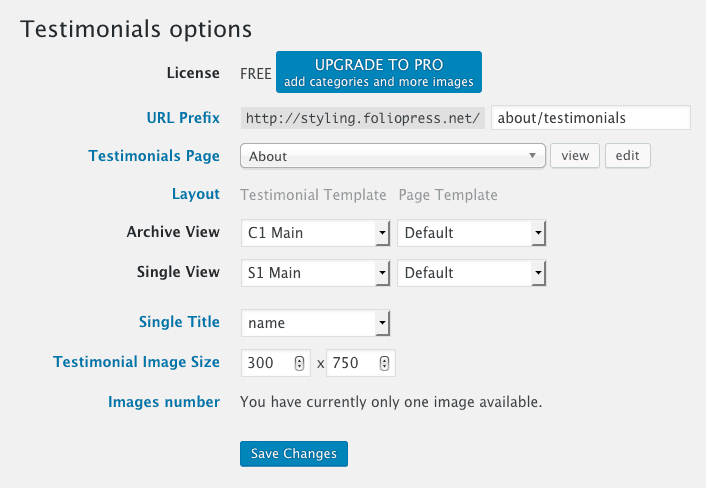
- URL Prefix You can change or remove (when using just /) /testimonial_category from category URLs
- Testimonials Page You can pick the page, where your testimonials will be placed
- Layout Select your default layout for archive and single view. You can combine testimonial templates with your theme page templates (e.g. full-width, content-sidebar)
- Single Title You can select between using Name and Company, depending on who do you feature in your testimonials.
- Testimonial Image Size Set up a new image size for your testimonials. Thumbnail versions of your images will be created automatically, just like any other uploaded media in Wordpress.
- Images number Only available in PRO version, this option sets how many Add Image boxes will be displayed when creating or editing a testimonial.
Testimonials Box
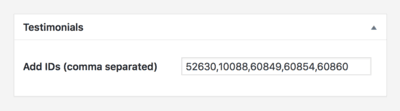
Testimonials can be listed below the post content using the Testimonial box. The box can be found in WordPress backend, usually below the post content box. Locate the box and add Testimonials’ IDs, comma separated. See example below.
Using Testimonials shortcode
When manually adding testimonials to your page through the [testimonial] shortcode, please use these attributes:
category– show testimonials from certain categorieslimit– how many testimonials should be displayedtemplate– the ID of your catalogue or single template (C1, S1, etc.)type– template type (classic, slideshow, grid)image– the image sizeinclude– include the IDs of selected testimonials, you can get the IDs when going to All Testimonials in the admin menu.exclude– when you use show=”all”, you can then exclude the IDs of selected testimonialsoffset– number of testimonials to displace or pass over.show– choose between “all” or “featured”length– should just the “excerpt” be displayed or “content”orderby– how to sort retrieved testimonials using the standard orderby parameters inherited from WordPress core
Example testimonial shortcode
[testimonial category="1" limit="3" template="S1" type="grid" image="medium" include="24,345,789,37" exclude="6,154,78" offset="1" show="all" length="excerpt" orderby="rand"]
