Foliovision › Forums › FV Player › How to … › How to Add Markup Content to the Video Sitemap?
-


The video sitemap generator for FV Player is missing embedURL.
Also, the contentURL is the post’s URL and not the video file’s URL.
https://schema.org/contentUrlHow do you add missing markups in the video sitemap?

-
-
Hello Jovan,
FV Player uses video sitemaps like this:
<?xml version="1.0" encoding="UTF-8"?> <?xml-stylesheet type="text/xsl" href="https://cdn.foliovision.com/site/wp-content/plugins/fv-player/css/sitemap-video.xsl?ver=8.0.16"?> <urlset xmlns="http://www.sitemaps.org/schemas/sitemap/0.9" xmlns:video="http://www.google.com/schemas/sitemap-video/1.1"> <url> <loc>https://foliovision.com/2025/01/fv-player-tv</loc> <video:video> <video:thumbnail_loc>https://cdn.foliovision.com/images/edd/2017/11/fv-player-pro-100x100.png</video:thumbnail_loc> <video:title>Playlist Improvement: Random Video Playback</video:title> <video:description>A random video from the playlist will autoplay at a random playback position when you open the page with the playlist.</video:description> <video:category>FV Player</video:category> <video:publication_date>2025-01-10T11:56:58+01:00</video:publication_date> <video:player_loc>https://foliovision.com/2025/01/fv-player-tv/fvp-230</video:player_loc> </video:video> </url> </urlset> <!-- XML Sitemap generated by FV Player --><video:player_loc>is equivalent ofVideoObject.embedUrlin structured data.Are you sure you get that error for the sitemap and not the Schema.org markup on the page?
I see that the file URL would be better for
contentUrl. Please check https://search.google.com/search-console/ -> Enhancements -> Videos to see what errors do you get for the Schema.org markup. Using page URL forcontentUrldoes not seem to cause issues.Thanks,
Martin
Sorry, I meant Video Schema.org markup.
The video sitemap works perfectly.
Hello Jovan,
Do you see a lot of these errors in https://search.google.com/search-console/ -> Enhancements -> Videos?
Could you please send a link to the video where it does not show?
Thanks,
Martin
My videos are valid. I am trying to say that the Rich Results structure data markup is not following best practices.
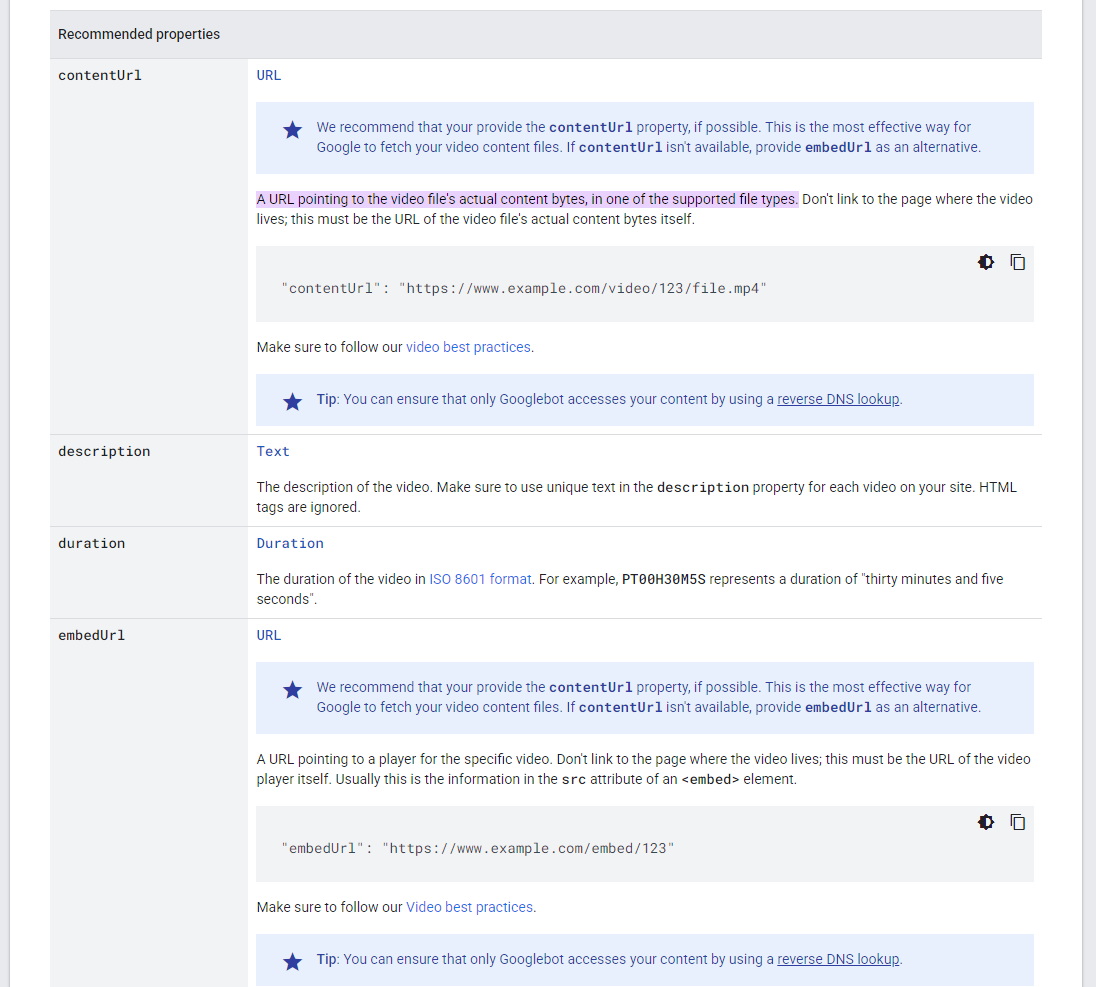
contentURL property should be the video file.
“contentUrl”: “https://www.example.com/video/123/file.mp4“Currently, the “contentURL” is pointing to the page where the video is embedded.
Also we should use the “embedURL” which is currently not included.
“embedUrl”: “https://www.example.com/embed/fvp-123“My link to the video page is NSFW.
Hello Jovan,
Are your MP4 videos playable anywhere?
If they are hosted on AWS or Bunny CDN or anything similar and they use URL tokens to restrict playback then they cannot be used as the
contentUrl.Perhaps we could use
contentUrlwhen we see it’s a bare MP4 file without the URL token.Thanks,
Martin
Are your MP4 videos playable anywhere?
My videos are hosted on a sub-domain with the full URL available.
I don’t use AWS or BunnyCDN or anything similar. I host my own videos.
Hello Jovan,
Could you please reinstall FV Player from this link? https://foliovision.com/downloads/fv-player-8.zip
Then the MP4 video links will be used for Schema.org
contentURL.Thanks,
Martin
It worked!
I appreciate your time and hard work getting this done.
Hello Jovan,
Thank you, we will make the improvement part of the next FV Player 8 release as well.
We will be looking at our website in https://search.google.com/search-console/ -> Enhancements -> Videos to see if this helps with video indexing.
Thanks,
Martin