Firefox has a great search feature based on Command-F (Mac) or Control-F (Windows).
You get a cute little text box at the bottom of the screen which allows you to search the whole page.

Firefox Find – Command-F

Subsequently Command-G works just fine to take you down through the page.
Just ‘ (apostrophe) alone will bring up the Quick Find box. It looks almost the same but isn’t. Quick Find only searches URLs (a nice extra almost undocumented feature).

Firefox Quick Find – ‘ (apostrophe)
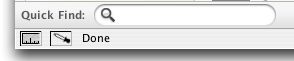
If you want to do a Quick Find in all the text you need to use / (forward slash).
Very nice.
Great for Unix geeks. Quite harmless.
Not quite.
You can get caught in an edit box (think Gmail or forums) and be unable to type an apostrophe.
At this point, cut and paste won’t work either.
If you press escape it will stop the QuickFind, but as soon as you press apostrophe again back is the Quick Find box.
It looks like either you can’t use an apostrophe or you have to throw away your writing (a true story).
Not quite.
There are a few solutions all surprising and undocumented.
- Resize your browser window (the instant and wonderful solution)
- Type about:config in the address bar to access Firefox’s hidden preferences and toggle “searchkeys.disable.all” to true
I haven’t decided whether to leave the QuickFind on (now that I know how it works). I certainly don’t think Quick Find should be on by default.
As iCannonBall writes:
The (‘) hotkey was activated for me every time I tried at use a contraction in Gmail, as with wberryiii.
How many non-savvy gmail/FF users out there are being forced to abandon contractions?
This is the kind of advanced feature which has less experienced internet users reverting back to Internet Explorer or Safari.
Too dangerous for road use.
Update 20090423: If this doesn’t work for you out of the date.You might need to install SearchHotkeys first.
Credit to Lifehacker writing up this Firefox feature albeit with a positive spin. The remedies are there in three pages of comments but are rather difficult to suss out. But in the end my long text box entry was saved and I hope yours will be too.

Alec Kinnear
Alec has been helping businesses succeed online since 2000. Alec is an SEM expert with a background in advertising, as a former Head of Television for Grey Moscow and Senior Television Producer for Bates, Saatchi and Saatchi Russia.


I hate firefox quickfind. I find it incredibly annoying. For example every time I try to put my website in one of these comment boxes the damn quickfind comes up. I HATE it. I just cant even figure out why they would have that as automatic feature, it’s so annoying.
That’s odd. I’ve never had this problem. I’ve never even seen the quick find before until now. Edit boxes allow apostrophes just fine for me… I wonder what it is, then? Look! ”””””””’
Thanks for posting this, the Quick Find apostrophe thing has been driving me NUTS! Resizing the window fixes it. WHEW.
hi. i went to about:config, and the searchkeys.disable.all was not there! help!
hello val, you have to add searchkeys.disable.all yourself (there is an option in about:config to add new preferences). if you are having trouble installing itself, you could install search hotkeys which will add searchkeys.disable.all to the preferences menu as well as some other items.
thank you for this – nice, succinct, solved the problem. Have mentioned this page on my blog – hope that is okay.
an apostrophe? Tried this, and mine seems to work okay. the apostrophe gives me a quick search window only when I’m not in a text box, typing away …
(this with FF 2.0.0.11)
Hello James, Thanks for letting me know your results. Try adding the search hotkeys(I have them installed now) and let me know if that helps.
I still have some issues myself with Firefox, specifically with copy and paste, particularly in the address bar of new windows. A fine browser but far too many automated functions. I particularly loathe the navigation on the backspace key – a long comment killer if there ever was one (fix: go to about:config and set browser.backspace_action to a value of 2 to disable this feature. It would be nice if somebody would do a preferences stripped down version. But just a few files to replace (so that it could be updated). Or perhaps one installs the whole stripped down version and then updates from there.
Alec, Creating searchkeys.disable.all doesn’t work either…. 2.0.0.11. I set the value to true and restarted firefox, still does it.
Woohoo! Glad my google search brought me to this website.
I never even knew about this QuickFind feature in Firefox until a few days ago when I installed the Microsoft Virtual Desktop (Windows XP Powertoy). Then my Firefox started popping this Quickfind bar whenever I typed an apostrophe anywhere. Started driving me nuts.
It seemed Quickkeys would start misbehaving if I toggled between virtual desktops. And I would have to close and restart Firefox to settle it down again.
The information on this page helped me disable that feature though. I needed to install “search hotkeys” plug-in to get that searchkeys.disable.all configuration. But once that showed up and was set to True my woes have been fixed! Thanks. :)
Glad it helped you out Ravynmagi. QuickFind was bringing me close to abandoning Firefox/Mozilla as well. Sorry for the extra Google search.
But I’d still recommend visiting the searchhotkeys home page before installing for the latest news. For some reason SearchHotkeys is not included in the Mozilla Add Ons library.
I don’t know why not as it is the one extension making Firefox useable for me (and for you too)!
After installing the plugin it worked.
Manually inserting the “searchkeys.disable.all” to the about:config did not do it until i installed the plugin.
Thanks for sharing your experience Mark.
That was the case for me as well.
It’s a pity that Firefox makes it so hard to get a basic install without all the bells and whistles.
I am still having some trouble with copy and paste and have moved to Camino as my default browser. In 2003-2004 Camino was my default browser. I switched to Firefox on account of memory leaks and to be able to enjoy a much wider range of extensions.
I think I am retiring Firefox to be my web design – SEO tool and will be using Camino as my day-to-day browser.
I’ve had absolutely no issues with copy and paste in Camino which makes it a lot easier to work with.
thanks for the disable tip! what a headache!
Resizing the window does temporarily sort out my Quickfind woes, but my woes seem to be worse than most of the others here:
The quickfind feature (aka: Pain in the arse) frequently kicks in when I’m typing anything in a text box (eg the Google search box), and not just when typing an apostrophe. It is sooooo frustrating…
R…
Hello Richard,
I was having the same grief as you from Quick Find which is why I spent so much time researching, implementing and documenting the solution.
Follow the steps carefully, starting by installing searchhotkeys and then customising the about:config to toggle “searchkeys.disable.all” to true.
This should solve all your problems. Let me know how it goes.
I concur that it is absurd that Firefox comes with these Quick keys enabled. You and I use our browsers to work and not to browse. So the browser should be a stable platform while we are working, letting us edit text fields without a backspace deleting a whole post or with a defective apostrophe key.
i was going crazy, trying to type a message on Facebook. all of a sudden, i couldn’t type an apotstrophe. i was using Netscape, as i have been for years, and this had NEVER happened to me! thanks for the solution.
Oh my gosh – thank you so much for posting this. I didn’t know why God wasn’t letting me use apostrophes!
I landed here because I am getting so frustrated with this quick find box. I am busy and I don’t have time to have to research something like this, then spend the time following the directions in here, ( but thank you very much, I will have to try of course). How unuser friendly firefox! Don’t force this kind of stuff on me, I hate it!
If you disable all will it disable the ctrl-f and g? If so, is there a way to disable just the one search key? Namely, the evil apostrophe?
Hello Stephie,
It will just get rid of the evil apostrophe.
No worries – your browser will be your own again. You’ll be able to write in whatever text boxes you want, whatever you want, including apostrophes.
I was really frustrated with Firefox before I installed this solution.
On a Mac though, Camino is much lighter on the eyes and seems faster. Perhaps because my Firefox is rigged up more as a testing/research tool for web design and SEO.
Good luck.
Hi, the apostrophe thing was driving me batty, until it occured to me to try holding the Esc key and the forward slash key at the same time. This has thus far proven to have worked for me as I no longer have the apostrophe problem.
Hope this is helpful.
Thanks for posting about this; I’ve never run afoul of it until today when trying to type in Facebook’s new chat client. This mindbogglingly asinine feature had me annoyed in no time at all.
help me please! I tried to disable it but then i tried a lot of ways all of the ways i found and none of them worked on disabling it. If anyone has the same case as me and successfully disabled quick find can you please tell me? PLEASE! This is driving me mad !
@Allison: Thanks for the alternative suggestion
@john: It is a strange feature. I mean how hard is it to press command-f if you want to find something. Mozilla Geeks, please leave our keyboards alone!
@Jenny: The instructions above do work. First install search hotkeys and then type about:config into the address bar. Search for “searchkeys.disable.all” and mark it to true.
`alec: I tried that just now and the searchkeys.disable.all was already true and I installed search hot keys too and it’s still there. But thanks for the suggestions anyways~!
Hello Jenny,
I’m sorry it’s not working for you. Perhaps try Safari on either Windows or Mac. It’s a good browser as well and doesn’t have these issues. Opera is faster than either of them but a bit strange. Good luck.
I appreciate the help. Unfortunately it doesnt work work for me. I still have the issue. I couldnt find the searchkeys.disable.all in the about config. This is a very silly feature.
OK if you are having trouble this might help, I struggled with it too: First install search hotkeys using the link in above post.. — once file downloaded
then in Foxfire Menu/File/Open File then restart and type about:config into the address bar. “searchkeys.disable.all” was right there and mark it to true (click on it?)
May God richly bless you for posting this article!
Finally, I can begin saying can’t and don’t and shouldn’t and what-the-beeeeeep is freakin’ wrong with my apostrophe and FireFox!!!
THANK YOU! Resizing the window worked…
I tried the about:config but could not find the searchkeys.disable.all anywhere!!!
Jeff McCord
Thank you, thank you, thank you from the bottom of my heart. This has been driving me batty for ages, and I thought it was just my pc! I was getting ready to switch back to IE, and gave one last shot to searching for an answer. I was able to add the searchkeys.disable.all to the config and that took care of the problem after I restarted the browser. Works great! ”””! :)
Thanks again!
You are most welcome Alice!
I remember my own frustration with this problem. I still don’t understand why the Mozilla Foundation make Firefox such a techy browser out of the box.
The SearchHotkeys addon solves half the problem in that I no longer have the Quick Find popping up when I type an apostrophe. The other, more serious problem is it still doesn’t type an apostrophe in the editing box. I have to be able to type contractions. This is ridiculous. Oddly though, it’s not happening in this box, just in my Hotmail and Yahoo Mail accounts.
Hello James,
That’s very interesting information. Curiously enough I don’t have the problem of typing apostrophers here either and haven’t noticed it on any websites.
My Yahoo mail is fine. On the other hand, I’m on Mac OS X. Perhaps it’s a windows only issues.
I wonder if anyone else is still having problems typing apostrophes after installing SearchHotKeys.
Thank you so much! The ‘ rarely gets in my way, but a few minutes ago it randomly came up with quickfind! Life saver!
at first i didn’t find the searchkeys.disable.all either in about:config, but here’s what you do:
Thanks for the clear instructions Nick, for those who are having trouble.
This is a problem again in Firefox 3.0.1 in Windows (not a problem in Ubuntu). It only happens in rich text WYSIWYG editors like Gmail, WordPress, Google Docs. I have tried resizing the window and re-installing Firefox and neither works.
wordpress.org/support/topic/184569?replies=9
I also had to create that searchkeys.disable.al Boolean value, but on some pages the quick find bar activates no meter what. I am actually learning to type without looking at my keyboard, and on 2 sites that I found good lessons, the quick search activates, making my learning really annoying. typingtutor-online.com/EN/Aspx/ExerciseWithCharacters.aspx?ExerciseNumber=69
Hello Daniel,
If you are finding a really site specific issue, my best suggestion to you is to install Safari or Opera for that site. They are both good browsers.
I need Firefox for my web design and SEO work but I don’t run it as the primary browser as I find it comparatively slow and clunky (at least with my core set of extensions installed). Firefox is always just a command key press away (grabs the URL of Safari and reopens the page in Firefox.
Personally I programmed this in Peter Lewis’s Keyboard Maestro although there are any number of ways to make this happen.
Love this. I have been playing a java game lately which seems to trigger quick find a lot. Silly me, didn’t know I could press “escape” to exit it but I’ve turned it off now. Afterall, if I need to look for something it’s easy enough to use the actual find feature. Strange, though, it was not the apostrophe which was doing it for me, I think. Oh well, fixed now! Thanks (=
What do I do if the searchkeys.disable.all thing doesn’t work for me? (I followed the instructions precisely!)
You see, my problem isn’t as much with the apostrophe, it’s just anytime I write ANYTHING without having a text box marked, it opens the Quick Find box (not the ctrl+f) and then I use backspace to get rid of the text but just before I press the button, the QS dissappears again and I instead go back 1 page and lose all my text -.- So how the hell do I disable this madness!?
As I said, it not only does this with the apostrophe but with all ‘text’ keystrokes.
Hello Glies,
In your position, I woud look at creating a new Firefox profile and see if the problem persists in the new profile. I suspect this will solve the problem and you can then start to bring your cookies and your bookmarks over.
The next thing you might want to look at is whether you have any macro or keyboard shortcut software on your computer that could be interacting with Firefox.
In the meantime, until you’ve got this solved, I recommend that you move to Safari or Opera (assuming you are working under Mac or Windows).
Let us know how you solve it in the end! If anyone else has experienced something similar and has a suggestions for Glies, don’t keep it a secret – please chime in.
Okay, sounds great but… How do I create a FF profile? (Did I do that when I installed it the first time?) And yes I have Windows XP :/ Linux simply didn’t work on this machine :(
Hey Glies,
This is what you need: Managing Profiles in Firefox.
Let us know how it goes.
Worked like a charm! Should I just copy-paste my cookies and bookmarks from acc to acc, or do you suspect it was a cookie that was the crook?
Hello Glies,
The problem is probably not in your cookies or your bookmarks.
I would not move your old preferences back across though.
Glad we could help!
For months I never encountered this, and then suddenly it was everywhere. Thanks for this, never would have realised that resizing the window would do it otherwise.
Thanks for the info, this has bugged me before but it fixed itself. Just a few minutes ago I was caught by it again >:(
Disabling it is entirely wrong. This is a bug, not normal behavior.
I had this problem on an install of Firefox, which I think is due to leftover files from using a spell checker on a previous version. Completely remove your Firefox directory and reinstall, and the problem will go away.
Hello Wrong,
Not my experience – or those of others on this thread. This bug is real. There are lots of reports of it within Mozilla bug threads as well.
Deleting everything and reinstalling is not an attractive proposition for those of us who have sophisticated Firefox setups.
Putting everything back in place would be a few hours unpaid work. And then this bug could pop up again at any point.
Yes, it’s a bug. It’s not supposed to open quick find while you’re in a textbox (and it doesn’t in a working installation). Crippling quick find is a workaround, not a solution.
Deleting Firefox’s main program directory and reinstalling (I did this on Windows) just takes a few minutes and doesn’t hurt any of your settings or extensions. They’re stored in your user profile elsewhere.
You honestly think I didn’t try un&re-installing it? -.-
I have to agree with Glies. It was a while ago, but I think I remember installing and reinstalling. What did work was a new user profile but as pointed out above that’s hardly an attactive option.
I’ve never needed quickfind so crippling it is nothing lost in my books.
If other people have had success getting Quick Find to stop misbehaving by just deleting the main Firefox application, Glies and I and some others would be interested in hearing about it.
I had this problem with two computers and solved it on both by deleting Program Files/Mozilla Firefox and reinstalling.
From what I can understand there’s at least 2 different causes to this, and the only thing they seem to have in common is the Quick Find problem.
I have Danish keyboards (due to the addition of ÆØÅ in our alphabet) and I never really had any problem with the apostrophe in particular, but I had to do it the hard way.
Anyway I bet there’s a lot of errors just like this that noone have found or found a solution to yet.
Hello Mumford,
You might need to install SearchHotkeys first.
Here’s a direct download link for Firefox 3.0. For previous versions and/or updates visit the home page above.
How do you delete this key if it does not work for you or you make a mistake. I somehow have the ‘type’ as string instead of boolean (I had it boolean and the (‘) and the (/) still brought up the quick find box (I assume this should not work at all with this key set to true (searchkeys.disable.all) with the status as being ‘user set’?
Thank you much. Mumford68
That’s just crazy. Sure enough I was having this problem and had it set to full screen and all of a sudden I couldn’t type an apostrophe…grrr…I don’t typically use full screen on a normal size laptop but since falling in love with my new netbook toy I’ve been using it more. Oh well, thanks for the tip. Hopefully that’s a bug they’ll fix soon.
This Quick Find business may be something some segment of the population can’t live without, but I’m guessing that population is smaller than those who actually use contractions.
Seriously. Who the hell came up with the idea of using one of the most common punctuation marks to be the hotkey of quickfind?
FF is becoming the new IE with “features” like this. I did the about:config deal, and it temporarily solves the problem, but any time I re-open my FF, it does the same thing again. Ditto for re-sizing.
Hello Opera.
“Seriously. Who the hell came up with the idea of using one of the most common punctuation marks to be the hotkey of quickfind?”
It works totally fine for most people. ‘ ‘ ‘ ‘ ‘ ‘ ‘ ‘ ””””””””””””””””””””” I’m typing this in Firefox. No problems. ‘ ‘ ‘ ‘ ‘
“It works totally fine for most people. — Bill”
So? How on Earth is that even relevant? Cid implied that using the apostrophe as the trigger for quick find was a dumb idea given how much it is used. The fact that not everyone has this bug is no defense to the relative stupidity in choosing it for the job.
All you’ve accomplished is showing how little empathy you have for people who have a problem you don’t have. This bug was a serious pain in the posterior for me until I found this site. Consider yourself lucky you never had this problem. And take some lessons on how not be an ass.
Hi James,
I agree with you and with Cid. The quickfind issues is a real problem.
Well said.
The Firefox developers should turn off these “convenience” features by default. The less of them turned on the better.
Yeah, that’s REALLY stupid. Why on earth would anyone want a commonly-used punctuation mark to bring up quick find?!?
Thaaaaaaank yyooooouuuuuuuuu =D
Just tried it, after a month of disabling my add-on thinking it was them. Never had this problem before…
I was thinking, if they wanted a hotkey for it, why not use tild? or rather, that thing on the same key as tild… Oh well, Thanks for the site!
Thanks for the guide! I was one of the sad masses who had temporarily abandoned contractions, but now my life is whole again.
Good write up!
Thank you for this post! This problem hit me a couple of different times and I finally got around to doing a search for the solution. Resizing the browser window works! Are you kidding me? And yes this is exactly the kind of thing that will make people go back to IE (shudder). Thanks! Brett
Thanks, dude, I was about to trash Firefox hardcore.
Plain and simple, on Windows Vista hit “f11″ key to resize browser and then hit it again to return to original size and Voila! Look”’I”’can”’use”’my”’damn ”’apostophe”’key”’again!
I just wanted to add my thanks to the list here. I thought I was going CRAZY. The resize window fix worked for me; didn’t have to try the config suggestion.
Thanks so much!
Resizing the window solved the issue. It was also driving me crazy; I get this issue most often with yahoo mail. I too did not install the fix since it might cause issues with latest version of Firefox (or later). Unfortunately, I’m thinking of ditching it anyway because it is now officially less safe than IE 8 is.
I hate having to say this… But whoever was working at Mozilla that decided the apostrophe should be a search key is an idiot and they deserve to be slapped across the face 50 times with a cold, dank, pungently stale, musty and sweaty gym sock. (And I’m sure there are plenty of people with not-so-fresh laundry piles willing to contribute.)
Now if it was the backward apostrophe (shared with tilde) that I could understand. But the regular apostrophe? An oft used form of punctuation? Really? WTF!? What ever happened to common sense?
Also why should the resizing of the window affect this behavior? Where did that “genius” idea come from? Firefox is good and great in just about every other way with extensions and all… But how did trash like this get in there?
Thanks for the post here with the fix though. Easy enough once explained with some clarity.
All I can say is, I love you. I can finally type without resizing or looking like I have a 4th grade education.
Thank you so much for whoever posted the searchkeys disable all plugin idea. It seems to have worked for now. I originally changed some value in about:config from 0 to 1, and that changed it so it brought up the quick search only when I wasn’t typing in a text box…but I figured I’d do the full new plugin to keep it from doing it at all. If I want to search, I’d rather specifically tell the computer to do it then hit a simple key :-) Thank you!
when you said that Quick Find was “an almost undocumented feature”, you weren’t kidding. i was stumped when it popped up for no reason but your tip of ctrl-g undid it nicely. many thanks.
2014 and I’m just learning about out this idiotic quickfind problem.
Odd, because in another tab, I can’t type an apostrophe. But I just typed 2 of them in this message with no problem.
Firefox has officially crossed into ‘sucks now’ territory.
Thanks for your note Eric.
Firefox has really annoyed me with their me-too constant upgrades. At least they could try to have stability and low-maintenance in their favour.
Now it’s a bloated slow loading browser who constantly needs to be fed updates. Blech. And I’m a big Mozilla and open source fan and contributor.
I’ve had this issue for a few months without knowing what was wrong. I use a custom userChrome.css, so while typing, occasionally my right-hand scroll bar would get displaced for no apparent reason. It was ugly so I’d have to open a new tab when this happened.
Eventually I figured out it only happened when I typed ‘ and /. It seems like whatever fix they used was a very tacked on solution. The Quick Find feature still “hears” you when you type in those keys in an input form, it just doesn’t show the find bar. Worse, the old searchkeys.disable.all solution doesn’t work, even when I installed the extension from 5 years ago. What I had to end up doing was download a new CSS that moves the find bar to somewhere where it’s not battling for control of my window.
I’m very surprised there’s no easy option to just disable this feature outright, considering it’s been bothering people for 10 years. Apparently your only option is to download the source code and delete it yourself.
Hi Johnan,
I’ve been very disappointed with Firefox lately. The constant updates mean most extensions are broken at least part of the time. Something went really wrong with this project. Security updates are what we really need with a single large scheduled update per year which requires extension maintenance.
Thanks for your input.
About your Update 20090423 where you provided a link to the very useful Firefox add-on/extension: SearchHotkeys
That page contains download links for about (at this time) 37 add-ons/extensions for Firefox and Thunderbird (most are for Thunderbird), so it can be a bit confusing to not immediately see the SearchHotkeys add-on when you first visit that page.
On the left side (column) is a navigation section with on-page and off-page links that you can use to jump to most (perhaps not all) of the add-ons/extensions, including the SearchHotkeys add-on.
To open that page directly to the area for the SearchHotkeys add-on, use this link: freeshell.de//~kaosmos/index-en.html#searchkeys